
Your Browsing History
BEST SELLERS


BEST SELLERS
In Power Protection
Our most popular products, based on sales and updated frequently.Shop Department
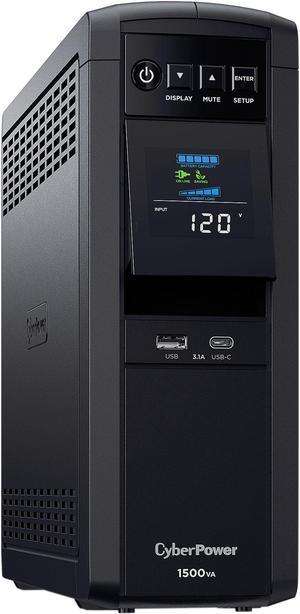
CyberPower CP1500PFCLCD PFC Sinewave UPS Systems - 1500VA/1000W, 120 VAC, NEMA 5-15P, Mini-Tower, Sine Wave, 12 Outlets, LCD, PowerPanel
- Outlets: 12
- Battery Run Time: At Half Load: 10 Minutes At Full Load: 2.5 Minutes
- Output Frequency: 60 Hz +/- 1%
- Battery Recharge Time: 8 Hour(s)
- Model #: CP1500PFCLCD
- Item #: N82E16842102134
- Return Policy: Manufacturer Only Return Policy
$298.99
$316.99
Free Shipping
The UPS works well and the software was a breeze on 64 bit win 7.
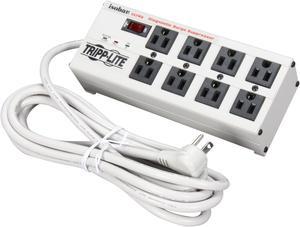
TRIPP LITE ISOBAR8ULTRA 12 Feet 8 Outlets 3840 Joules Surge Protector
- Series: Isobar
- Outlets Type: NEMA 5-15R
- Input Voltage: 120V
- Voltage Compatibility: 120V AC
- Model #: ISOBAR8ULTRA
- Item #: N82E16812120523
- Return Policy: Standard Return Policy
$149.99
$151.99
Free Shipping
Does its job
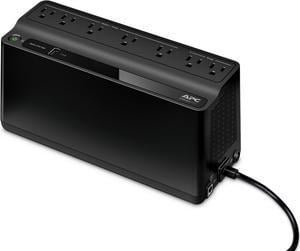
APC BE600M1 Back-UPS 600VA, 120V, 1 USB charging port, 7 NEMA outlets (2 surge) - Tower - 10 Hour Recharge - 3.20 Minute Stand-by - 120 V Input - 120 V AC Output
- Outlets: 7
- Battery Run Time: Run Time at Half load: 11.75 minutes Run Time at Full load: 3.2 minutes
- Output Frequency: 50/60Hz +/- 3 Hz
- Battery Recharge Time: 10 Hours
- Model #: BE600M1
- Item #: N82E16842301669
- Return Policy: Manufacturer Only Return Policy
$125.99
$129.99
Free Shipping
+ • 5 Battery backup outlets • All outlets protected with surge suppression. • USB charging port (1.5A) • PC power monitoring software (PowerChute) • LED power mode indicator (AC, battery backup) • Muted aesthetics, not an eye catcher. • 45º angled power plug is great for crowded outlets or power strips. • Seamless backup power in the event of power loss. I set this battery backup for use with my PC and monitor, and has been a great addition to my set up. The PowerChute software provides almost real-time power consumption and estimated battery run time on power failure. The PowerChute software can be configured to shut down your PC for you in the event of power loss, at a set interval of time. For my hardware scenario I set the software to 5 minutes on battery before shutting down my PC, given my current PC hardware configuration. Current specs: i7 5820k x99 motherboard GTX 1060 6GB OC 16GB DDR4 1.35v (2x 8GB) 2 SSD’s, and one 3TB WD black HD. 1x BD/DVD optical. 4 140mm fans, 2 120mm fans 630W 80+ gold rated PSU This battery backup is sufficient for my use, as even under load (gaming) the software reports that I should have more than 6 minutes of battery run time. At idle the PowerChute software reports that I should have 18+ minutes on battery, which is plenty of time to save work and shut down should I choose to extend the battery run time before auto shutdown. Some other nice features of the PowerChute software is that it can report daily cost of operating attached equipment, total energy usage per month in kWh and interestingly estimated carbon dioxide emissions per day. Perform firmware updates, run self diagnostics, set hours at which alarms are active (if you dont want to be alerted to an alarm at 3 a.m.) What I’ve checked most often is the current energy consumption and load on battery backup. I was surprised to see that my system uses much less energy than I thought, with an average of 115 Watts at idle, and 265 +/- Watts under load, this is including my 144Hz monitor drawing 23 Watts. I really like the addition of a USB charging port, which also provides power on battery. This is a great way to charge your phone in a power outage, a 1.5 amp capacity should be enough for most phones and most tablets.
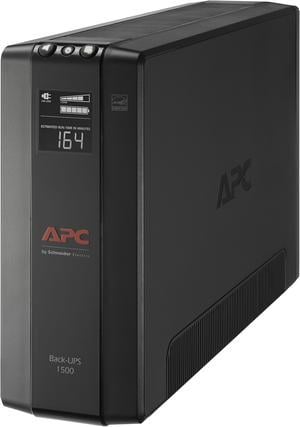
APC BX1500M Back-UPS Pro, 1500VA, Tower, 120V, 10 NEMA 5-15R outlets, AVR, LCD - Tower - 16 Hour Recharge - 3 Minute Stand-by -120 V Input-120 V AC Output -5 x NEMA 5-15R,5xNEMA 5-15R Surge Receptacle
- Outlets: 10
- Battery Run Time: At full load: 2.8 minutes At half load: 10.85 minutes
- Output Frequency: 60 Hz
- Battery Recharge Time: 16 Hours
- Model #: BX1500M
- Item #: N82E16842301561
- Return Policy: Manufacturer Only Return Policy
$318.99
Free Shipping
- From a power and plug standpoint, this is just a newer (and slightly less bulky) version of the XS 1500. - By comparison, buttons are now on top making it easier to locate from a seated position if you keep the unit on the floor. - The display is brighter than my previous unit (and not red!) while active which is welcomed. - Tested it under full load twice and held up like a champ.
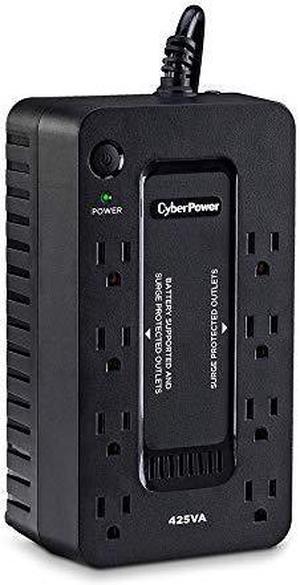
CyberPower ST425 Standby UPS Systems - 425VA/260W, 120 VAC, NEMA 5-15P, Compact, 8 Outlets
- Outlets: 8
- Battery Run Time: Runtime at Full Load: 1.5 min Runtime at Half Load: 6 min
- Output Frequency: 50/60 Hz +/- 1%
- Battery Recharge Time: 8 Hours
- Model #: ST425
- Item #: N82E16842102335
- Return Policy: Manufacturer Only Return Policy
$79.99
$99.99
Free Shipping
This UPS was a great solution to support networking equipment (modem, router, switch) that I installed in my basement. It has lots of outlets and the size of the unit was perfect for mounting on the network wall panel.
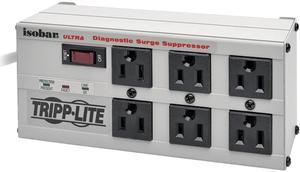
Eaton Tripp Lite Series Isobar 6-Outlet Surge Protector, 6 ft. Cord with Right-Angle Plug, 3330 Joules, Diagnostic LEDs, Metal Housing - 6 x NEMA 5-15R - 1440 VA-3330J-120 V AC Input- 20 V AC Output
- Series: Isobar
- Outlets Type: NEMA 5-15R
- Input Voltage: 120V
- Voltage Compatibility: 120V AC
- Model #: ISOBAR6ULTRA
- Item #: N82E16812120524
- Return Policy: Standard Return Policy
$122.99
$4.99 Shipping
I have these throughout my home...I learned my lesson when I lost a HDMI input on my TV,and a Modem;when Those items were the only electronics that didn't have a surge protector,during a storm.
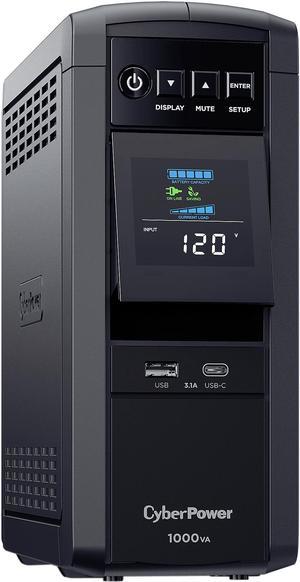
CyberPower CP1000PFCLCD PFC Sinewave UPS Systems - 1000VA/600W, 120 VAC, NEMA 5-15P, Mini-Tower, Sine Wave, 10 Outlets, LCD, PowerPanel®
- Outlets: 10
- Battery Run Time: Runtime at Full Load: 2 min Runtime at Half Load: 6 min
- Output Frequency: 60 Hz +/- 1%
- Battery Recharge Time: 8 Hour(s)
- Model #: CP1000PFCLCD
- Item #: N82E16842102132
- Return Policy: Manufacturer Only Return Policy
$226.99
Free Shipping
Best part of this UPS is the LCD display. It has a pocketful of vitals that it can display. I leave it set to Output (in wattage) to keep an eye on my power usage. It has a nice back light that can be seen day or night.
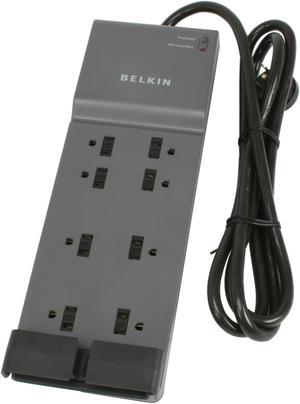
BELKIN BE108200-06 6 Feet 8 Outlets 3390 Joules Surge Protector
- Series: Home/Office
- Input Voltage: 125V
- Output Amperage Capacity: 15
- Output Watt Capacity: 1875 Watts
- Model #: BE108200-06
- Item #: N82E16812107193
- Return Policy: Standard Return Policy
$40.99
Free Shipping
No problems. I love its slim design... fits under my furniture with everything plugged in. Other surge protectors are too tall.
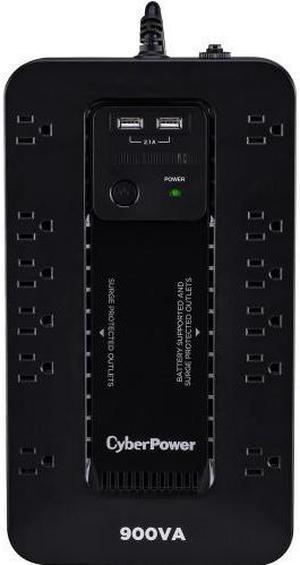
CyberPower ST900U Standby UPS Systems - 900VA/500W, 120 VAC, NEMA 5-15P, Compact, 12 Outlets, PowerPanel® Personal
- Outlets: 12
- Battery Run Time: At Half Load: 7.5 Minutes At Full Load: 2 Minutes
- Output Frequency: 50 Hz / 60 Hz +/- 1%
- Battery Recharge Time: 8 hour(s)
- Model #: ST900U
- Item #: N82E16842102337
- Return Policy: Manufacturer Only Return Policy
$147.99
$159.99
$4.99 Shipping
- Works as advertised, supports my mid-range PC with dual monitor setup long enough to save, close my work & shutdown when outages/fluctuations occur - power supplied to my devices plugged in remains consistent & entirely uninterrupted - Has lived through over a dozen power flickers & full on outages in my small town which is notorious for frying household appliances with our terrible power company (in southern Ontario, Canada) - Alarm when wall power is lost and UPS has kicked on can be turned off/on - Alarm, when on, is not excessively loud - the word alarm makes you think it will be screaming at you but it's comparable to a microwave button beep, probably a little bit quieter - When alarm is turned off, it still makes a very audible click when kicking on due to external power being cut off, so unless you have closed headphones or are blasting music you'll probably know the power went out if you didn't have any other indicator (like you had your lights off in your room mid-day or something) and can begin shutting your stuff off
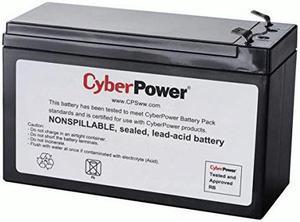
CyberPower RB1290X2 UPS Replacement Battery Cartridge
- Brand: CyberPower
- Part Number: RB1290X2
- Compatibility: RB1290X2, CyberPower
- Specifications: Battery type: lead_acid, Battery charge time: , Runtime: , Voltage: 12 volts, Wattage: 108 watts, Amperage: 9 amps, Output voltage: 12 volts of direct current, Output wattage: watts, Total power outlets: , Item weight: , Item dimensions: 2.6" x 5.9" x 3.9", Cable length:
- Model #: RB1290X2
- Item #: 9SIAH2MKFU6304
- Return Policy: View Return Policy
$132.39
Free Shipping
- Great packaging, fast delivery.
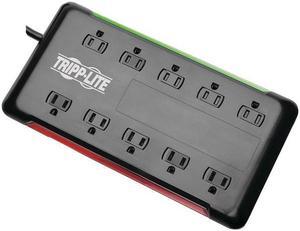
Tripp Lite 10-Outlet Surge Protector Power Strip 6 ft. Cord 2880 Joules Black (TLP1006B)
- Outlets Type: NEMA 5-15R
- Input Voltage: 120V
- Input Connections: NEMA 5-15P input plug right angle
- Voltage Compatibility: 120V AC
- Model #: TLP1006B
- Item #: N82E16812329699
- Return Policy: Standard Return Policy
$55.99
$10.35 Shipping
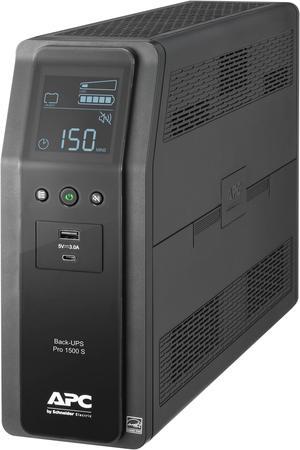
APC BR1500MS2 Back-UPS Pro 1500VA/900W, Tower, 120V, 10x NEMA 5-15R outlets, AVR, USB Type A + C ports, LCD, User Replaceable Battery -Tower - AVR - 16 Hour Recharge -4.10 Minute Stand-by -120 V Input
- Outlets: 10
- Battery Run Time: Backup/Run Time (Half Load) 14.50 Minute Backup/Run Time (Full Load) 4.10 Minute
- Output Frequency: 60 Hz +/- 3 Hz
- Battery Recharge Time: 16 hour(s)
- Model #: BR1500MS2
- Item #: 9SIAH2MKNU7915
- Return Policy: View Return Policy
$379.57
Free Shipping
This APC BR1500MS2 Back UPS PRO backs up and stabilizes the power to my network modem, router, NAS, PBX, FAX machine and VoIP interface. It also protects them from surges. Even momentary power interruptions can be a serious interruption to my wife's and my work and potentially costly. Brief utility power interruptions cause no problems on our network. During a sustained outage, the internal batteries in this UPS keep our network infrastructure running long enough for me to start our backup power generator and get it on-line. Living on a coastal island in a hurricane zone, power glitches are common. My previous UPS was a similar APC model that served me well for more than ten years before it needed another set of batteries and was on the verge of being functionally obsolete.
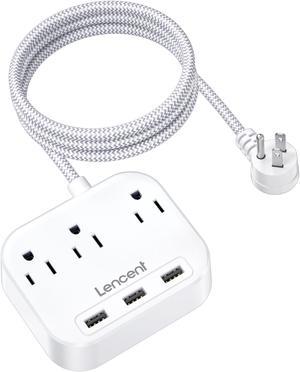
Power Strip with USB, 3 Outlet 3 USB Charging Ports (17W/ 3.4A), Flat Plug with 6.6ft Braided Extension Cord, Desktop & Wall Mountable, Compact for Cruise Ship, Travel, Home, Office
- Color: White
- Model #: 613310827436
- Item #: 9SIAPPAG9N0670
- Return Policy: View Return Policy
$22.99
$9.67 Shipping
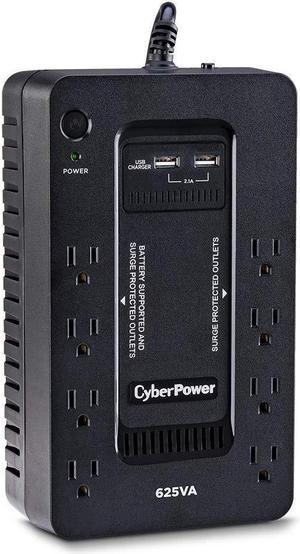
CyberPower ST625U Standby UPS Systems - 625VA/360W, 120 VAC, NEMA 5-15P, Compact, 8 Outlets, PowerPanel
- Outlets: 8
- Battery Run Time: At Half Load: 9 Minutes At Full Load: 2 Minutes
- Battery Recharge Time: 8 Hour(s)
- Series: Standby UPS Series
- Model #: ST625U
- Item #: N82E16842102336
- Return Policy: Manufacturer Only Return Policy
$99.99
Free Shipping
Works as expected. keeps my devices running long enough for temporary power outages or for me to shut things down if I need to.
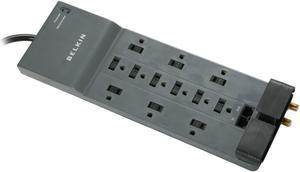
BELKIN BE112234-10 10 Feet 12 Outlets 3996 joules Surge Suppressor with Phone/Modem, RJ45 and Coax Protection
- Input Voltage: 125V
- Output Amperage Capacity: 15
- Output Watt Capacity: 1875 Watts
- EMI/RFI Noise Filter: 150K Hz ~100M Hz, up to 75dB
- Model #: BE112234-10 DUP
- Item #: N82E16842121010
- Return Policy: Standard Return Policy
$45.99
$3.99 Shipping
Great protector with lots of outlets.
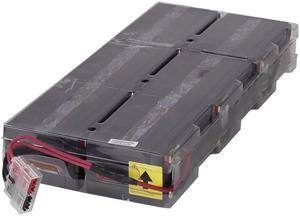
Eaton UPS Battery Pack
- Type: UPS Battery Pack
- Compatibility: Eaton 9PXEBM48RT Battery Module Eaton UPS:
9PX1500RT 9PX1500GRT - Model #: 744-A3297
- Item #: N82E16842303703
- Return Policy: Standard Return Policy
$312.99
$6.99 Shipping
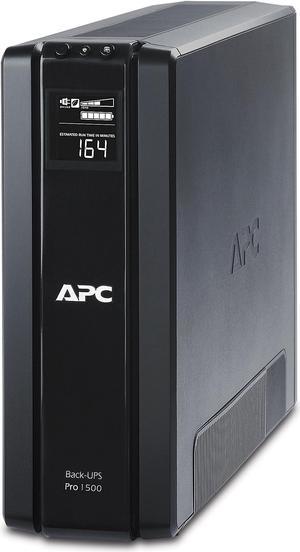
APC BR1500G Back-UPS Pro, 1500VA/865W, Tower, 120V, 10x NEMA 5-15R outlets, AVR, LCD, User Replaceable Battery - Tower - 8 Hour Recharge - 3 Minute Stand-by - 120 V Input - 120 V AC Output
- Outlets: 10
- Battery Run Time: Run Time at Full Load: 3.8 minutes Run Time at Half load: 12.8 minutes
- Output Frequency: 50/60 Hz +/- 3 Hz sync to mains
- Battery Recharge Time: 8 Hours
- Model #: BR1500G
- Item #: 9SIAH2MKNU7910
- Return Policy: View Return Policy
$434.46
Free Shipping
ZERO PROBLEMS! Excellent brown-out and power loss protection. Works well without the need of software, Windows 7 Pro recognizes the UPS and hibernates the PC if needed. Never a loss of data.
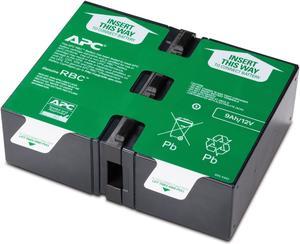
APC UPS Battery Replacement for APC UPS Models BR1500G, BR1300G, BX1500M, BX1500G, SMC1000-2U, SMC1000-2UC, BR1500GI, SMC1000-2U, SMC1000-2UC and select others (APCRBC124)
- Type: Maintenance-free sealed Lead-Acid battery with suspended electrolyte : leakproof
- Compatibility: BR1200G-FR, BR1200GI, BR1300G, BR1500G, BR1500G-FR, BR1500GI, SMC1000-2U, SMC1000I-2U
- Specifications: RoHS: Compliant REACH: Contains No SVHCs REACH SVHCs PEP: Available in Documentation tab REACH REACH: Contains No SVHCs EOLI: Available in Documentation tab
- Dimensions: 3.78" x 7.24" x 8.86"
- Model #: APCRBC124
- Item #: 9SIAH2MKSJ2553
- Return Policy: View Return Policy
$156.83
Free Shipping
Batteries for the BR1000G are easy to install. The unit itself is heavy and bulky but easy to remove the battery shield. Grab the 2 tabs attached to the batteries and pull gently. The old batteries will slide right out. Then insert the new batteries the same way the old batteries game out, pay attention to the paper tape attached to the batteries for the right direction to insert the batteries. Once installed and running the BR1000G will start beeping roughly 1 to 1.5 days or 24 to 36 hours after installation. The unit will inform you either thru the software or the device itself that there is a battery issue. There is NOT it is the device checking the batteries and it will stop after about an hour or so. Then all will be fine. Do not get concerned that the battery is bad
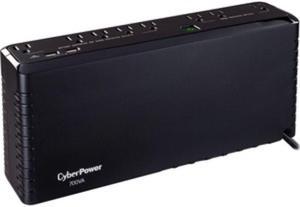
CYBERPOWER SYSTEMS (USA), INC. SL700U STANDBY, 8 X NEMA 5-15R, NEMA 5-15P W/5 FT CORD, USB CHARGE PORTS, 3YR WTY
- Outlets: 8
- Battery Run Time: Runtime at Full Load: 2 minutes Runtime at Half Load: 9 minutes
- Battery Recharge Time: 8 Hours
- Series: Standby Series
- Model #: SL700U
- Item #: 9SIAH2MKFU6380
- Return Policy: View Return Policy
$114.05
$115.51
Free Shipping
Small and works great for the modem and router and other small power use.
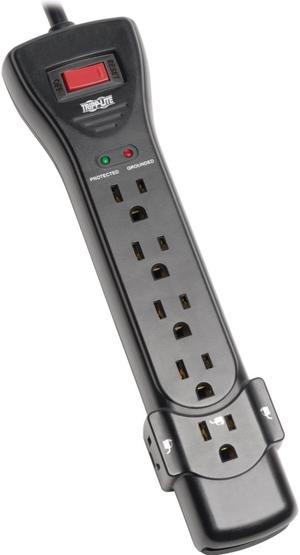
Eaton Tripp Lite Series Protect It! 7-Outlet Surge Protector, 7 ft. Cord with Right-Angle Plug, 2160 Joules, Diagnostic LEDs, Black Housing - 7 x NEMA 5-15R - 1800 VA - 2160 J - 120 V AC Input
- Series: Protect It!
- Input Voltage: 120V
- Input Connections: NEMA 5-15P
- Output Watt Capacity: 1800 Watts
- Model #: SUPER7B
- Item #: N82E16812228707
- Return Policy: Standard Return Policy
$39.99
$7.99 Shipping
The unit is nicely designed and takes up little space. I have two of these - one at home and one I carry around with my computer. I'm going to get a third one to replace another failing surge protector at home. It seems to do a fantastic job of protecting equipment, too. I plugged it into a circuit that I knew had power spike problems and it performed well...unlike the brand-new Radio Shack surge protectors, which fried my power supplies.