
Your Browsing History
BEST SELLERS


BEST SELLERS
In Desktop NAS
Our most popular products, based on sales and updated frequently.Shop Department
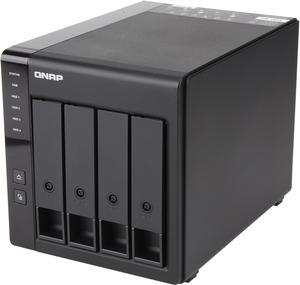
QNAP TR-004-US 4 Bay Type-C Direct Attached Storage DAS Expansion with Hardware RAID (Diskless)
- Form Factor: 4-Bay
- Port USB: 1 x Type-C USB 3.2 Gen 1
- HDD Interface: 4 x SATA (4 x Bay)
- Operating System: Minimum operating system requirements: QNAP NAS: QTS 4.3.6 and later Windows: Windows 8.1 and later Mac: macOS X 10.11 and later
- Model #: TR-004-US
- Item #: N82E16822099058
- Return Policy: Standard Return Policy
$399.99
$19.99 Shipping
I have three older hard drives just sitting around, I put them in and have been testing them to see how this unit would react, so far not one hiccup. I'm going to add four Seagate IronWolf Pro ST10000NE0004 10TB 7200 RPM 256MB Cache SATA 6.0Gb/s 3.5" Hard Drives later this week. If all goes well, later I'll add my second TR-004 to my TS-253Be. (according from Qnap Two TR-004 is the max you can add to compatible Qnap Nas systems)
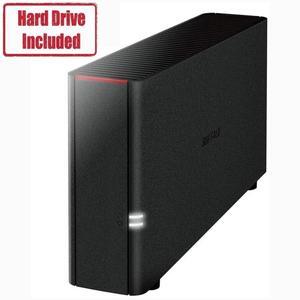
BUFFALO LinkStation 210 1-Bay Personal Cloud Network Storage 4TB (1x4TB) with Hard Drives Included
- Brand: BUFFALO
- Included HDD Capacity: 4TB
- Form Factor: 1-Bay
- Port RJ-45: 1 x 10/100/1000M
- Model #: LS210D0401
- Item #: 9SIAH2MKVN5161
- Return Policy: View Return Policy
$306.38
Free Shipping
very good build
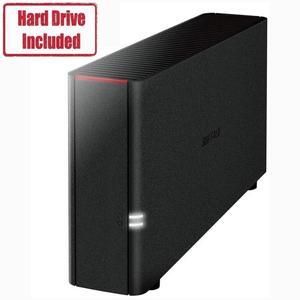
BUFFALO LinkStation 210 1-Bay Personal Cloud Network Storage 2TB (1x2TB) with Hard Drives Included
- Brand: BUFFALO
- Included HDD Capacity: 2TB
- Form Factor: 1-Bay
- Port RJ-45: 1 x 10/100/1000M
- Model #: LS210D0201
- Item #: N82E16822165589
- Return Policy: Manufacturer Only Return Policy
$226.99
$249.99
Free Shipping
Perfect for me - just wanted a simple NAS for data backups. I plugged it in and in 1 minute it was booted and on-line taking on data. Didn't have to touch a thing. I didn't install the Navigator. The web-based settings interface is easy to use and everything it does seems to be perfectly clear. I did turn on the DLNA service - yes it instantly shows up as a source on my "smart" BluRay player.
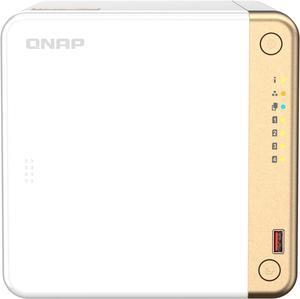
QNAP TS-462-4G-US 4 Bay Desktop NAS with Intel Celeron Dual-core Processor with M.2 PCIe Slots and PCIe expandability and 2.5GbE (2.5G/1G/100M) Diskless System Network - Storage
- Form Factor: 4-Bay
- Port RJ-45: 1 x 2.5GbE
- Port USB: Multiple USB 3.2 Gen 2 ports (type-A)
- HDD Interface: 4 x SATA (4 x Bay)
- Model #: TS-462-4G-US
- Item #: 9SIADGEJZT5491
- Return Policy: View Return Policy
$678.55
$18.99 Shipping
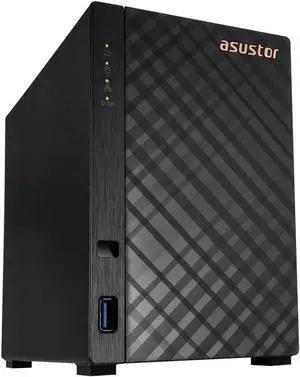
Asustor AS1202T Drivestor 2 Gen 2 ,2 Bay NAS, Quad-Core 1.7GHz CPU, 2.5GbE Port, 1GB DDR4, Three USB 3.0 (Diskless)
- Parts: 3 Year
- Model #: AS1202T
- Item #: 9SIADGEKRK5124
- Return Policy: View Return Policy
$297.22
$18.99 Shipping
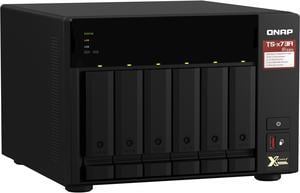
QNAP TS-673A-8G-US 6 Bay Ryzen Desktop NAS (Diskless)
- Form Factor: 6-Bay
- Port RJ-45: 2 x 2.5 GbE
- HDD Interface: 6 x SATA (6 x Bay)
- Processor: AMD Ryzen V1000 series V1500B 2.20 GHz
- Model #: TS-673A-8G-US
- Item #: 9SIADGEERY2150
- Return Policy: View Return Policy
$1,510.55
$34.28 Shipping
This QNAP runs quickly and quietly. The VM is Microsoft Server 2019, and it is very fast. I have it configured to boot off of a RAID-1 SSD drive array, and the AMD Ryzen processor is very fast. Adding RAM and the SSD drives was EASY. Very nice design on the case, easy access 3 screws and that was it. I added five 16-TB drives in RAID-5, and it is used as a Veeam Offsite Repository target server.
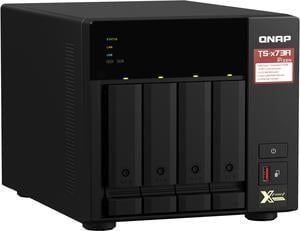
QNAP TS-473A-8G-US 4 Bay Ryzen Desktop NAS (Diskless)
- Form Factor: 4-Bay
- Port RJ-45: 2 x 2.5 GbE
- Port USB: 3 x Type-A USB 3.2 Gen 2 5V/1A 10Gbps 1 x Type-C USB 3.2 Gen 1 5V/1A 5Gbps
- HDD Interface: 4 x SATA (4 x Bay)
- Model #: TS-473A-8G-US
- Item #: 9SIADGEEUW5970
- Return Policy: View Return Policy
$1,305.22
$31.50 Shipping
Unit comes with 8 mb of RAM. Upgrading to 32 was easy and allowed use of the more advanced QTS Hero software.
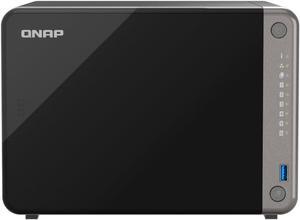
QNAP TS-AI642 6 Bay AI NAS with a Power-efficient ARM Processor and NPU for AI-Powered Video and Image Recognition Applications (Diskless)
- Model #: TS-AI642-8G-US
- Item #: 9SIADGEKTG8707
- Return Policy: View Return Policy
$1,191.55
$25.94 Shipping
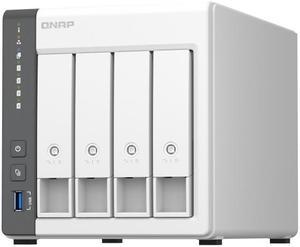
QNAP TS-433-4G-US 4 Bay NAS Diskless System Network storage
- Form Factor: 4-Bay
- Rotational Speed: 7200RPM
- Port RJ-45: 1 x 1G Ethernet | 1 x 2.5G Ethernet
- Port USB: 1 x USB3.2 Gen1 and 2 x USB2.0
- Model #: TS-433-4G-US
- Item #: 9SIA5SCKF42131
- Return Policy: View Return Policy
$696.74
Free Shipping
Affordable. And works very well
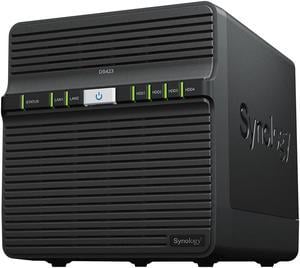
Synology 4-bay DiskStation DS423 (Diskless)
- Form Factor: 4-Bay
- Supported Protocols: SMB, AFP, NFS, FTP, WebDAV, CalDAV, iSCSI, Telnet, SSH, SNMP, and VPN (PPTP, OpenVPN™, L2TP)
- Processor: Realtek RTD1619B
- Installed Memory: 2 GB DDR4
- Model #: DS423
- Item #: N82E16822108830
- Return Policy: Manufacturer Only Return Policy
$549.99
$629.99
Free Shipping
Works superbly. Easy to setup. Very good management software. Lots of other users (e.g. on Reddit). Bought empty, and populated with four (4) 6TB drives (WD6001F4PZ-49CWHM0). More storage than I'll need for a decade.
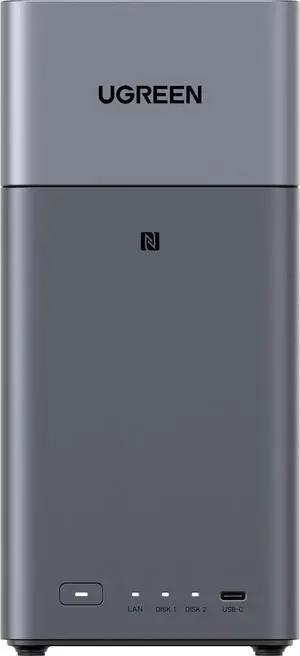
DH2300 UGREEN NASync DH2300 Storage Hub with HDMI Cable 2-bay, Rockchip RK3576 8-Core CPU, 4GB LPDDR4X, 1GB
- Form Factor: 2-Bay
- RAID: RAID 0, 1 and JBOD
- Type: Desktop NAS
- Dimensions: L151 x W98 x H213.7mm
- Model #: DH2300
- Item #: N82E16822995008
- Return Policy: Standard Return Policy
$299.99
Free Shipping
I was impressed with how the unit was packaged, the included accessories and the unit's design. UGREEN'S attention to details is top notch. I easily installed both of my drives on the unit's HDD rails, slid them in and booted up. I opted for a local configuration only (no UGREEN ID or web access) over LAN. UGOS is minimal but effective: configuration, diagnostics, basic apps, user management, etc. I also installed the UGREEN NAS app on my iPhone, which also works good.
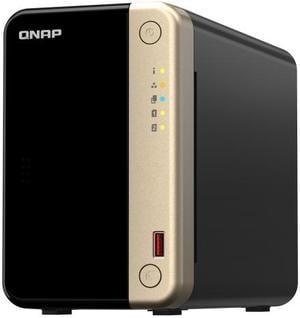
QNAP TS-264 2-Bay High-Performance Desktop NAS. Intel 4C/4T Processor, burst up to 2.9GHz with 8GB DDR4 RAM On-Board, 2 x 2.5GbE, 2 x M.2 2280 PCIe Gen 3 x1, 1 x PCIe Gen3 x2 slot for network/storage
- Form Factor: 2-Bay
- Processor: Intel Celeron N5095
- Installed Memory: 8GB
- Power: 65W adapter, 100-240V
- Model #: TS-264-8G-US
- Item #: 9SIADGEJH72443
- Return Policy: View Return Policy
$774.22
$21.77 Shipping
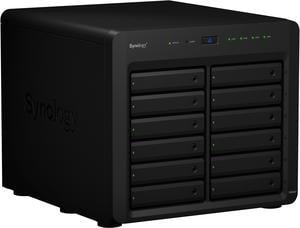
Synology 12 Bay DiskStation DS2422+ Desktop NAS (Diskless)
- Form Factor: 12-Bay
- Supported Protocols: SMB, AFP, NFS, FTP, WebDAV, CalDAV, iSCSI, Telnet, SSH, SNMP, and VPN (PPTP, OpenVPN, L2TP).
- Processor: AMD Ryzen V1500B 4-core 2.2 GHz
- Installed Memory: 4GB DDR4
- Model #: DS2422+
- Item #: N82E16822108790
- Return Policy: Manufacturer Only Return Policy
$2,934.99
Free Shipping
Worked out of the box. I didn't feel like experimenting, so I used Synology ECC RAM and Synology NVME cache drives to upgrade it. I'm sure cheaper parts would work, but that's for someone else to experiment with. I also have a DX517 connected. Moved the drives, and the volume, from a DX517 (connected to a DS1520+) to this DS1821+ after installing one blank drive to get DSM up and running. It found that 5-disk volume and I then allowed me to add a 6th with no issues. I then attached the DX517 with 5 new drives and created a Storage Pool and a new volume. This unit worked on creating the new volume, adding another drive while optimizing the original volume, and storing new files at the same time. The CPU never ran over 40%. DRAM was never over 10%. I don't have a use for more than 8GB. Most people won't have a use for more than the 4 it comes with. Both DIMM modules are replaceable with up to 16GB each. I used Synology's SHR RAID with 1-drive fault tolerance on both Storage Pools and the Synology's implementation of Btrfs.
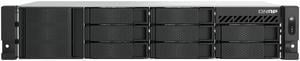
QNAP TS-855eU-8GSAN/NAS Storage System - Intel Atom C5125 Octa-core (8 Core) 2.80 GHz - 8 x HDD Supported - 0 x HDD Installed - 8 x SSD Supported - 0 x SSD Installed - 8 GB RAM DDR4 SDRAM - Serial ATA
- Model #: TS-855EU-8G-US
- Item #: 9SIA7BBK3G4741
- Return Policy: View Return Policy
$3,661.36
Free Shipping
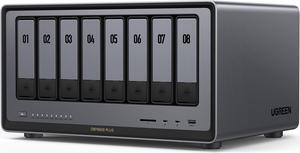
UGREEN NASync DXP8800 Plus, 8-Bay Thunderbolt™ NAS with Intel® 10-Core™ i5 CPU (Up to 4.40 GHz), 8GB DDR5, 4x M.2 PCIe Slots, 2x 10GbE, 2 TBT4, SD Slot (Diskless)
- Form Factor: 8-Bay
- Port RJ-45: 2 x 10GbE
- HDD Interface: 8 x SATA (8 x Bay) + 2 x M.2 (2 x Bay)
- Operating System: UGOS Pro
- Model #: DXP8800 Plus
- Item #: N82E16822995005
- Return Policy: Manufacturer Only Return Policy
$1,899.99
Free Shipping
This was an excellent purchase. Arrived very quickly, 2 days earlier than promised. Had seriously good packaging to protect from possible shipping accident. Setup was easy. There are at UG tutorials and youtube videos to aid if you have questions. There is lots of flexibility renmixing hdd's or m2's and no brand restrictions as some other NaS brands have. I install 7TB of storage which works well for.my home LAN. After 3 weeks use of the "2800" I am totally happy.
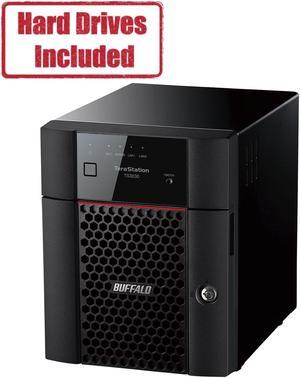
BUFFALO TS3430DN1604 Network Storage
- Form Factor: 4-Bay
- Port RJ-45: 1 x 2.5GbE + 1 x 1GbE
- Port USB: 2 x USB3.0
- HDD Interface: 4 x SATA (4 x Bay)
- Model #: TS3430DN1604
- Item #: 9SIAA4YKFU9826
- Return Policy: View Return Policy
$1,509.99
Free Shipping
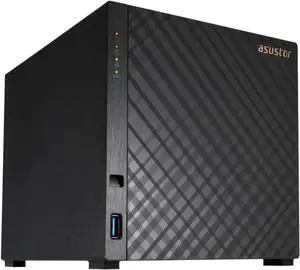
Asustor AS1204T Drivestor 4 Gen 2, 4 Bay NAS - Quad-Core 1.7GHz CPU - 2.5GbE Port - 1GB DDR4 - 3x USB 3.2 Gen 1 (10Gbps) Type-A - 2.5 Gigabit Ethernet - 90W Power Supply (Diskless)
- Brand: Asustor
- Form Factor: 4-Bay
- Port RJ-45: Gigabit Ethernet
- Port USB: 3 x USB 3.2 Gen 1 ( 10Gbps ) Type-A
- Model #: AS1204T
- Item #: 9SIA5SCKW27227
- Return Policy: View Return Policy
$464.64
Free Shipping
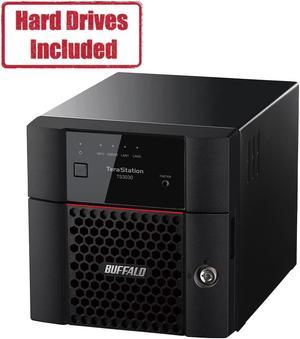
BUFFALO TS3230DN0802 Network Storage
- Form Factor: 2-Bay
- Port RJ-45: 1 x 2.5GbE + 1 x 1GbE
- Port USB: 2 x USB3.0
- HDD Interface: 2 x SATA (2 x Bay)
- Model #: TS3230DN0802
- Item #: N82E16822165932
- Return Policy: Manufacturer Only Return Policy
$890.99
$1,369.99
Free Shipping
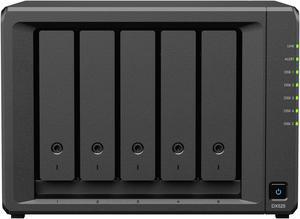
Synology 5-Bay NAS DiskStation DX525
- Brand: Synology
- Included HDD Capacity: Diskless System
- Form Factor: 5-Bay
- RAID: RAID 0, 1, 5, 6, 10, and JBOD
- Model #: DX525
- Item #: 9SIA7BBKK31995
- Return Policy: View Return Policy
$1,050.67
Free Shipping
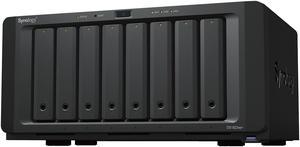
Synology 8-bay DiskStation DS1823xs+ (Diskless)
- Form Factor: 8-Bay
- Supported Protocols: SMB, AFP, NFS, FTP, WebDAV, CalDAV, iSCSI, Telnet, SSH, SNMP, and VPN (PPTP, OpenVPN™, L2TP)
- Processor: AMD Ryzen V1780
- Installed Memory: 8 GB DDR4 ECC SODIMM (expandable up to 32 GB)
- Model #: DS1823XS+
- Item #: 9SIAH2MKVE2415
- Return Policy: View Return Policy
$3,015.19
Free Shipping
- Easier than I expected to setup; - smaller than I expected, which is great!; - quieter than I expected! Overall Im surprised with the quality, ease of use and speed.