
Your Browsing History
Lowest price in 30 days


LOWEST PRICE
In Components & Storage
Shop Department
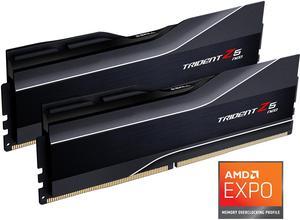
G.SKILL Trident Z5 Neo Series 64GB (2 x 32GB) 288-Pin PC RAM DDR5 6000 (PC5 48000) Desktop Memory Model F5-6000J3040G32GX2-TZ5N
- CAS Latency: CL30
- Voltage: 1.40V
- Multi-channel Kit: Dual Channel Kit
- Timing: 30-40-40-96
- Model #: F5-6000J3040G32GX2-TZ5N
- Item #: N82E16820374443
- Return Policy: Standard Return Policy
$1,199.99
$1,369.99
Free Shipping
EXPO profile enabled on ASUS x670E-E motherboards without any problem
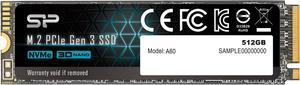
Silicon Power 512GB NVMe M.2 2280 PCIe Gen3 x4 SSD (SP512GBP34A60M28SN)
- Max Sequential Read: Up to 2200 MBps
- Max Sequential Write: Up to 1600 MBps
- Max Shock Resistance: 1500G / 0.5 ms
- Part Number: M.2 2280 (80mm) form factor
- Model #: SU512GBP34A60M28SN
- Item #: 9SIBYK2KDD2294
- Return Policy: View Return Policy
$115.79
$124.79
Free Shipping
Nothing to it. Fast, works, hope it lasts a while.
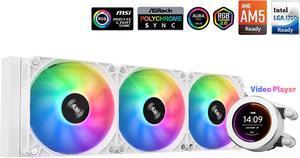
SAMA SM360 Gaming Water Liquid Cooler White 360mm AIO PC CPU Cooler with LCD Display Moitor Screen, 3 ARGB PWM Silent Fans
- Brand: SAMA
- Type: Liquid Cooling System
- Block Compatibility: Intel: LGA 775,115X,1366,1200,1700AMD:AM5,AM4.AM3,AM2,FM1.FM2, FM3
- Block Compatibility - AMD: AM5.AM4,AM3,AM2,FM1 FM2.FM3
- Model #: SM360LD White
- Item #: 9SIB41PJUX5124
- Return Policy: View Return Policy
$79.99
$119.98
Free Shipping
The aio has run well so far. Playing Star Wars Battlefront 2 my cpu would run at 86 C* on the AMD cpu cooler, which was a little high for my comfort. I installed the AIO which was fairly easy to do. Be careful when trying to remove the old cpu fan as to not rip out the cpu socket. The water cooler needs to be attached to a usb 2.0 and the AIO cooler on the motherboard. Then the wires for the fan I ended up daisy chaining with my other cpu fans and they worked at first boot up. I needed to buy a fan hub (aigoo) previously so just plugged the AIO fan into the hub and had the hub connected to cpu fan on the motherboard. Since running the AIO cooler Star Wars Battlefront 2 now the cpu runs at 66 C which is almost a 20 C drop which I was pleasantly suprised. The software isnt great but I was able to customize the display which I found super awesome. My PC theme is Dragon Ball Super Goku SSJ Blue. I was able to download a clip of Goku Powering up and was able to get the video on the water cooler display. I have been very happy with this cooler so far but it has only been 1 day. The AIO cooler does come with thermal paste as well so no need to buy new thermal paste.
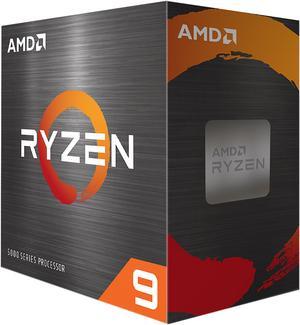
AMD Ryzen 9 5900XT - Ryzen 9 5000 Series Vermeer (Zen 3) 16-Core 3.3 GHz Socket AM4 105W None Integrated Graphics Desktop CPU Processor - 100-100001581WOF
- Series: Ryzen 9 5000 Series
- L3 Cache: 64MB
- L2 Cache: 8MB
- Cooling Device: Cooling device not included - Processor Only
- Model #: 100-100001581WOF
- Item #: N82E16819113845
- Return Policy: Standard Return Policy
$409.99
$499.99
Free Shipping
I had a 5900x and got it on a sale but always wanted the 16/32 core 5950x since it was the best CPU AMD released for AM4. But it was always priced with too much inflated pricing. I got this 5900XT Jan 2026, 16/32, core CPU because it was priced right and had the full 16 cores I wanted. I got it because I decided to not buy into AM5 at the moment because of DDR5 pricing is so high, but I wanted some sort of an upgrade right now and I already have 64GB ram and a 7900XTX card. I am glad I bought it because I am pretty sure I got a cherry of a CPU. I used Ryzen master to do the curve optimizer testing and after 2 hours of it running it set all cores to -30 negative. I was a bit skeptical of this choice but ran with it and it has been 100% solid and stable and boost to 4975-5000Mhz. I left every setting alone in the bios and the AMD software set the bios up according to the tests it did when I ran the software. The only thing I setup myself was the DDR4 which is set to 3733Mhz with decent timings not the best but pretty decent. In Aida64 my latency when tested is about 57-59ns which is pretty good I think for a dual CCD CPU. I am happy with my choice so far. It does seem to be faster than my older 5900x 12/24 CPU in games mainly because it seems to hold the core clocks a lot longer and temps do not seem to affect it as much as on the older 5900x did.
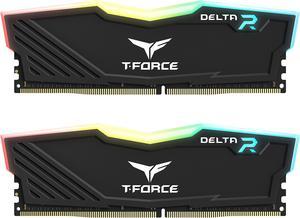
Team T-Force Delta RGB 16GB (2 x 8GB) 288-Pin PC RAM DDR4 3200 (PC4 25600) Desktop Memory Model TF3D416G3200HC16FDC01
- CAS Latency: CL16
- Voltage: 1.35V
- Timing: 16-20-20-40
- Recommend Use: High Performance or Gaming Memory
- Model #: TF3D416G3200HC16FDC0
- Item #: N82E16820331858
- Return Policy: Standard Return Policy
$159.99
$179.99
Free Shipping
Looks great, and fast

Team Group 16GB (2 x 8GB) 288-Pin PC RAM DDR5 6000 (PC5 48000) Memory Model FLBD516G6000HC38ADC01
- CAS Latency: CL38
- Voltage: 1.25V
- Multi-channel Kit: Dual Channel Kit
- Timing: 38-38-38-78
- Model #: FLBD516G6000HC38ADC01
- Item #: N82E16820985374
- Return Policy: Standard Return Policy
$299.99
$329.99
$19.99 Shipping
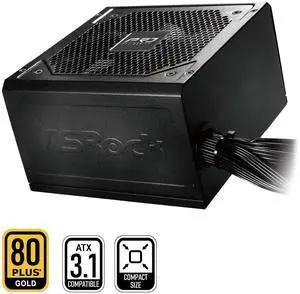
ASRock PRO Series PRO-650G 650 W Power Supply
- Brand: ASRock
- Series: PRO Series
- Type: ATX 3.1 Compatible
- Maximum Power: 650 W
- Model #: PRO-650G
- Item #: N82E16817955024
- Return Policy: Standard Return Policy
$64.99
$69.99
Free Shipping
Runs well and has the plugs you need to do lost anything
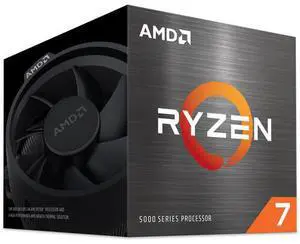
AMD Ryzen 7 5700 - Ryzen 7 5000 Series 8-Core 3.7 GHz Socket AM4 65W None Integrated Graphics Desktop CPU Processor - 100-100000743SBX
- Series: Ryzen 7 5000 Series
- L3 Cache: 16MB
- L2 Cache: 4MB
- Cooling Device: Wraith Spire Cooler
- Model #: 100-100000743SBX
- Item #: N82E16819113939
- Return Policy: Standard Return Policy
$199.99
$219.99
Free Shipping
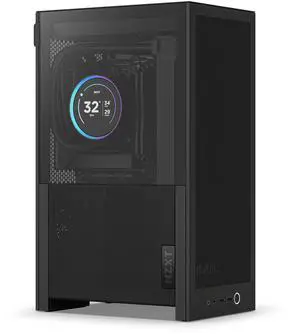
NZXT H2 Flow mini-ITX Case - 20.7L - includes 2 x 120mm Fans & PCIe 5.0 Riser Cable - All Black
- Motherboard Compatibility: Mini ITX
- Front Ports: USB 3.2 Type-A: 2 USB 3.2 Gen2x2 Type-C: 1 Headset Jack: 1
- Brand: NZXT
- Color: Black
- Model #: CI-H21FB-01
- Item #: N82E16811146377
- Return Policy: Standard Return Policy
$209.99
$229.99
$12.99 Shipping
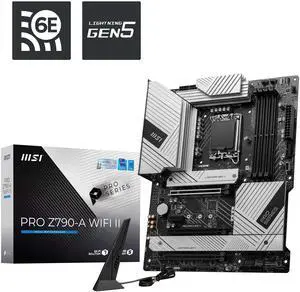
MSI PRO Z790-A WIFI II LGA 1700 Intel Z790 SATA 6Gb/s DDR5 ATX Motherboard
- Model #: PRO Z790-A WIFI II
- Item #: N82E16813144734
- Return Policy: Standard Return Policy
$279.99
$329.99
$29.99 Shipping
Had plenty of USB on the panel and was easy to set up.
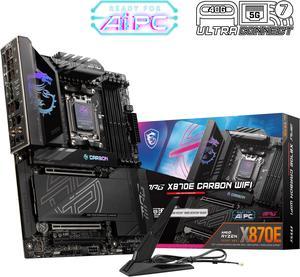
MSI MPG X870E CARBON AM5 ATX Gaming Motherboard, 4x SATA 6Gb/s, AMD Wi-Fi 7,USB 4.0
- Brand: MSI
- CPU Socket Type: AM5
- Chipset: AMD X870E
- Serial ATA (SATA): 4 x SATA 6Gb/s
- Model #: MPG X870E CARBON WIFI
- Item #: N82E16813144666
- Return Policy: Standard Return Policy
$519.99
$559.99
Free Shipping
- Good solid heat sinks. Board is sleek but chonky. - LOVE the EZ-PCIe Release button and screwless M.2 design. - Excellent stability overall. 7200 MT/s RAM POSTed with a 9800x3d with no issues.
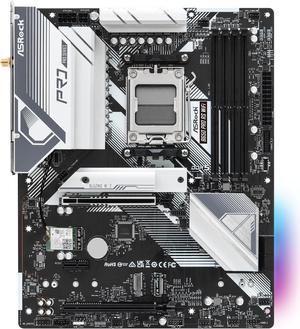
ASRock B650 Pro RS WiFi AM5 ATX Motherboard
- Brand: ASRock
- CPU Socket Type: AM5
- Chipset: AMD B650
- Serial ATA (SATA): 4 x SATA 6Gb/s
- Model #: B650 Pro RS WiFi
- Item #: N82E16813162185
- Return Policy: Standard Return Policy
$169.99
$219.99
$8.99 Shipping
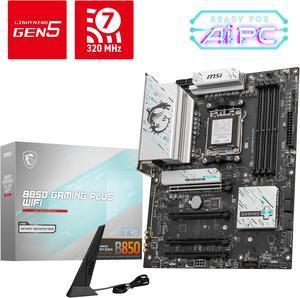
MSI B850 GAMING PLUS WIFI AM5 AMD B850 SATA 6Gb/s 5G Network DDR5 Wi-Fi 7 ATX Motherboard
- Brand: MSI
- CPU Socket Type: AM5
- Chipset: AMD B850
- Serial ATA (SATA): 4 x SATA 6Gb/s
- Model #: B850 GAMING PLUS WIFI
- Item #: N82E16813144688
- Return Policy: Standard Return Policy
$234.99
$294.99
Free Shipping
Solid build MB
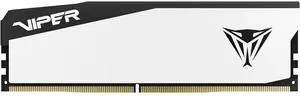
Patriot Viper Elite 5 16GB 288-Pin PC RAM DDR5 6000 CL30(PC5 48000) Hynix Desktop Memory Model VEB516G6030W Compatible with AMD & Intel Gen14 Only
- CAS Latency: CL30
- Voltage: 1.35V
- Timing: 30-40-40-76
- Brand: Patriot
- Model #: VEB516G6030W
- Item #: N82E16820225357
- Return Policy: Standard Return Policy
$279.99
Free Shipping
UN BUEN PRODUCTO, BUENA LANTENCIA, BUEN PRECIO
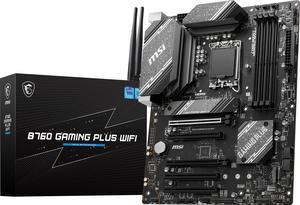
MSI B760 GAMING PLUS WIFI LGA 1700 (280) DDR5 ATX Motherboards - Intel, SATA 6Gbps, Wi-Fi 6E, Bluetooth 5.3, 7.1 HD Audio, PCIe 4.0 x16, 2.5G LAN
- Memory Standard: 4x DDR5, Maximum Memory Capacity 192GB Memory Support DDR5 6800+(OC)/ 6600(OC)/ 6400(OC)/ 6200(OC)/ 6000(OC)/ 5800(OC)/ 5600(JEDEC)/ 5400(JEDEC)/ 5200(JEDEC)/ 5000(JEDEC)/ 4800(JEDEC) MHz Max. overclocking frequency: • 1DPC 1R Max speed up to 6800+ MHz • 1DPC 2R Max speed up to 6400+ MHz • 2DPC 1R Max speed up to 6000+ MHz • 2DPC 2R Max speed up to 5600+ MHz Supports Intel® XMP 3.0 OC Supports Dual-Controller Dual-Channel mode Supports non-ECC, un-buffered memory
- Number of Memory Slots: 4x288pin (DDR5)
- Brand: MSI
- CPU Socket Type: LGA 1700
- Model #: B760 GAMING PLUS WIFI
- Item #: N82E16813144600
- Return Policy: Standard Return Policy
$194.99
$239.99
Free Shipping
Lots of oc options, easy install, great BIOS with tons of options and easy navigation
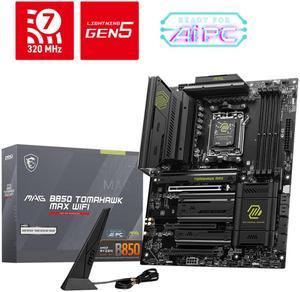
MSI MAG B850 TOMAHAWK MAX WIFI AM5 AMD B850 SATA 6Gb/s 5G Network Wi-Fi7 DDR5 Motherboard
- Brand: MSI
- CPU Socket Type: AM5
- Chipset: AMD B850
- Serial ATA (SATA): 4 x SATA 6Gb/s
- Model #: MAG B850 TOMAHAWK MAX WIFI
- Item #: N82E16813144697
- Return Policy: Standard Return Policy
$279.99
$319.99
Free Shipping
Fantastic bios, fast boot times, and all of the jargb headers you could possibly need
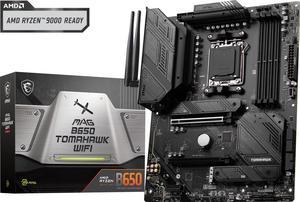
MSI MAG B650 TOMAHAWK WIFI AM5 AMD B650 SATA 6Gb/s DDR5 Ryzen 7000 ATX Motherboard
- Brand: MSI
- CPU Socket Type: AM5
- Chipset: AMD B650
- Serial ATA (SATA): 6x SATA 6Gb/s ports (From B650 chipset) - SATA_1_2/ SATA_3_4 (From B650 chipset) - SATA_A1_A2 (From ASM1061)
- Model #: MAG B650 TOMAHAWK WIFI
- Item #: N82E16813144557
- Return Policy: Standard Return Policy
$209.99
$294.99
Free Shipping
Fast shipping. Easy setup. Worked right out of the box and looks great.
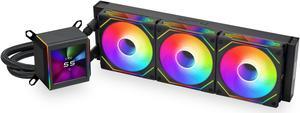
LIAN LI Galahad II LCD SL-INF 360 Black Liquid Cooler, Intel LGA 1851, 1700, 1200 & AMD AM5, AM4 Comatible - GA2ALCD36INB
- Brand: LIAN LI
- Part Number: GA2ALCD36INB
- Type: Liquid Cooling System
- Block Compatibility: AMD Socket AM4 / AMD Socket AM5 / Intel LGA 1150 / Intel LGA 1151 / Intel LGA 1155 / Intel LGA 1156 / Intel LGA 1200 / Intel LGA 1700 / Intel LGA 1851
- Model #: GA2ALCD36INB
- Item #: N82E16835353027
- Return Policy: Standard Return Policy
$289.99
$384.99
$7.99 Shipping
Lowered my temps 10° coming from a 240mm
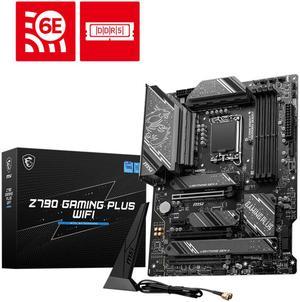
MSI Z790 GAMING PLUS WIFI LGA 1700 Intel Z790 SATA 6Gb/s ATX DDR5 PCI-E x16 slot Wi-Fi 6E 2.5Gbps LAN 4x M.2 EZ Debug LED Motherboard
- Memory Standard: DDR5 7200+(OC)/ 7000(OC)/ 6800(OC)/ 6600(OC)/ 6400(OC)/ 6200(OC)/ 6000(OC)/ 5800(OC)/ 5600(JEDEC)/ 5400(JEDEC)/ 5200(JEDEC)/ 5000(JEDEC)/ 4800(JEDEC)
- Number of Memory Slots: 4x288pin (DDR5)
- Audio Chipset: Realtek ALC897
- Brand: MSI
- Model #: Z790 GAMING PLUS WIFI
- Item #: N82E16813144637
- Return Policy: Standard Return Policy
$249.99
$294.99
Free Shipping
I was looking for a professional motherboard that supported the LGA1700 socket for new Intel processors, as well as plenty of slots for DDR4 memory and PCIe cards. This board was a great choice and included plenty of M.2 storage slots. A great choice for me as I was looking to support multiple VM's in a home lab scenario.
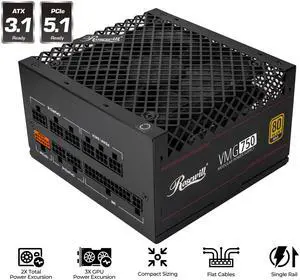
Rosewill VMG 750W 80+ Gold, ATX 3.0 & 3.1 Compatible, Full Modular Low-Noise Power Supply, PCIe 5.1 12V-2x6 Connector, 100% Japanese Electrolytic Capacitor, 120mm FDB Silent Fan - VMG750
- Brand: Rosewill
- Type: ATX 3.1 Compatible
- Maximum Power: 750 W
- CrossFire: CrossFire Ready
- Model #: VMG750
- Item #: N82E16817182467
- Return Policy: Manufacturer Only Return Policy
$109.99
$31.68 Shipping
- cables feel nice - came with everything I need for my 9070xt - compact and built well