
Your Browsing History
BEST SELLERS


BEST SELLERS
In Wireless Networking
Our most popular products, based on sales and updated frequently.Shop Department
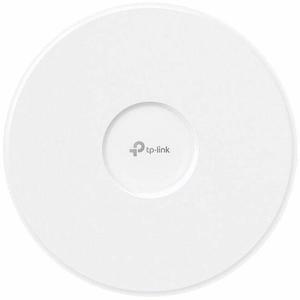
TP-Link Omada EAP723 Dual Band IEEE 802.11 a/b/g/n/ac/ax/be 3.49 Gbit/s Wireless Access Point - 2.40 GHz, 5 GHz - MIMO Technology - Multi User MIMO - 1 x Network (RJ-45) - 2.5 Gigabit Ethernet - 16 W
- Model #: EAP723
- Item #: 0ED-000J-00126
- Return Policy: Standard Return Policy
$139.99
$142.99
Free Shipping
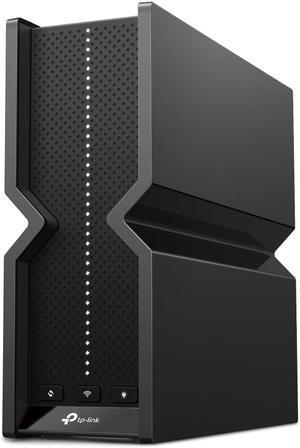
TP-Link Archer BE550 Pro BE9300 Tri-Band WiFI 7 10G / 2.5G Router
- WAN Ports: 1× 10 Gbps WAN
- WPA: • WPA • WPA2 • WPA3 • WPA/WPA2-Enterprise (802.1x)
- LAN Ports: 4× 2.5 Gbps LAN
- Buttons: • Power On/Off Button • Wi-Fi On/Off Button • LED Button • WPS Button • Reset Button
- Model #: Archer BE550 Pro
- Item #: N82E16833704767
- Return Policy: Standard Return Policy
$298.99
$349.99
Free Shipping
6GHz band works better than previous 6e router.
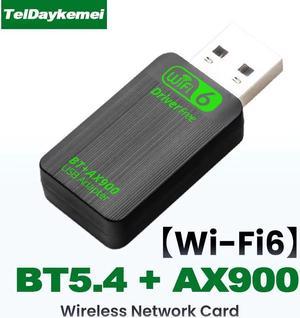
TelDaykemei Bluetooth 5.4 AX900 WiFi 6 USB Adapter 2in1 Dongle Dual Band 2.4G&5GHz Network Wireless Receiver DRIVER FREE Windows 10/11
- Wireless Data Rates: AX900
- Frequency Band: 2.4 GHz / 5 GHz
- Type: USB Wi-FI Adapter
- Color: Black
- Model #: AX900 WiFi6 BT5.4
- Item #: 9SIASPTKCK2798
- Return Policy: View Return Policy
$12.00
Free Shipping
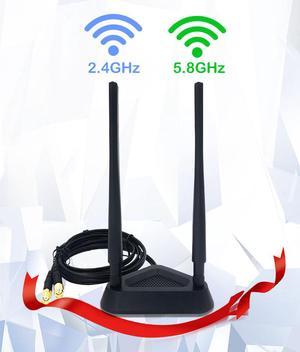
CORN 2.4GHz 5GHz Dual Band 8 dBi WiFi Antenna, Omni SMA WiFi Antenna Magnetic Base with 4 ft Extension Cable
- Type: WiFi Antenna
- Color: Black
- Class: 8 dBi
- Model #: WiFi Antenna-002
- Item #: 9SIADDZFRN6581
- Return Policy: View Return Policy
$39.99
Free Shipping
I have a PC out in the garage that always had a weak wifi connection. I replaced the antennas on the back of the PC with this antenna. It has long leads and a magnetic base so I fastened it to the metal shelf standard and my connection was really good. No more dropping. No more weak signal
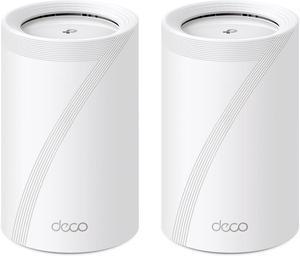
TP-Link Deco BE65(2-pack) Whole Home Mesh WiFi 7 System White
- Type: Mesh WiFi System
- Covered Area: 5,200 sq. ft.
- LAN Ports: 4 x 2.5 Gbps *Per Deco Unit Supports WAN/LAN auto-sensing
- Other Ports: 1 x USB 3.0
- Model #: Deco BE65(2-pack)
- Item #: 9SIA7BBKET5218
- Return Policy: View Return Policy
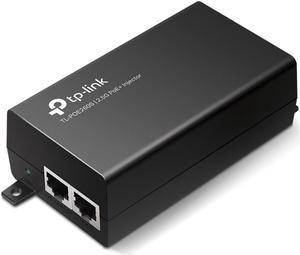
TP-Link TL-PoE260S 802.3at/af 2.5G PoE+ Injector | Non-PoE to PoE Adapter
- Model #: TL-PoE260S
- Item #: 9SIAH2MKUV7896
- Return Policy: View Return Policy
$91.10
Free Shipping
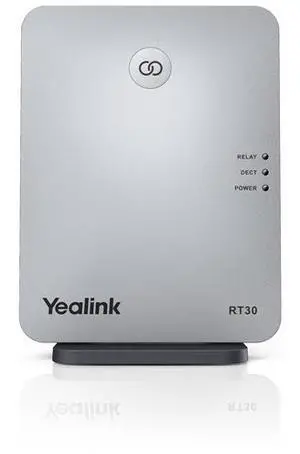
Yealink RT30 DECT Repeater
- Brand: Yealink
- Frequency Band: Indoor range up to 50m (In ideal conditions) Outdoor range up to 300m (In clear view and ideal conditions) 2 internal QWL omnidirectional antennas Modulation: GFSK Radio frequency range: 1880 MHz to 1900 MHz (EU) 1920 MHz to 1930 MHz (US) 1902 MHz to 1906 MHz (TH) 1910 MHz to 1920 MHz (BR) Transmission power: Average 10mW RX sensitivity: typ. -91dBm
- Power: AC 100-240V Input and DC 5V/600mA Output
- Features: Extending the DECT coverage Supports automatic handover of calls between RT30 Up to 4 simultaneous calls per repeater Up to 6 repeaters per base station Up to 2 repeaters can be arranged in cascade (only when connected to W60B/W70B) Auto association Base Link Reset LED Display: LED 1 Power On LED 2 DECT Link LED 3 Active Relay Compatible with Yealink W60B (version 77.81.0.35 or l...
- Model #: RT30
- Item #: 9SIA7BBKGB6376
- Return Policy: View Return Policy
$226.99
Free Shipping
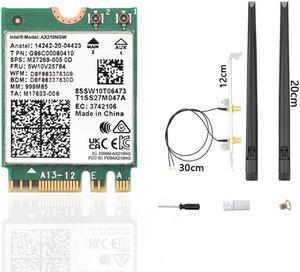
WiFi 6E AX210 NGW Wireless Card, Expand to Tri-Band 6GHz/5GHz/2.4GHz M.2 NGFF Wireless Bluetooth 5.3, AX210 WiFi Chip, Includes Ipex Cable, 8dBi Antennas and Brackets Support Windows 10/11(64 bit)
- Type: M.2 Wi-FI Adapter
- Model #: Intel AX210NGW-FBA
- Item #: 9SIADDZKDG7434
- Return Policy: View Return Policy
$42.99
Free Shipping
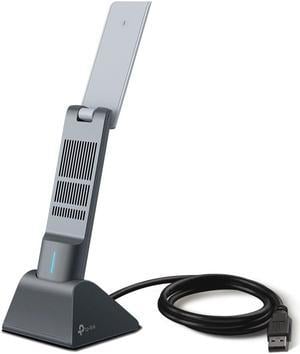
TP-Link Archer TX20UH AX1800 High Gain Wireless USB Adapter
- Wireless Data Rates: Up to 1201 Mbps on the 5GHz band, Up to 574 Mbps on the 2.4GHz band
- Frequency Band: 2.4 GHz / 5 GHz
- Interface: USB 3.0
- Brand: TP-Link
- Model #: Archer TX20UH
- Item #: N82E16833704691
- Return Policy: Standard Return Policy
$44.99
$3.99 Shipping
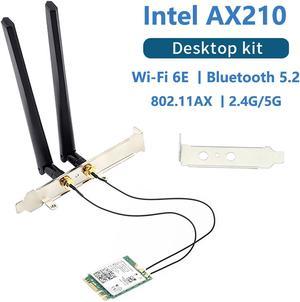
3000Mbps Wi-Fi 6E Intel AX210 Bluetooth 5.2 802.11ax/ac 2.4Ghz 5Ghz 6Ghz M.2 2230 Key E Desktop Kit Wireless Adapter AX210NGW NGFF WiFi 6 Card Support MU-MIMO OFDMA Windows 10 With 6Dbi Antenna Set
- Wireless Data Rates: Speed up to 2400Mbps (The router must support 802.11ax)
- Frequency Band: 2.4Ghz/5Ghz/6Ghz
- Type: M.2 Wi-FI Adapter
- Standards: IEEE 802.11ax/ac
- Model #: WIFI 6E AX210
- Item #: 9SIC4U8KRY9452
- Return Policy: View Return Policy
$40.97
Free Shipping
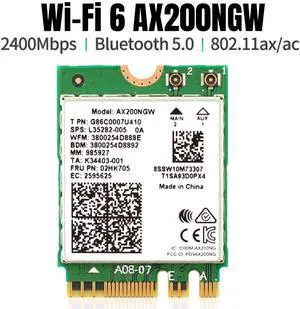
Dual band 2.4Gbps Intel Wi-Fi 6 AX200NGW 802.11ax/ac MU-MIMO 2x2 Wifi AX200 NGFF M.2 Bluetooth 5.0 Network Wlan Card
- Type: M.2 Wi-FI Adapter
- Model #: WDX-WIFICARD-14
- Item #: 9SIAFJXBDB9825
- Return Policy: View Return Policy
$23.99
Free Shipping
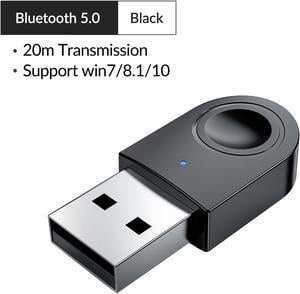
Wireless Bluetooth CSR 5.0 Dongle Adapter, ORICO Bluetooth V5.0 USB Adapter CSR Chip Dongle Stick Dual-Mode Support Bluetooth Voice for Bluetooth Headset, Keyboard, Mouse, Speakers, Game
- Type: Bluetooth Adapter
- Color: Black
- Bluetooth: Bluetooth 1.1
- Model #: BTA-608-BK-BP
- Item #: 9SIAAMWFD77314
- Return Policy: View Return Policy
$11.99
Free Shipping
- virtually plug and play - small compact - setup easy per instructions
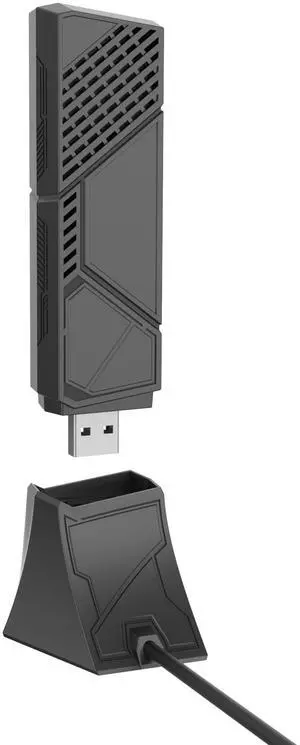
ASUS ROG USB-BE92 Tri-band BE6500 WiFi 7 USB Adapter, 6GHz band, support 4096-QAM, Multi-link operation (MLO), Compatible with Type A and C, WPA3 network security
- Wireless Data Rates: BE6500
- Frequency Band: Tri-band 2.4GHz & 5GHz & 6GHz
- Interface: USB 3.0
- Brand: ASUS
- Model #: ROG USB-BE92
- Item #: N82E16833320623
- Return Policy: Standard Return Policy
$146.99
$3.99 Shipping
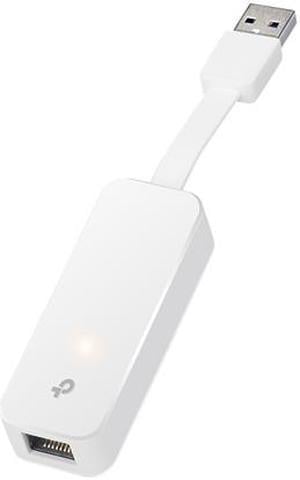
TP-Link USB to Ethernet Adapter, Foldable USB 3.0 to 10/100/1000 Gigabit Ethernet LAN Network Adapter, Support Windows 10/8.1/8/7/Vista/XP for Desktop Laptop Apple MacBook Linux (UE300)
- Type: Adapter
- Color: White
- Specifications: Output Interface: 1 x 10/100/1000 Mbps RJ45 Ethernet Port Input Interface: 1 x USB 3.0 Port Dimensions: 0.60" x 2.80" x 1.00"
- Model #: UE300
- Item #: N82E16833704260
- Return Policy: Standard Return Policy
$15.99
$3.99 Shipping
Built-in partition with Windows drivers built-in so you don't have to download anything to make it work.
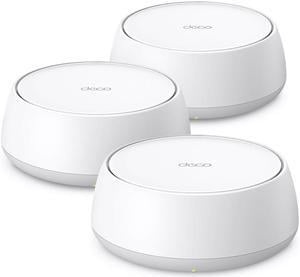
TP-Link Dual-Band Deco BE25(3-pack) BE5000 Wi-Fi 7 Mesh Wi-Fi System | 4-Stream 5 Gbps | 240 Mhz Channels | Covers up to 6,600 Sq.Ft | 2x2.5G Ports Wired Backhaul | VPN,MLO, AI-Roaming, HomeShield
- Covered Area: 6,600 sq. ft.
- WAN Ports: Dynamic IP Static IP PPPoE PPTP L2TP
- Wi-Fi Standards: Wi-Fi 7 IEEE 802.11be/ax/ac/n/a 5 GHz IEEE 802.11be/ax/n/b/g 2.4 GHz
- Wireless Data Rates: 5 GHz: 4324 Mbps (802.11be) 2.4 GHz: 688 Mbps (802.11be)
- Model #: Deco BE25(3-Pack)
- Item #: N82E16833704771
- Return Policy: Standard Return Policy
OUT OF STOCK
Sold Price: $329.99
$11.99 Shipping
Fast. Very Fast. I have a 1.2 gig internet connection. I am getting 1.2 gig thru one wall with drywall on both sides. I am only about 15 feet away from the router.
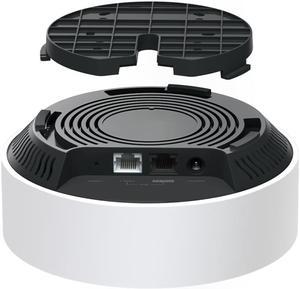
TP-Link Deco AX3000 PoE Mesh WiFi(Deco X50-PoE)
- Type: Mesh WiFi System
- Package Content: Deco X50-PoE (1-pack) 1× Deco X50-PoE unit 1× RJ45 Ethernet cable 1× Power adapter Ceiling/Wall Mounting Kits Quick Installation Guide
- Model #: Deco X50-PoE(1-pack)
- Item #: N82E16833704688
- Return Policy: Standard Return Policy
$149.99
Free Shipping
The product was quickly shipped by Newegg, received new in box as advertised, and a great price. The installation was very quick using the app and following the step by step instructions, by first setting up the router, then setting up the two other mesh locations. The only time that took long was connecting all the devices to the new WiFi. This eliminated all dead spots, we have full coverage in a 2000 SF home, with all perimeter cameras working flawlessly, and no connection lag with the potential to miss coverage. Highly recommend this product, particularly at this price point of $150 delivered versus $700 to $1000 for wifi 6+ or 7.
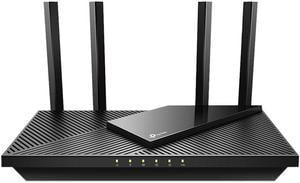
TP-Link Archer AX55 WiFi 6 AX3000 Smart WiFi Router - 802.11ax Wireless Router, Gigabit Internet Router, Dual Band, OFDMA, MU-MIMO, OneMesh Compatible
- Wireless Data Rates: AX3000 / Up to 3.0Gbps
- Frequency Band: 2.4 GHz / 5 GHz
- WAN Ports: 1 x 10/100/1000M
- Interface: 1 x USB 3.0
- Model #: Archer AX55
- Item #: N82E16833704603
- Return Policy: Standard Return Policy
$84.99
$99.99
Free Shipping
Super fast and smooth It just works
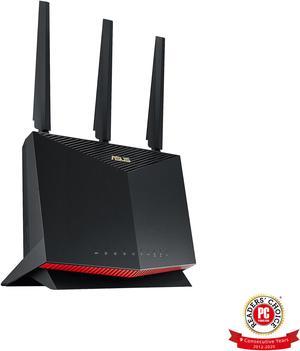
ASUS RT-AX86U AX5700 Dual Band WiFi 6 Gaming Router
- Wireless Data Rates: 802.11a : 6,9,12,18,24,36,48,54 Mbps 802.11b : 1, 2, 5.5, 11 Mbps 802.11g : 6,9,12,18,24,36,48,54 Mbps 802.11n : up to 450 Mbps 802.11n (1024 QAM) : up to 750 Mbps 802.11ac (1024 QAM) : up to 4333 Mbps 802.11ax (2.4GHz) : up to 861 Mbps 802.11ax (5GHz) : up to 4804 Mbps
- Frequency Band: 2.4 GHz / 5 GHz
- WAN Ports: 1 x 10/100/1000M
- Interface: 2 x USB 3.2 Gen 1
- Model #: RT-AX86U
- Item #: 9SIC4RVKRJ2773
- Return Policy: View Return Policy
$313.65
$383.65
$29.99 Shipping
Far end of the house used to get 1 or 2 bars on the phone. With this router Im getting full bars. This router has great reach. My phone is now using WiFi6 and is super speedy. As is my laptop. A great purchase. Setup was a breeze.

Wireless Adapter Card for Qualcomm For Atheros Wireless AC Wi-Fi QCNFA344A NFA344A Dual Band+BT4.1 bluetooth 4.1 NGFF Card
- Type: M.2 Wi-FI Adapter
- Model #: WTX-Atheros-4
- Item #: 9SIAFJXBDB2943
- Return Policy: View Return Policy
$20.99
Free Shipping
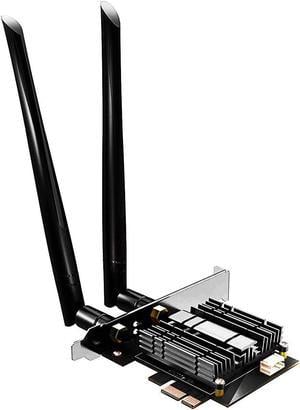
GLOTRENDS AC1200 WiFi 5 PCIe Card with Low-Profile Bracket for Desktop PC, Intel 7265 Chip, 802.11ac, Bluetooth 4.2, Support Windows 11/10/7/Linux, Not Support Mac OS/Windows XP
- Wireless Data Rates: AC1200
- Frequency Band: 2.4 GHz / 5 GHz
- Standards: IEEE 802.11ac, IEEE 802.11a/b/g/n
- Security: WPA2
- Model #: WIFI5
- Item #: 9SIAMXWHCG1701
- Return Policy: View Return Policy
$25.00
$29.00
Free Shipping
The only thing I care about is compatibility with Linux, and I am happy to report that I plugged this thing into the motherboard yesterday, and it appears to work perfectly without installing anything. I didn't even install the drivers that came on the CD. I have only owned this thing one day, but things are good so far. Immediately after plugging in the card and booting up, I was able to use 'ip address' to see the card present (but no IP, since I hadn't set up networking obviously). Then, I edited /etc/netplan/_your_config.yaml with my wifi configuration. I ran sudo netplan --debug apply and the interface did not appear to pickup an IP address. The output of 'ip address' showed that the state of the interface was 'down', so I though I might have been missing firmware, so I messed around for a while trying to get my sources.list set up for 'contrib' and 'non-free', but turned out to not be necessary. I did install a few debugging tools, but I don't think any of them contributed to making it work. I was using 'connmanctl' command to debug the interface when I realized that it was already connected and working perfectly. I think my problem was not rebooting after running the netplan apply. Here is my kernel version/stack: uname -a Linux host 5.15.0-43-generic #46-Ubuntu SMP Tue Jul 12 10:30:17 UTC 2022 x86_64 x86_64 x86_64 GNU/Linux lsb_release -a No LSB modules are available. Distributor ID: Ubuntu Description: Ubuntu 22.04.1 LTS Release: 22.04 Codename: jammy (server version) I observed transfer speeds of 17.7 MB/s, which is more than enough for my needs.