
Your Browsing History
BEST SELLERS


BEST SELLERS
In Server & Components
Our most popular products, based on sales and updated frequently.Shop Department
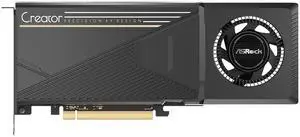
ASRock Creator Radeon AI Pro R9700 R9700 CT 32GB 256-bit GDDR6 PCI Express 5.0 x16 Graphics Card
- Brand: ASRock
- Series: Creator
- Part Number: R9700 CT
- Interface: PCI Express 5.0 x16
- Model #: R9700 CT 32G
- Item #: N82E16814930143
- Return Policy: Standard Return Policy
$1,899.99
Free Shipping
Low power draw (300w max) along with 2 space width makes this an easy card to double up in a chassis for use with larger models.
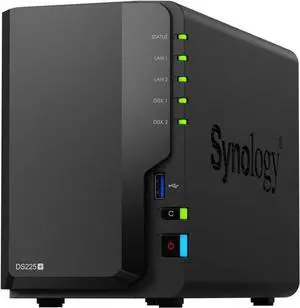
Synology 2-bay DiskStation DS225+ (Diskless)
- Brand: Synology
- Included HDD Capacity: Diskless System
- Form Factor: 2-bay;2GB DDR4
- HDD Interface: 2 x SATA (2 x Bay)
- Model #: DS225+
- Item #: N82E16822108853
- Return Policy: Manufacturer Only Return Policy
$489.99
$529.99
Free Shipping
Works seamlessly to plug in old drives and keep moving forward.
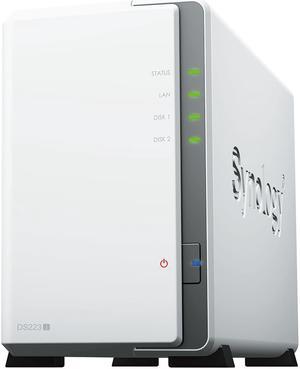
Synology 2-bay DiskStation DS223j (Diskless)
- Form Factor: 2-Bay
- Processor: Realtek RTD1619B
- Installed Memory: 1GB DDR4
- Power: 100-240 VAC 50/60Hz
- Model #: DS223J
- Item #: N82E16822108836
- Return Policy: Manufacturer Only Return Policy
$279.99
$304.99
Free Shipping
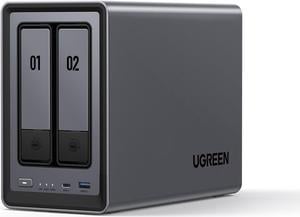
UGREEN NASync DXP2800, 2-Bay NAS with Intel N100 Quad-Core CPU (Up to 3.4GHz) 8GB DDR5, 2x M.2 PCIe Slots, 2.5GbE Port (Diskless)
- Form Factor: 2-Bay
- Port RJ-45: 1 x 2.5GbE
- Port USB: 2 x USB2.0
- HDD Interface: 2x SATA (2x Bay) + 2x M.2 (2x Bay)
- Model #: DXP2800
- Item #: N82E16822995001
- Return Policy: Manufacturer Only Return Policy
$499.99
Free Shipping
So easy to setup physically and soft. Enought apps for my needs (Streaming movies) With a WD red in it, was able to stream over Wi-Fi and copyng large files at the same time on it. Silent Robust construction No compatibility limitations compare to... tried to give Ugreen a try and I was really impressed.
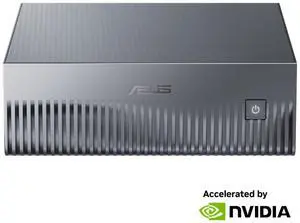
ASUS 90MS0371-M000A0 NVIDIA DGX Spark Workstation - Ascent GX10-GG0010BN - GB10 ARM Processor - GB10 Blackwell GPU - 128 GB LPDDR5x - 1 TB M.2 NVMe SSD - 1x 10GbE
- Brand: ASUS
- Type: Mini PC
- CPU Type: ARM v9.2-A CPU (GB10)
- Back I/O Ports: 3 x USB 3.2 Gen 2x2 Type-C, 20Gbps, alternate mode (DisplayPort) 1 x USB 3.2 Gen 2x2 Type-C, with PD in (180W EPR PD3.1 SPEC) 1 x HDMI 2.1 1 x NVIDIA ConnectX-7 NIC 1 x 10G LAN 1 x Kensington Lock
- Model #: GX10-GG0010BN
- Item #: N82E16859110044
- Return Policy: Standard Return Policy
$4,799.00
Free Shipping
This thing is truly amazing. Can run models up to 200 billion parameters. (Most of mine are between 70-120b, but my 24b "devstral" model is very useful for simple coding.) For a "personal AI" it's perfect. I use it to assist with sensitive client matters that I do not want to "share" with public AI services. Yes, it is brittle, but it is not hard to perform factory-restore using Nvidia's image - they have clear instructions posted and AI can help you if you need it. Be sure to use Nvidia's tool to create the boot thumb-drive. The unique hardware and driver situation makes this computer incompatible with other distros or OSes.
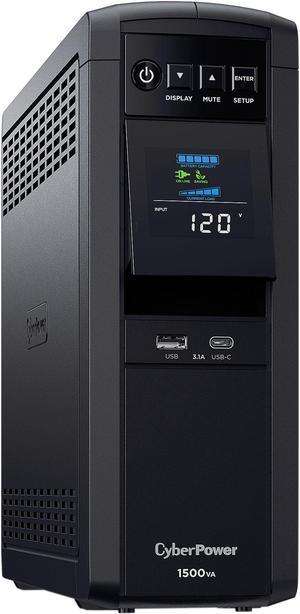
CyberPower CP1500PFCLCD PFC Sinewave UPS Systems - 1500VA/1000W, 120 VAC, NEMA 5-15P, Mini-Tower, Sine Wave, 12 Outlets, LCD, PowerPanel
- Outlets: 12
- Battery Run Time: At Half Load: 10 Minutes At Full Load: 2.5 Minutes
- Output Frequency: 60 Hz +/- 1%
- Battery Recharge Time: 8 Hour(s)
- Model #: CP1500PFCLCD
- Item #: N82E16842102134
- Return Policy: Manufacturer Only Return Policy
$298.99
$316.99
Free Shipping
- Pure Sine - Survived 2 blackouts so far - It's nice to be able to monitor the wattage draw of my system - Didn't notice the smell that some people mentioned - Beeping and LCD can be disabled if you know how to read
UGREEN NASync DXP4800 Plus, 4-Bay NAS with Intel Pentium Gold, 5-Core CPU (Up to 4.40 GHz), 8GB DDR5, 1x 2.5GbE, 1x 10GbE, 2x SD - 12th Gen 5-core Intel Processor (Diskless)
- Brand: Ugreen
- Included HDD Capacity: Diskless System
- Form Factor: 4-Bay
- Port RJ-45: 1 x 10GbE + 1 x 2.5GbE
- Model #: DXP4800 Plus
- Item #: N82E16822995003
- Return Policy: Manufacturer Only Return Policy
$807.99
$894.99
Free Shipping
Decent price for the hardware, sleek design, upgradable RAM, software updates are frequent, drive bays are solid, can control fan speed for the CPU
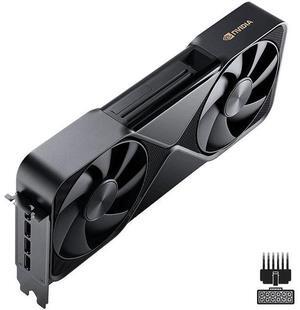
NVIDIA RTX PRO 6000 Blackwell Workstation Edition Graphic Card - OEM
- Brand: NVIDIA
- Series: Blackwell
- Part Number: 900-5G144-2200-000
- Interface: PCI Express 5.0 x16
- Model #: 900-5G144-2200-000
- Item #: N82E16888892012
- Return Policy: Manufacturer Only Return Policy
$12,999.00
Free Shipping
- Good packaging from Newegg, just a smallish box with no branding on the outside. - Obviously it performs quite well. Will use the full 600W under load (but you can limit wattage using `nvidia-smi`). Have a good PSU with a 600W connector (not included) and very good airflow setup. - Working in Arch Linux with just `nvidia-open` and `nvidia-utils` packages.
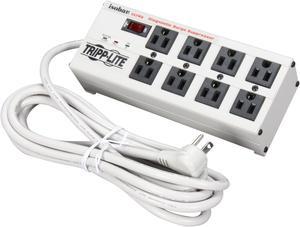
TRIPP LITE ISOBAR8ULTRA 12 Feet 8 Outlets 3840 Joules Surge Protector
- Series: Isobar
- Outlets Type: NEMA 5-15R
- Input Voltage: 120V
- Voltage Compatibility: 120V AC
- Model #: ISOBAR8ULTRA
- Item #: N82E16812120523
- Return Policy: Standard Return Policy
$149.99
$151.99
Free Shipping
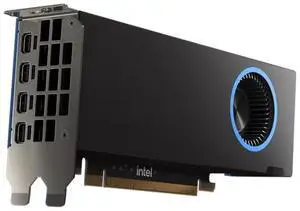
Intel Arc Pro B50 B50 16GB 128-bit GDDR6 PCI Express 5.0 x8 Workstation SFF Graphics Card
- Brand: Intel
- Series: Arc Pro
- Part Number: 33P6PEB0BB
- Interface: PCI Express 5.0 x8
- Model #: 33P6PEB0BB
- Item #: N82E16814883007
- Return Policy: Standard Return Policy
$599.99
Free Shipping
A few of the best features: The card doesn't run hot and the fan isn't loud under load. Low power consumption even when under load, and this card is support by Ollama (Intel Version) and LML Studio you just need to enable the Vulkan ccp, the tokens are very generous depending on the model used. For gaming, it holds a decent 50 - 60 fps for Cyber Punk, however, when you add a second video card and use Lossless Scaling (basically pairing up a cheap low end GPU with a better GPU (like this one) my fps went from 50 - 60 to 75 - 155 fps... Outstanding... This card is everything I hoped it would be and then some, and for only $380 it can be beat...
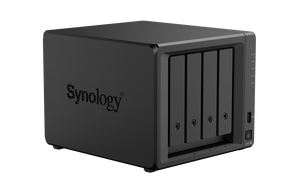
Synology 4-bay DiskStation DS925+
- Brand: Synology
- Included HDD Capacity: Diskless System
- Form Factor: 4-bay;4GB DDR4 ECC SODIMM
- HDD Interface: 4 x SATA (4 x Bay)
- Model #: DS925+
- Item #: N82E16822108847
- Return Policy: Manufacturer Only Return Policy
$949.99
$999.99
Free Shipping
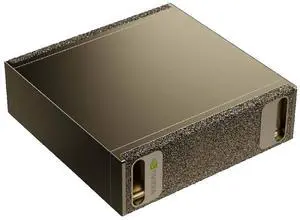
NVIDIA DGX Spark Personal AI computer - 10 Cortex-X925 + 10 Cortex-A725 Arm, 128 GB LPDDR5x, 4 TB NVME.M2 SSD
- Memory Capacity: 128GB LPDDR5x
- SSD: 4TB NVMe
- Operating System: NVIDIA DGX OS
- LAN Speed: 10Gbps
- Model #: 940-54242-0000-000
- Item #: 9SIA5SCKW27648
- Return Policy: View Return Policy
$7,211.20
Free Shipping
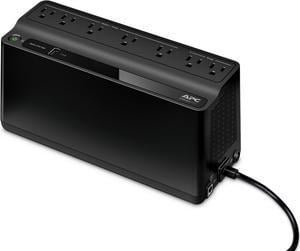
APC BE600M1 Back-UPS 600VA, 120V, 1 USB charging port, 7 NEMA outlets (2 surge) - Tower - 10 Hour Recharge - 3.20 Minute Stand-by - 120 V Input - 120 V AC Output
- Outlets: 7
- Battery Run Time: Run Time at Half load: 11.75 minutes Run Time at Full load: 3.2 minutes
- Output Frequency: 50/60Hz +/- 3 Hz
- Battery Recharge Time: 10 Hours
- Model #: BE600M1
- Item #: N82E16842301669
- Return Policy: Manufacturer Only Return Policy
$129.99
Free Shipping
- The APC DE600M1 Back-UPS 600 VA 330 watts is a lot smaller than some other similar units. - Just plug it in, plug in whatever devices you want on either battery / surge (5 outlets) or just surge (2 outlets), press the power button and it just goes! - I really enjoy the PowerChute software with the Back-UPS. You can configure the utility to safely shut your computer down under specific circumstances (either when the computer has been using the battery backup for a selected amount of time OR shut your computer down when the battery only has a selected amount of time left). Connect the USB cable from the Back-UPS to your computer. Download the PowerChute software from APC-dot-com. Run the installer and you’re good to go. Launch the PowerChute software and you get different options like Monitor System (Performance, Current Status, Run Self-Test, and Energy Usage), Configuration (Options, Run-time, Notification, Sensitivity, and Voltage), Help and Support (Help, Technical Data, Contact APC, and About). While you could use this as a stand-alone battery backup, the Back-UPS’s full potential is unlocked when you use PowerChute! - It has a USB port on the Back-UPS for charging your mobile devices (1.5A).
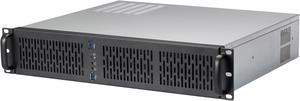
Rosewill 2U Server Chassis Rackmount Case | 4 3.5" HDD Bays | Micro-ATX Compatible |3 x 80mm PWM Fans | 2x USB 3.0 | Silver/Black - RSV-Z2600U
- Brand: Rosewill
- Color: Black
- Case Material: SGCC
- Form Factor: 2U
- Model #: RSV-Z2600U
- Item #: N82E16811147329
- Return Policy: Manufacturer Only Return Policy
$129.99
Free Shipping
clean nice finish affordable has some space
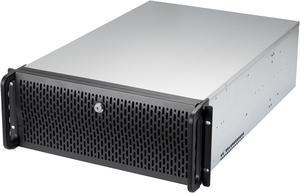
Rosewill 4U Server Chassis Rackmount Case | 15 3.5" HDD Bays | E-ATX Compatible | 6 Front 120mm Fans, 2 Rear 80mm Fans | 2x USB 3.0 | Front Panel Lock and Key | Silver/Black - RSV-L4500U
- Brand: Rosewill
- Color: Black
- Case Material: SGCC
- Form Factor: 4U
- Model #: RSV-L4500U
- Item #: N82E16811147328
- Return Policy: Manufacturer Only Return Policy
$329.99
Free Shipping
Lots of space, well ventilated, light but sturdy.
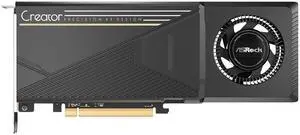
ASRock B60 Intel Arc Pro B60 B60 CT 24G 24GB 192-bit GDDR6 PCI Express 5.0 x8 Graphics
- Brand: ASRock
- Series: B60
- Part Number: B60 CT 24G
- Interface: PCI Express 5.0 x8
- Model #: B60 CT 24G
- Item #: N82E16814930148
- Return Policy: Standard Return Policy
$899.99
Free Shipping
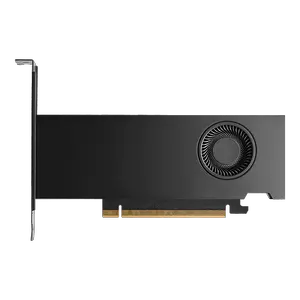
PNY NVIDIA RTX PRO 2000 Blackwell Graphic Card - 16 GB GDDR7 ECC - PCIe 5.0 x8 - Active - 2x Slot - 70 W - Bulk - VCNRTXPRO2000B-PB Graphics Card
- Brand: PNY
- Series: Blackwell
- Part Number: VCNRTXPRO2000B-PB
- Interface: PCI Express 5.0 x8
- Model #: VCNRTXPRO2000B-PB
- Item #: 9SIADGEKRT8072
- Return Policy: View Return Policy
$1,352.22
$10.99 Shipping
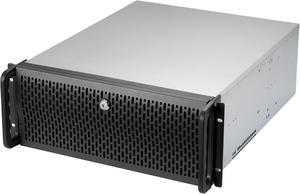
Rosewill 4U Server Chassis Rackmount Case | 8 3.5" HDD Bays, 3 5.25" Devices | ATX, CEB Compatible | 2 Front 120mm Fans, 2 Rear 80mm Fans | 2x USB 3.0 | Front Panel Lock | Silver/Black - RSV-R4000U
- Brand: Rosewill
- Color: Black
- Case Material: 1.0mm SGCC
- Form Factor: 4U
- Model #: RSV-R4000U
- Item #: N82E16811147326
- Return Policy: Manufacturer Only Return Policy
$279.99
$60.04 Shipping
-lots of parts -very flexable motherboard mounts -easy to work in -comes with pc speaker
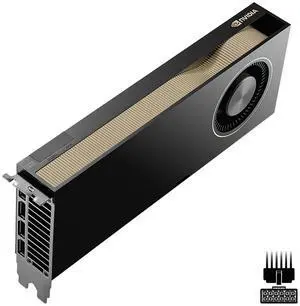
PNY NVIDIA RTX PRO 6000 Blackwell Max-Q 96GB GDDR7 with ECC AI Accelerator Cards - RTX PRO 6000 Blackwell Max-Q
- Brand: PNY
- Part Number: VCNRTXPRO6000BQ-PB
- Interface: PCI Express 5.0 x16
- Chipset Manufacturer: NVIDIA
- Model #: 25FC9-RTX003-P2R
- Item #: N82E16888884003
- Return Policy: Manufacturer Only Return Policy
$13,499.99
Free Shipping
96Gb of vram and energy efficient
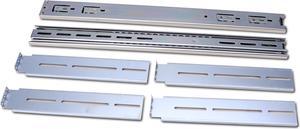
Rosewill Sliding Chassis Rail Kit for 2U to 5U Chassis (Adjustable 20" to 33.5" Depth) 3-Section For Server Chassis / Server Case / Rackmount Case - RSV-RL20H
- Type: Ball Bearing Slide Rail
- Specifications: Load rating up to 77.00 lbs. Profile: 25.63" x 1.80" x 0.50" Finish: Zinc plated
- Model #: RSV-RL20H
- Item #: N82E16816132116
- Return Policy: Manufacturer Only Return Policy
$69.99
$31.12 Shipping