
Your Browsing History
BEST SELLERS


BEST SELLERS
In Internal SSDs
Our most popular products, based on sales and updated frequently.Shop Department
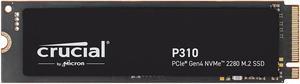
Crucial P310 M.2 2280 1TB PCI-Express 4.0 x4 NVMe 3D NAND Internal Solid State Drive Speed Up to 7100 MBps (SSD) CT1000P310SSD8
- Max Sequential Read: Up to 7100 MBps
- Max Sequential Write: Up to 6000 MBps
- Form Factor: M.2 2280
- Capacity: 1TB
- Model #: CT1000P310SSD8
- Item #: N82E16820156412
- Return Policy: Standard Return Policy
$249.99
Free Shipping
Hit speeds as stated in specs. No problems. Migrated my OS to it. Ordered the P510 yesterday for $99.
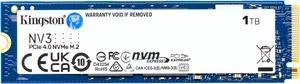
Kingston NV3 M.2 2280 1TB PCIe 4.0 x4 NVMe Internal Solid State Drive (SSD) SNV3S/1000G Up to 6000 MB/s
- Max Sequential Read: Up to 6000 MBps
- Max Sequential Write: Up to 4000 MBps
- Part Number: SNV3S/1000G
- Used For: Consumer
- Model #: SNV3S/1000G
- Item #: N82E16820242902
- Return Policy: Standard Return Policy
$219.97
$229.97
Free Shipping
Fast as lightning Fits behind graphics card very nice
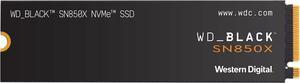
WD_BLACK 2TB SN850X NVMe Internal Gaming SSD Solid State Drive - Gen4 PCIe, M.2 2280, Up to 7,300 MB/s - WDS200T2X0E
- Max Sequential Read: Up to 7300 MBps
- Max Sequential Write: Up to 6600 MBps
- 4KB Random Read: Up to 1,200,000 IOPS
- Form Factor: M.2 2280
- Model #: WDS200T2X0E
- Item #: N82E16820250247
- Return Policy: Standard Return Policy
$499.99
$879.99
Free Shipping
FAST! It is plenty fast for my home pc and server needs. Great drive so far
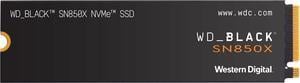
WD_BLACK 1TB SN850X NVMe Internal Gaming SSD Solid State Drive - Gen4 PCIe, M.2 2280, Up to 7,300 MB/s - WDS100T2X0E
- Max Sequential Read: Up to 7300 MBps
- Max Sequential Write: Up to 6300 MBps
- 4KB Random Read: Up to 800,000 IOPS
- 4KB Random Write: Up to 1,100,000 IOPS
- Model #: WDS100T2X0E-00BCA0
- Item #: N82E16820250243
- Return Policy: Standard Return Policy
$329.99
$449.99
Free Shipping
Very fast drive

Kingston NV3 M.2 2280 500GB PCIe 4.0 x4 NVMe Internal Solid State Drive (SSD) SNV3S/500G up to Up to 6000 MB/s
- Max Sequential Read: Up to 5000 MBps
- Max Sequential Write: Up to 3000 MBps
- Part Number: SNV2S/500G
- Used For: Consumer
- Model #: SNV3S/500G
- Item #: N82E16820242901
- Return Policy: Standard Return Policy
$139.97
$149.97
Free Shipping
easy and fast to install
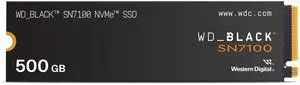
WD_BLACK SN7100 M.2 2280 500GB PCI-Express 4.0 x4 TLC 3D NAND Internal Solid State Drive (SSD) WDS500G4X0E
- Max Sequential Read: Up to 6800 MBps
- Max Sequential Write: Up to 5800 MBps
- 4KB Random Read: Up to 760,000 IOPS
- Form Factor: M.2 2280
- Model #: WDS500G4X0E-00CJA0
- Item #: 9SIB277KNT8323
- Return Policy: View Return Policy
$215.95
Free Shipping
- good packaging. - this is a single sided SSD (500 GB).
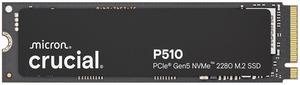
Crucial P510 1TB Gen5 NVMe SSD, Up to 11,000 MB/s, PCIe 5.0 M.2 2280 SSD, Internal Solid State Drive, Compatible with Laptop, CT1000P510SSD8
- Max Sequential Read: Up to 11,000 MBps
- Max Sequential Write: Up to 9,500 MBps
- Part Number: CT1000P510SSD8
- Used For: Consumer
- Model #: CT1000P510SSD8
- Item #: N82E16820156427
- Return Policy: Standard Return Policy
$249.99
Free Shipping

WD_BLACK SN7100 M.2 2280 1TB PCI-Express 4.0 x4 TLC 3D NAND Internal Solid State Drive (SSD) WDS100T4X0E
- Max Sequential Read: Up to 7250 MBps
- Max Sequential Write: Up to 6900 MBps
- 4KB Random Read: Up to 1,000,000 IOPS
- 4KB Random Write: Up to 1,400,000 IOPS
- Model #: WDS100T4X0E-00CJA0
- Item #: N82E16820250276
- Return Policy: Standard Return Policy
$264.99
$364.99
Free Shipping
Good speed. Great price.
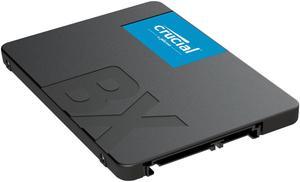
Crucial BX500 1TB 3D NAND SATA 2.5-Inch Internal SSD, up to 540 MB/s - CT1000BX500SSD1
- Max Sequential Read: Up to 540 MBps
- Max Sequential Write: Up to 500 MBps
- Part Number: CT1000BX500SSD1
- Used For: Consumer
- Model #: CT1000BX500SSD1
- Item #: N82E16820156231
- Return Policy: Standard Return Policy
$199.99
Free Shipping
So far it is working great.
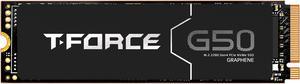
Team Group T-FORCE G50 M.2 2280 512GB PCIe 4.0 x4 with NVMe 1.4 TLC Internal Solid State Drive (SSD) TM8FFE512G0C129
- Max Sequential Read: Up to 5000 MBps
- Max Sequential Write: Up to 3500 MBps
- Controller: InnoGrit
- Max Shock Resistance: 1,500G/0.5ms
- Model #: TM8FFE512G0C129
- Item #: N82E16820985132
- Return Policy: Standard Return Policy
$129.99
$149.99
Free Shipping
Loads fast. Easy install. Was free!
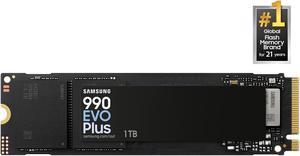
SAMSUNG 990 EVO PLUS SSD 1TB, PCIe Gen 4x4 | Gen 5x2 M.2 2280, Speeds Up-to 7,150 MB/s, Upgrade Storage for PC/Laptops, HMB Technology and Intelligent Turbowrite 2.0 (MZ-V9S1T0B/AM)
- Max Sequential Read: Up to 7150 MBps
- Max Sequential Write: Up to 6300 MBps
- 4KB Random Read: Up to 850,000 IOPS
- 4KB Random Write: Up to 1,350,000 IOPS
- Model #: MZ-V9S1T0B/AM
- Item #: N82E16820147899
- Return Policy: Standard Return Policy
$394.97
Free Shipping
Quality is what you get when purchase Samsung SSD.
WD_BLACK 4TB SN850X NVMe Internal Gaming SSD Solid State Drive - Gen4 PCIe, M.2 2280, Up to 7,300 MB/s - WDS400T2X0E
- Max Sequential Read: Up to 7300 MBps
- Max Sequential Write: Up to 6600 MBps
- 4KB Random Read: Up to 1,200,000 IOPS
- 4KB Random Write: Up to 1,100,000 IOPS
- Model #: WDS400T2X0E
- Item #: N82E16820250244
- Return Policy: Standard Return Policy
$899.99
$1,674.99
Free Shipping
Not as Fast as a 1tb. But 4 times the size still fast use it for everything but programs which go on the 1tb
Crucial P310 M.2 2280 2TB PCI-Express 4.0 x4 NVMe 3D NAND Internal Solid State Drive Speed Up to 7100 MBps (SSD) CT2000P310SSD8
- Max Sequential Read: Up to 7100 MBps
- Max Sequential Write: Up to 6000 MBps
- Form Factor: M.2 2280
- Capacity: 2TB
- Model #: CT2000P310SSD8
- Item #: N82E16820156413
- Return Policy: Standard Return Policy
$399.99
Free Shipping
It works as intended Easy to install Wonderful amount of space Very fast
WD_BLACK SN7100 M.2 2280 2TB PCI-Express 4.0 x4 TLC 3D NAND Internal Solid State Drive (SSD) WDS200T4X0E
- Max Sequential Read: Up to 7250 MBps
- Max Sequential Write: Up to 6900 MBps
- 4KB Random Read: Up to 1,000,000 IOPS
- 4KB Random Write: Up to 1,400,000 IOPS
- Model #: WDS200T4X0E-00CJA0
- Item #: N82E16820250275
- Return Policy: Standard Return Policy
$589.99
$699.99
Free Shipping
- Performance - Temps - Value
Team Group NV5000 M.2 2280 2TB PCIe 4.0 x4 with NVMe Internal Solid State Drive (SSD) TM8FGM002T0C101
- Max Sequential Read: Up to 5000 MBps
- Max Sequential Write: Up to 3000 MBps
- Form Factor: M.2 2280
- Capacity: 2TB
- Model #: TM8FGM002T0C101
- Item #: N82E16820985344
- Return Policy: Standard Return Policy
$349.99
Free Shipping
I replaced my sshd. With this one in my 2018 Asus FX504, and what a difference!!!! Very happy so far!!!
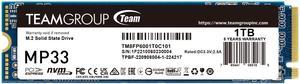
Team Group MP33 M.2 2280 1TB PCIe 3.0 x4 with NVMe 1.3 3D NAND Internal Solid State Drive (SSD) TM8FP6001T0C101
- Max Sequential Read: Up to 1800 MBps
- Max Sequential Write: Up to 1500 MBps
- 4KB Random Read: Up to 220,000 IOPS
- Form Factor: M.2 2280
- Model #: TM8FP6001T0C101
- Item #: N82E16820331417
- Return Policy: Standard Return Policy
$219.99
Free Shipping
Cheap Fast
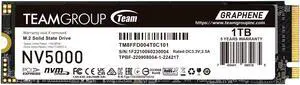
Team Group NV5000 M.2 2280 1TB PCIe 4.0 x4 with NVMe Internal Solid State Drive (SSD) TM8FGM001T0C101
- Max Sequential Read: Up to 4500 MBps
- Max Sequential Write: Up to 1900 MBps
- Form Factor: M.2 2280
- Capacity: 1TB
- Model #: TM8FGM001T0C101
- Item #: N82E16820985343
- Return Policy: Standard Return Policy
$179.99
$219.99
Free Shipping
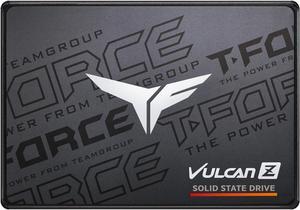
Team Group T-FORCE VULCAN Z 2.5" 1TB SATA III 3D NAND Internal Solid State Drive (SSD) T253TZ001T0C101
- Max Sequential Read: Up to 550 MBps
- Max Sequential Write: Up to 500 MBps
- Form Factor: 2.5"
- Capacity: 1TB
- Model #: T253TZ001T0C101
- Item #: N82E16820331833
- Return Policy: Standard Return Policy
$194.99
Free Shipping
I needed a hard drive for my girlfriend's old laptop. This one works just fine. No problems or issues. Easy to install, loaded Linux Mint (Cinnamon) on it and she is happy with it.
Crucial P310 M.2 2280 4TB PCI-Express 4.0 x4 NVMe 3D NAND Internal Solid State Drive (SSD) CT4000P310SSD8
- Max Sequential Read: Up to 7100 MBps
- Max Sequential Write: Up to 6000 MBps
- Form Factor: M.2 2280
- Capacity: 4TB
- Model #: CT4000P310SSD8
- Item #: N82E16820156436
- Return Policy: Standard Return Policy
$649.99
Free Shipping
Product shipped quickly. Came a day early than expected. I installed it and it is running great!! Very fast as expected. Crucial never has let me down in 20 years. Going to keep buying Crucial.
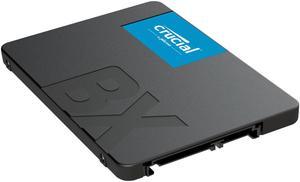
Crucial BX500 2TB 3D NAND SATA 2.5-Inch Internal SSD, up to 540 MB/s - CT2000BX500SSD1
- Max Sequential Read: Up to 540 MBps
- Max Sequential Write: Up to 500 MBps
- Part Number: CT2000BX500SSD1
- Used For: Consumer
- Model #: CT2000BX500SSD1
- Item #: N82E16820156232
- Return Policy: Standard Return Policy
$329.99
Free Shipping
A solid state drive is one of the simplest and most effective means of speeding up your computer. My ASUS ROG laptop is a great gaming rig, but I found I was waiting up to five minutes for all my startup programs to load (I am also using it to work from home now). After installing the Crucial SSD, that wait time is down to about 30 seconds! - The Crucial BX500 is a 2.5" SSD in the same form factor as every 2.5" drive; it's literally a plug and play proposition. The Crucial web site provides simple step by step instructions for preparing your system and new drive for installation, and links to the software you'll need. IMPORTANT NOTE: Be prepared to back up your drive to protect your data! I used an external backup HD; it took about two hours for a full backup. You should be doing this anyway. Cloning the drive took another two to three hours; you should consider this project a full day job. The difficulty of installing the drive will depend on your system; I had to remove ten tiny screws to open up my laptop's case. A previous installation on a desktop was much simpler. Make sure you have any brackets required to secure your drive in your system (see cons below). Once the drive was installed and the laptop back together, booting was seamless. This is just about the easiest thing, besides adding RAM, that you can do to boost your system's performance.