
Your Browsing History
BEST SELLERS


BEST SELLERS
In Hub
Our most popular products, based on sales and updated frequently.Shop Department
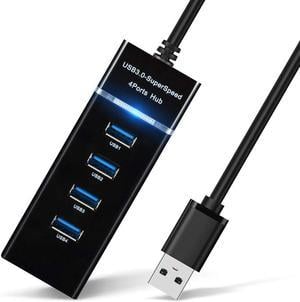
4 Port USB Hub Adapter - USB 3.0 Hub Multiport Adapter for Keyboard & Mouse / Printer / USB Fan&Lamp / Portable Storage Device, Flash Drives ,Portable USB Hub
- Type: USB
- Standards: USB 3.0
- Ports: 4 x USB 3.0
- Color: Black
- Model #: E000110-1
- Item #: 9SIAPXUFMU1015
- Return Policy: View Return Policy
$17.99
Free Shipping

Lian Li Universal USB & PWM Fan Hub, Fan Controller with 4 USB Headers - 6 Fan Ports - Magnetic Mounting - 5V/4PIN - PSU/Motherboard Universal Case Compatibility - Black --EG-HUB01B
- Model #: EG-HUB01B
- Item #: 9SIA7BBKG92990
- Return Policy: View Return Policy
$78.70
Free Shipping
Very easy to install and use
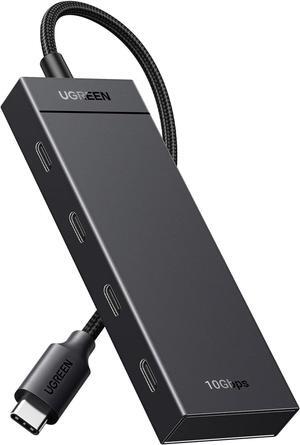
UGREEN USB C Hub, 10Gbps 4 in 1 USB 3.2 Adapter with 4 USB-C 3.2, 4 Ports USB C Splitter Extender for MacBook Pro/Air, iPad Pro, iPhone 15/15 Pro Max, Surface, PC, Laptops and More
- Type: USB
- Model #: 889238751850ABC199
- Item #: 9SIC4U8KRY9458
- Return Policy: View Return Policy
$60.93
Free Shipping

ORICO Powered 4 Port USB 3.0 HUB with 12V2A Power Adapter LEDs High Speed 5Gbps Data Transfer HUB for Macbook, Mac Pro / mini, iMac, XPS, Surface Pro, Notebook PCs and More
- Color: Black
- Type: USB
- Standards: USB 3.0
- Max Devices Supported: 127 USB devices, 63 FireWire devices
- Model #: H4928-U3-V1-US-BK-BP
- Item #: 9SIAAMW69Z0940
- Return Policy: View Return Policy
$39.99
Free Shipping
I have been using this HUB for over 3 months and tried various USB keys (v2 and v3), also used iLok v3, all are working with no issues. I have used all the various (3) power charging ports with various android phones, Wacom Intuos tablet, even charging my iPad Pro (9.7) on the 2.1A port. All worked with no issues. My computer source is a iMac with USB 3 as the source.
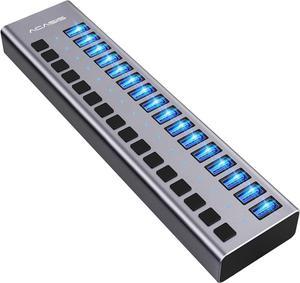
ACASIS Powered USB Hub,16 Ports USB 3.0 Data Hub, Individual On/Off Switches, 12V7.5A 90W Power Adapter, USB Hub 3.0 Splitter Extension for MacBook, Mac Pro/Mini, iMac, Surface Pro Laptop/PC
- Type: USB
- Model #: 6909822116
- Item #: 9SIB9R5J0T6498
- Return Policy: View Return Policy
$99.00
Free Shipping
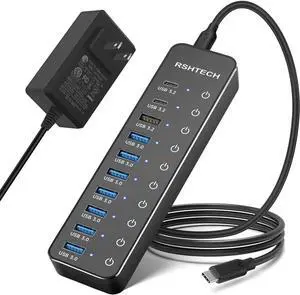
Powered USB Hub, RSHTECH 10-Port USB 3.2/USB C Hub 60W with 10Gbps USB-A 3.2, 2 USB-C 3.2, 7 USB 3.0 Ports, Individual Touch Switches and 3.3ft Cable, Hybrid USB Splitter for Laptop/PC, RSH-ST10C
- Type: USB
- Model #: 889238750174ABC30
- Item #: 9SIC031KM76388
- Return Policy: View Return Policy
$131.59
Free Shipping
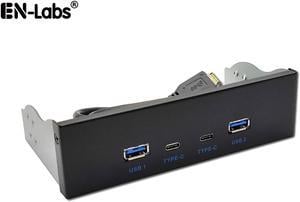
USB 3.2 10Gbps USB Front Panel Hub 5.25 inch Bay 2x Type-C and 2x USB-A 4 Ports USB Computer Case Expansion Adapter,USB 3.2 Motherboard Header 20Pin Key-A Type-E to 4 USB Splitter Adapter -2.6FT Cable
- Model #: FP525U310G2C2A
- Item #: 9SIAFFKJV25103
- Return Policy: View Return Policy
$46.79
Free Shipping
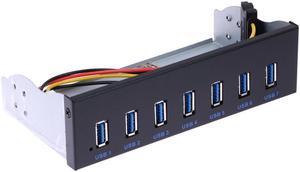
7 Port USB 3.0 5.25" Internal CD-ROM Bay Front Panel USB Hub,7 x USB 3.0 Type A Female to Motherboard USB 20 pin Hub Splitter Adapter w/ 5.25 inch Metal Bracket
- Type: USB
- Standards: USB 3.0
- Ports: 7 x USB 3.0
- Color: Black
- Model #: 525FPU37
- Item #: 9SIAFFK6PP9180
- Return Policy: View Return Policy
$35.99
Free Shipping
Works very well but you might have to set up your USB environment to get it to work at its best. USB hubs/ports can have sleep issues. If you install this hub and then find that half or all of the ports go to sleep 15 minutes after your computer boots, check all of the following. Go to the Window's Control Panel -> Power Options" click on Advanced to go to the Advanced Power Management options, you may have to click on "Change plan settings" on the plan that you are using and then after that click "Change advanced power settings". Locate the "USB settings" section and then expand that section. Disable the "USB selective suspend setting" to set it to "Disabled" instead of the default which is "Enabled". Now locate the "Hard disk" section and disable the "Turn off hard disk after" setting so that it is set to "0" which is disabled. Or Never, if that option appears Also go to Device Manager and Expand the Universal Serial Bus controllers branch, then double-click the USB Root Hub device, and choose the Power Management tab. Turn off the "Allow the computer to turn off this device to save power" by unchecking the box then click the OK button. Do this for all of the USB 3.0 devices, as necessary to correct the problem. One other cause of the sleep issue, which took me several hours of reading to find online, is a setting in your motherboard's BIOS. Something like Allow USB to sleep when computer is in S5 state. Set that to Disabled. Once the sleep issues were resolved, this device works excellently!! :)
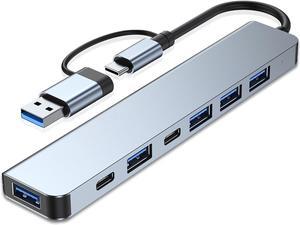
Hannord Aluminum 7 in 1 USB C Hub with USB 3.0, USB 2.0 Ports USB Extender USB Splitter for MacBook Pro Air and More Devices
- Color: Space Grey
- Model #: P00728
- Item #: 9SIAPXUK8F8570
- Return Policy: View Return Policy
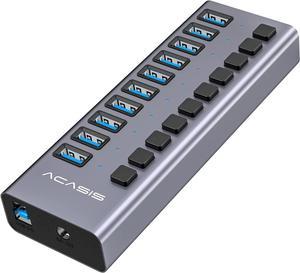
ACASIS Powered USB Hub 10 Ports USB 3.0 Data Hub with Individual On/Off Switches and 12V/7.5A 90W Power Adapter USB Hub 3.0 Splitter for Laptop, PC, Computer, Mobile HDD, Flash Drive and More
- Type: USB
- Model #: 6909822123
- Item #: 9SIB9R5J0T6501
- Return Policy: View Return Policy
$78.99
Free Shipping
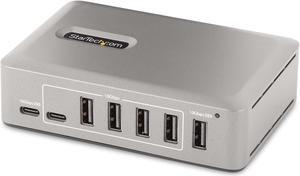
StarTech 10-Port USB-C Hub - 8x USB-A/2x USB-C - Self-Powered w/65W Power Supply - USB 3.1 10Gbps - Desktop/Laptop USB Hub w/USB-IF Certified 3ft Locking Cable, USB C Hub
- Type: USB
- Standards: USB 3.2
- Ports: External Ports 7 - USB 3.2 Type-A (9 pin, Gen 2, 10Gbps) 1 - USB 3.2 Type-C (24 pin, Gen 2, 10Gbps) 1 - USB 3.2 Type-A (9 Pin, Gen 2, 10Gbps, 15W Power) 1 - USB 3.2 Type-C (24 Pin, Gen 2, 10Gbps, 15W Power) Host Connectors 1 - USB 3.2 Type-C (24 pin, Gen 2, 10Gbps)
- Part Number: 10G8A2CS-USB-C
- Model #: 10G8A2CS-USB-C-HUB
- Item #: 9SIAH2MKNU7494
- Return Policy: View Return Policy
$192.15
Free Shipping
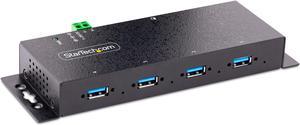
StarTech.com -Port Industrial USB 3.0 5Gbps Hub - Rugged USB Hub w/ ESD and Surge Protection - DIN/Wall/Desk Mountable USB-A Hub - USB Expander w/Locking Ports, Heavy Duty 5G4AINDNP-USB-A-HUB
- Type: USB
- Standards: USB 3.2 Gen 1
- Ports: 4 x USB 3.0
- Dimensions: 7" x 2.3" x 0.9"
- Model #: 5G4AINDNP-USB-A-HUB
- Item #: 9SIAH2MKVE2570
- Return Policy: View Return Policy
$136.16
Free Shipping
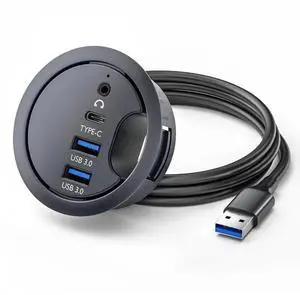
USB 3.0 Hub Sound Card USB-C 2 Port USB 60mm Desk Grommet Splitter Dock Station Headphone Mic Audio Interface for Desktop PC Desk
- Model #: C32P.1124123
- Item #: 9SIC4X5KT62616
- Return Policy: View Return Policy
$26.97
Free Shipping
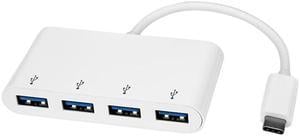
StarTech HB30C4ABW 4 Port USB C Hub - USB-C to 4 x USB-A - USB 3.0 Hub - USB C to USB Hub - White - USB Multiport Adapter - USB Type C Hub
- Type: USB
- Standards: USB 3.0
- Ports: 4 x USB Type-A (9 pin) USB 3.0 Female
- Transfer Rate: Up to 5 Gbps
- Model #: HB30C4ABW
- Item #: 9SIAH2MKS19780
- Return Policy: View Return Policy
$67.23
Free Shipping
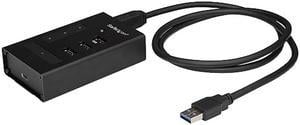
StarTech HB30A3A1CST 4 Port USB Hub - USB A to 1 x USB C and 3 x USB A - Mountable - Industrial - Powered USB Hub - USB Port Expander - USB 3.0 Hub
- Type: USB-A to 3x USB-A and 1x USB-C Hub
- Standards: USB 3.0
- Ports: 2 x USB Type-A (9 pin) USB 3.0 Female 1 x USB Type-C (24 pin) USB 3.0 Female 1 x USB 3.0 A (Fast-Charge, 9 pin, SuperSpeed) Female 1 x USB Type-B (9 pin) USB 3.0 Female
- Transfer Rate: Up to 5 Gbps
- Model #: HB30A3A1CST
- Item #: 9SIAH2MKSX9104
- Return Policy: View Return Policy
$89.74
Free Shipping
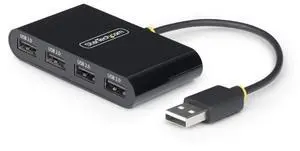
STARTECH 4-Port USB 2.0 Hub, USB Bus Powered, Small Travel Mini USB Hub, Multi-Port USB 2.0 Splitter, Portable USB Hub, 480Mbps, Overcurrent Protection (OCP) - ST4200MINI2-USB-HUB
- Parts: 2-Year
- Labor: 2-Year
- Model #: ST4200MINI2-USB-HUB
- Item #: 1BK-0066-000D4
- Return Policy: Standard Return Policy
$19.99
Free Shipping
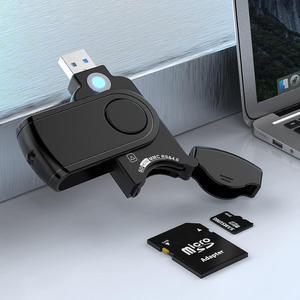
SD Card Reader, USB 3.0 Memory Card Reader for SD SDXC SDHC MMC RS-MMC TF Micro SD Micro SDXC Micro SDHC UHS-I USB Card Reader/Writer(5Gbps) 2 Cards Simultaneously SD Card Adapter for Mac/Win/Linux
- Model #: 6903411048
- Item #: 9SIC4X5KTH5996
- Return Policy: View Return Policy
$18.99
Free Shipping
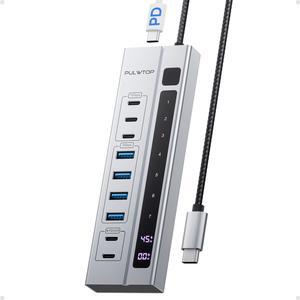
PULWTOP 9-in-1 USB 3.2 Data Hub, Power Adapter NOT Included, Powered USB C Hub with 3 x USB-C 10Gbps, 4 x USB-A 5Gbps and 2 x 24/45W Type-C PD Charging Ports USB Hub
- Color: Gray
- Model #: BH221D-None
- Item #: 9SIBZW9KF62145
- Return Policy: View Return Policy
$76.44
Free Shipping

StarTech USB-C to Triple DisplayPort MST Hub MST14CD123DP
- Model #: MST14CD123DP
- Item #: 0J2-005U-000K8
- Return Policy: Standard Return Policy
$74.99
Free Shipping
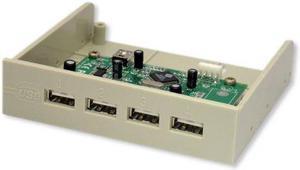
USB 2.0 Hi-Speed Internal Bay Hub
- Model #: 349284
- Item #: 0J2-0009-000D0
- Return Policy: Standard Return Policy
$9.99
$7.99 Shipping