
Your Browsing History
BEST SELLERS


BEST SELLERS
In Components & Storage
Our most popular products, based on sales and updated frequently.Shop Department
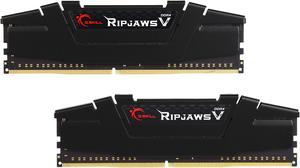
G.SKILL Ripjaws V Series 16GB (2 x 8GB) 288-Pin PC RAM DDR4 3200 (PC4 25600) Desktop Memory Model F4-3200C16D-16GVKB
- CAS Latency: CL16
- Voltage: 1.35V
- Multi-channel Kit: Dual Channel Kit
- Timing: 16-18-18-38
- Model #: F4-3200C16D-16GVKB
- Item #: N82E16820231941
- Return Policy: Standard Return Policy
$179.99
$219.99
Free Shipping
I can finally run background engine at max settings while I game and have 25 tabs open
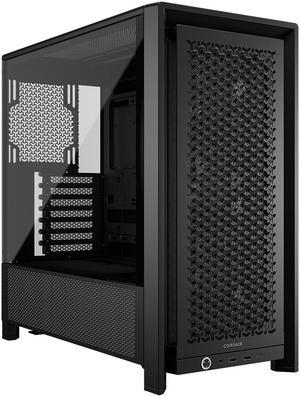
Corsair FRAME 4000D RS Black Computer Case- 3X CORSAIR RS Fans – InfiniRail Fan Mounting System – Fits Multiple 360mm Radiators – Reverse Connector Motherboard Compatible – Black
- Motherboard Compatibility: Mini-ITX/Micro-ATX/ATX/E-ATX(305mm x 277mm)
- Brand: Corsair
- Series: FRAME 4000D RS ARGB
- Color: Black
- Model #: CC-9011312-WW
- Item #: N82E16811139230
- Return Policy: Standard Return Policy
$124.99
$12.99 Shipping
The Corsair FRAME 4000D RS is a big case. Its comical that it is classified as a mid tower ATX case. It can handle EATX motherboards easily. For graphics cards, I cant imagine a card that wont fit in the cavernous interior. The case has a built in GPU support too, but my graphics card, an RTX 4080 Super, was too short to make use of the support without relocating it. I opted to just use the support that can with my card instead, but the option is nice. Speaking of graphics card options, this case allows you to rotate the back card slot panel by 90° so you can vertical mount your graphics card. Unfortunately, Corsair offers the required PCIe riser cable separately, so plan for that if you want to vertical mount your GPU. There are some very innovative engineering going on here that Ive never seen before. First, nearly every part of the case is removable. This can be cumbersome as you build since you will have an increased number of screws to keep track of as you disassemble the case panels and parts, but it is a worthwhile tradeoff to make building easier. This case is optimally designed to sit on a desktop, not at floor level, with all front I/O ports and power button on the very bottom of the case. With the clear side window, its nice to be able to hide all of the cables very easily with the modular design that allows tucking everything away. This is a case meant to be on display. A first for me, this case comes with a standardized front panel pin plug instead of individual wires for power button and LED. I have been waiting for something like this for decades. No more hunting down the user manual for pinout diagrams. Corsair does include an adapter to use individual wires in the off chance your motherboard pins do not match the plug pinout, but it worked fine for my MSI X670E Tomahawk.
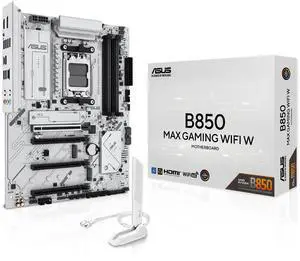
ASUS B850 MAX GAMING WIFI W - AMD AM5 ATX Motherboard, White PCB, DDR5, PCIe 5.0 Ready, 3x M.2, Wi-Fi 6E, 2.5Gb LAN, USB 10Gbps Type-C, DisplayPort, HDMI, BIOS FlashBack, Aura Sync, ASUS AI Advisor
- Brand: ASUS
- CPU Socket Type: AM5
- Chipset: AMD B850
- Serial ATA (SATA): 4 x SATA 6Gb/s
- Model #: B850 MAX GAMING WIFI W
- Item #: N82E16813119742
- Return Policy: Standard Return Policy
$279.99
Free Shipping
Tons of options on motherboard, bios almost has too many. If you want to overlook this has probably everything your looking for. Going to add 2nd GPU once I get more info on the bifurcation that it says it can do. Overall happy so far.
AMD Ryzen 9 9950X - Ryzen 9 9000 Series Granite Ridge (Zen 5) 16-Core 4.3 GHz - Socket AM5 170W - Radeon Graphics Processor - 100-100001277WOF
- Series: Ryzen 9 9000 Series
- L3 Cache: 64MB
- L2 Cache: 16MB
- Cooling Device: Cooling device not included - Processor Only
- Model #: 100-100001277WOF
- Item #: N82E16819113841
- Return Policy: Standard Return Policy
$699.99
$949.99
Free Shipping
-Fast -Great OC capability -Great synergy with AMD products
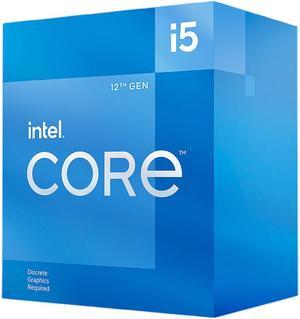
Intel Core i5-12400F - Core i5 12th Gen Alder Lake 6-Core 2.5 GHz LGA 1700 65W Desktop Processor - BX8071512400F
- Series: Core i5 12th Gen
- L3 Cache: 18MB
- L2 Cache: 7.5MB
- Cooling Device: Intel Laminar RM1
- Model #: BX8071512400F
- Item #: N82E16819118360
- Return Policy: Standard Return Policy
$189.99
$259.99
Free Shipping
Good price Not electricity hungry Not hot
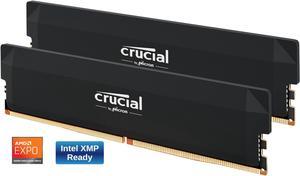
Crucial Pro Overclocking 32GB (2 x 16GB) DDR5 6000 (PC5 48000) Desktop Memory Model CP2K16G60C36U5B
- CAS Latency: CL36
- Voltage: 1.35V
- Multi-channel Kit: Dual Channel Kit
- Timing: 36-38-38-80
- Model #: CP2K16G60C36U5B
- Item #: N82E16820156394
- Return Policy: Standard Return Policy
$529.99
Free Shipping
Corsair is a trusted name Performs Well Design is not GAUDY XMP 3.0 and EXPO support Aluminum heat spreaders
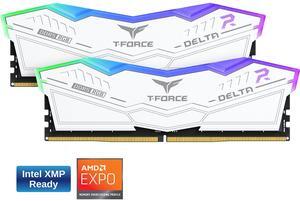
Team Group 16GB (2 x 8GB) 288-Pin PC RAM DDR5 6000 (PC5 48000) Memory Model FF4D516G6000HC38ADC01
- CAS Latency: CL38
- Voltage: 1.25V
- Multi-channel Kit: Dual Channel Kit
- Timing: 38-38-38-78
- Model #: FF4D516G6000HC38ADC01
- Item #: N82E16820985308
- Return Policy: Standard Return Policy
$319.99
Free Shipping
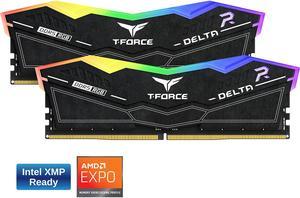
Team T-Force Delta RGB 32GB (2 x 16GB) 288-Pin PC RAM DDR5 6000 (PC5 48000) Desktop Memory Model FF3D532G6000HC30DC01
- CAS Latency: CL30
- Voltage: 1.35V
- Timing: 30-36-36-76
- Recommend Use: Intel B660 / Intel Z690
- Model #: FF3D532G6000HC30DC01
- Item #: N82E16820331845
- Return Policy: Standard Return Policy
$699.99
Free Shipping
Works like it should
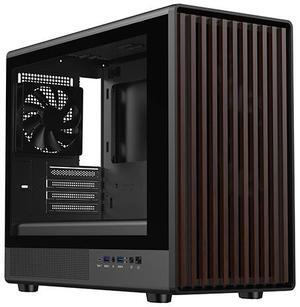
DIYPC DIY-mATX06-Wood Black USB3.0 /Type C Micro ATX Mid Tower Gaming Computer Case w/ Tempered Glass Side Panel and Walnut Wood Front Panel / 4 x PWM Fans Pre-Installed
- Motherboard Compatibility: ITX / Micro ATX
- Power Supply Mounted: Bottom
- Brand: DIYPC
- Color: Black
- Model #: DIY-mATX06-Wood
- Item #: N82E16811353273
- Return Policy: Standard Return Policy
$69.99
$84.99
$12.99 Shipping
Its a great case great quality falls great great priceing look great
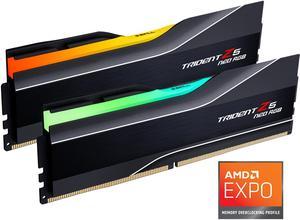
G.SKILL Trident Z5 Neo RGB Series 64GB (2 x 32GB) 288-Pin PC RAM DDR5 6000 (PC5 48000) Desktop Memory Model F5-6000J3040G32GX2-TZ5NR
- CAS Latency: CL30
- Voltage: 1.40V
- Multi-channel Kit: Dual Channel Kit
- Timing: 30-40-40-96
- Model #: F5-6000J3040G32GX2-TZ5NR
- Item #: N82E16820374445
- Return Policy: Standard Return Policy
$1,219.99
$1,589.99
Free Shipping
stable and working as intended
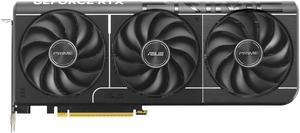
ASUS PRIME GeForce RTX 5070 12GB 192-Bit GDDR7 PCI Express 5.0 DLSS 4.0 Graphics Card PRIME-RTX5070-12G
- Max Resolution: 7680 x 4320
- DisplayPort: 3 x DisplayPort 2.1b
- HDMI: 1 x HDMI 2.1b
- Card Dimensions (L x H): 12 x 5 x 2 inch
- Model #: PRIME-RTX5070-12G
- Item #: N82E16814126761
- Return Policy: Standard Return Policy
$939.99
Free Shipping
Overclocks itself, no point buying the overclock version. Fans are quiet.
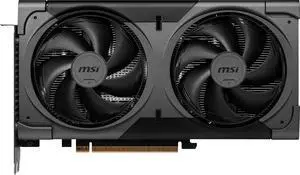
MSI Ventus GeForce RTX 5060 Ti Graphics Card (RTX 5060 Ti 16G VENTUS 2X OC BLACK PLUS)
- Max Resolution: 7680 x 4320
- DisplayPort: 3 x DisplayPort 2.1b
- HDMI: 1 x HDMI 2.1b
- Card Dimensions (L x H): 227 x 126 x 41 mm
- Model #: RTX 5060 Ti 16G VENTUS 2X OC BLACK PLUS
- Item #: N82E16814137992
- Return Policy: Standard Return Policy
$799.99
$779.99 after $20.00 rebate card
Free Shipping
achieved a nice overclock Runs decently cool never really gets above 65 degrees in my case
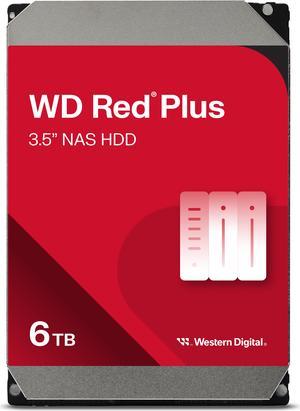
WD Red Plus WD60EFPX 6TB 5400 RPM 256MB Cache SATA 6.0Gb/s 3.5" Hard Drives
- NAND Flash Memory Type: Hard Drive
- Recording Technology: CMR
- Height (maximum): 26.10mm
- Width (maximum): 101.60mm
- Model #: WD60EFPX
- Item #: N82E16822234534
- Return Policy: Standard Return Policy
$315.99
$9.99 Shipping
Using in an Esata box with RAID 5 (3 drives so far), plan to add hot spare and expand in the future. Cool running and decent perforance (crystal diskmark SEQ 500MB read 115MB/s with raid 5 and encryption and write 125MB/s). No noise yet I dont sleep next to it either. +eggs for good packaging and quick delivery from newegg!
WD_BLACK 4TB SN850X NVMe Internal Gaming SSD Solid State Drive - Gen4 PCIe, M.2 2280, Up to 7,300 MB/s - WDS400T2X0E
- Max Sequential Read: Up to 7300 MBps
- Max Sequential Write: Up to 6600 MBps
- 4KB Random Read: Up to 1,200,000 IOPS
- 4KB Random Write: Up to 1,100,000 IOPS
- Model #: WDS400T2X0E
- Item #: N82E16820250244
- Return Policy: Standard Return Policy
$899.99
$1,674.99
Free Shipping
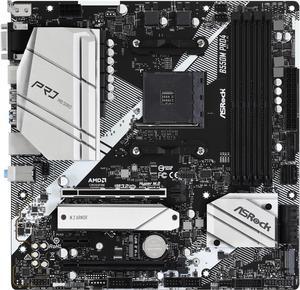
ASRock B550M PRO4 AM4 Micro ATX AMD Motherboard
- Brand: ASRock
- CPU Socket Type: AM4
- Chipset: AMD B550
- Serial ATA (SATA): 6 x SATA3 6.0Gb/s* * M2_2 and SATA3_5_6 share lanes. If either one of them is in use, the other one will be disabled.
- Model #: B550M PRO4
- Item #: N82E16813157939
- Return Policy: Standard Return Policy
$109.99
$124.99
Free Shipping
-East to setup -Great software -3 M.2 slots, 1 Pci-E 4.0 AND 1 Pci-E 3.0 slot! -Reliable company that stands behind their product
Crucial P310 M.2 2280 2TB PCI-Express 4.0 x4 NVMe 3D NAND Internal Solid State Drive Speed Up to 7100 MBps (SSD) CT2000P310SSD8
- Max Sequential Read: Up to 7100 MBps
- Max Sequential Write: Up to 6000 MBps
- Form Factor: M.2 2280
- Capacity: 2TB
- Model #: CT2000P310SSD8
- Item #: N82E16820156413
- Return Policy: Standard Return Policy
$399.99
Free Shipping
It works as intended Easy to install Wonderful amount of space Very fast
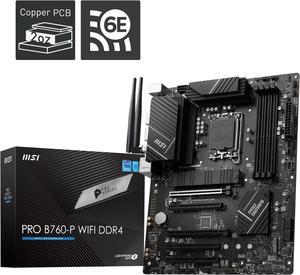
MSI PRO B760-P WIFI DDR4 LGA 1700 (l12th&13th Gen), SATA 6Gb/s motherboard, WiFi 6,Intel 2.5Gb LAN,2xM.2 Slots
- Memory Standard: Memory Support 5333(OC)/ 5200(OC)/ 5066(OC)/ 5000(OC)/ 4800(OC)/ 4600(OC)/ 4400(OC)/ 4266(OC)/ 4200(OC)/ 4000(OC)/ 3800(OC)/ 3733(OC)/ 3600(OC)/ 3466(OC)/ 3400(OC)/ 3333(OC)/ 3200(JEDEC)/ 2933(JEDEC)/ 2666(JEDEC)/ 2400(JEDEC)/ 2133(JEDEC)
- Number of Memory Slots: 4x288pin (DDR4)
- Brand: MSI
- CPU Socket Type: LGA 1700
- Model #: PRO B760-P WIFI DDR4
- Item #: N82E16813144587
- Return Policy: Standard Return Policy
$224.99
Free Shipping
M.2 slot lga 1700 everything is great even has a c port slot which is nice idk what I would use it for
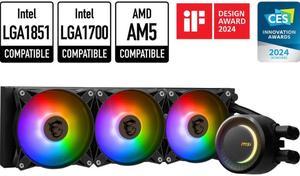
MSI MAG CoreLiquid E360 Black - AIO ARGB CPU Liquid Cooler - Rotating Cap Design - 360mm Radiator - Triple 120mm ARGB PWM Fans - LGA 1851,1700 Ready / AMD AM5 Compatible
- Type: Liquid Cooling System
- Block Dim.: 41 (+/-0.2) x 47.6 (+/-0.2) mm
- Block Material: Copper
- Radiator Size: Radiator Size: 360 mm Radiator Dimensions: 394 x 119.2 x 27mm / 15.51 x 4.69 x 1.06 inches
- Model #: MAG CORELIQUID E360
- Item #: 9SIA9H5K643966
- Return Policy: View Return Policy
$209.99
Free Shipping
-Setup is pretty straightforward (advise to watch youtube video as well as it shows you how to cable manage those annoying aRGB and fan PWM cables -Mounting is super-easy for AM5 socket. -Quiet fans when idling/not working on CPU-heavy tasks -Excellent cooling performance (My Ryzen 9800X3D never exceeds 81C when running Prime95 small FFT and is idling at 35C or even lower) -RGBs are cool, I guess if you value these things (you will need Mystic Light or MSI Centre to control the RGB lights)
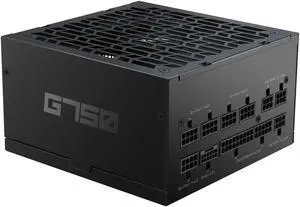
SAMA G750W ATX 3.1 Power Supply, 750W, Cybenetics Gold Standards, PCIe 5.1 Ready, Full Modular, Japanese Capacitors, FDB Fan, Black Version
- Brand: SAMA
- Model: HAT-750yzB1G
- Series: G-Series
- Type: ATX 3.1 Compatible
- Model #: HAT-750yzB1G
- Item #: 9SIB41PKG91425
- Return Policy: View Return Policy
$89.99
$119.99
Free Shipping
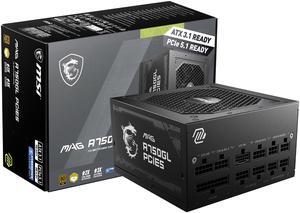
MSI MAG A750GL PCIE5, Fully Modular Compact Gaming 750W Power Supply, 80+ Gold, ATX 3.1 & PCIe 5.1 Ready, Native Dual-color 12V-2x6 cable, 10 Year Warranty
- Fans: 1 x 120 mm
- SATA Power Connector: 5
- Input Voltage: 100 - 240 V
- Input Frequency Range: 47 - 63 Hz
- Model #: MAG A750GL PCIE5
- Item #: N82E16817701022
- Return Policy: Standard Return Policy
$124.99
$164.99
Free Shipping
Cables are labelled good & it was easy to install