
Your Browsing History
BEST SELLERS


BEST SELLERS
In AMD Motherboards
Our most popular products, based on sales and updated frequently.Shop Department
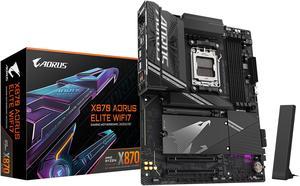
GIGABYTE X870 AORUS ELITE WIFI7 AM5 LGA 1718, ATX, DDR5, 4x M.2, PCIe 5.0, USB4, Wi-Fi 7, 2.5GbE LAN, EZ-Latch, 5-Year Warranty
- Brand: GIGABYTE
- CPU Socket Type: AM5
- Chipset: AMD X870
- Serial ATA (SATA): 4 x SATA 6Gb/s
- Model #: X870 AORUS ELITE WIFI7
- Item #: N82E16813145519
- Return Policy: Standard Return Policy
$319.99
Free Shipping
GIGABYTE X870 is a update to my GA-AX370-Gaming 5 it's still working great. So far been great MOBO lots options for fans,drives,etc. It is a haevy board come peared to my old one. Easy in install M.2 druves. No little screws to mess with. BIOS got lots adjustment you can do. Update BIOS was a breeze to install.
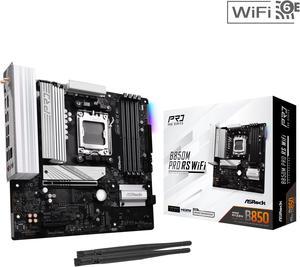
ASRock B850M PRO RS WIFI AM5 Micro ATX Motherboard
- Brand: ASRock
- CPU Socket Type: AM5
- Chipset: AMD B850
- Serial ATA (SATA): 4 x SATA 6Gb/s
- Model #: B850M Pro RS WiFi
- Item #: N82E16813162196
- Return Policy: Standard Return Policy
$179.99
$239.99
Free Shipping
Numerous m.2 slots (3) Pcie Gen5 slot Pcie Gen5 m.2 slot (1) 2.5 gigabit lan
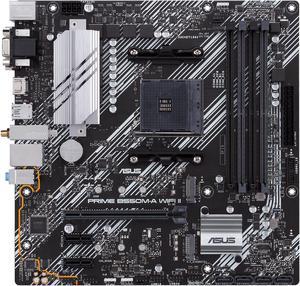
ASUS Prime B550M-A WiFi II AMD AM4 (3rd Gen Ryzen) Micro ATX Motherboard (PCIe 4.0, WiFi 6, ECC Memory, 1Gb LAN, HDMI 2.1/D-Sub, 4K@60HZ, Addressable Gen 2 RGB Header and Aura Sync)
- Brand: ASUS
- CPU Socket Type: AM4
- Chipset: AMD B550
- Serial ATA (SATA): 4 x SATA 6Gb/s
- Model #: PRIME B550M-A WIFI II
- Item #: N82E16813119580
- Return Policy: Standard Return Policy
$149.99
$169.99
Free Shipping
I've used this board to build multiple systems and it's just plain solid. Easy to build on, no problems with setup. Has all the features a hard working computer needs, and even RGB. There are plenty of headers for what you need and it also provides a wide variety of ports to use any monitor.
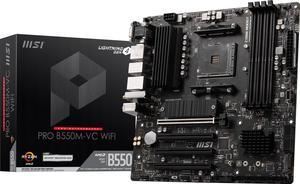
MSI PRO PRO B550M-VC WIFI AM4 MATX AMD Motherboard
- Brand: MSI
- CPU Socket Type: AM4
- Chipset: AMD B550
- Serial ATA (SATA): 4x SATA 6Gb/s ports
- Model #: PRO B550M-VC WIFI
- Item #: N82E16813144548
- Return Policy: Standard Return Policy
$139.99
$169.99
Free Shipping
-3x 4 pin fan headers(have 1 case fan conn. to pump fan header) -pretty certain it has every available rbg header -WIFI 6/Bluetooth & 7.1 audio -2x M.2 slots -loads of sata ports -bios flashback or whatever its called -debug led It basically has all the bells and whistles that a first time builder like me was looking for and besides the CPU temps not being shown in amd adrenalin from time to time (I'm sure that's not the boards fault) temps still show in bios) I have no complaints
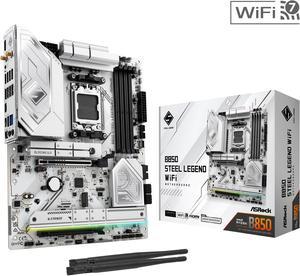
ASRock B850 STEEL LEGEND WIFI AM5 ATX Motherboard
- Brand: ASRock
- CPU Socket Type: AM5
- Chipset: AMD B850
- Serial ATA (SATA): 4 x SATA 6Gb/s
- Model #: B850 Steel Legend WiFi
- Item #: N82E16813162187
- Return Policy: Standard Return Policy
$189.99
$299.99
Free Shipping
I used this motherboard in a midsize case, fit perfectly. I used it together with an msi 1000w power supply, 240mm arctic liquid cooler, an amd ryzen cpu, and a 4070 gpu. All working perfectly.
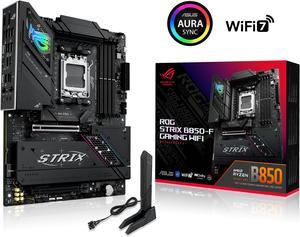
ASUS ROG STRIX B850-F GAMING WIFI AMD AM5 B850-F ATX motherboard 16+2+2 power stages, AI PC, DDR5 AEMP, WiFi 7, 4x M.2, PCIe 5.0, total support of 19 USB, 20Gbps Type-C, AI Networking II, Aura Sync
- Brand: ASUS
- CPU Socket Type: AM5
- Chipset: AMD B850
- Serial ATA (SATA): 2 x SATA 6Gb/s
- Model #: ROG STRIX B850-F GAMING WIFI
- Item #: N82E16813119702
- Return Policy: Standard Return Policy
$419.99
Free Shipping
- Easy to install components. - Fit like a glove in the Corsair Frame 4000 case.
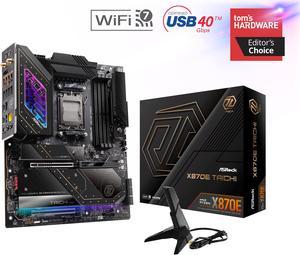
ASRock X870E TAICHI AM5 Extended ATX Motherboard
- Brand: ASRock
- CPU Socket Type: AM5
- Chipset: AMD X870E
- Serial ATA (SATA): 6 x SATA 6Gb/s
- Model #: X870E Taichi
- Item #: 9SIADDZKGK5961
- Return Policy: View Return Policy
$929.99
$53.93 Shipping
Exceptional VRM Design: Ensures stable performance and supports overclocking Build Quality: Durable and reliable, build like a tank Future-Proof PCIe 5.0 Support: Dedicated x16 lanes on the first PCIe port, ideal for upcoming RTX 50 series GPUs. No Lane Sharing: First PCIe slot is not compromised, allowing GPUs to fully leverage bandwidth of the 16 PCIE lanes. Advanced Connectivity: Offers cutting-edge features like USB4, Wi-Fi 7, and plenty of storage options.
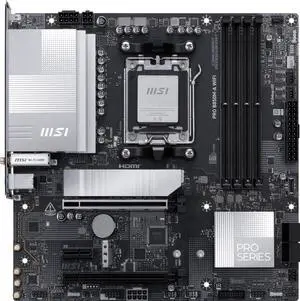
MSI PRO B850M-A WIFI AM5 , Wi-FI 7, 5G LAN, SATA 6Gbps, Bluetooth 5.4, double M.2 support,Micro ATX AMD Motherboard
- Brand: MSI
- CPU Socket Type: AM5
- Chipset: AMD B850
- Serial ATA (SATA): 4 x SATA 6Gb/s
- Model #: PRO B850M-A WIFI
- Item #: N82E16813144706
- Return Policy: Standard Return Policy
$199.99
$209.99
Free Shipping
Pros: Everything is stable and sufficient for my retro build purposes. Using Patriot DDR5 sticks (not paired at the factory) successfully at CL30 and 6000M/T, an AMD 7600X, and an RX 9060XT. Plenty of SATA connections for SSDs and an internal DVD drive (only running a single NVMe due to RAM shortage) in a SilverStone FLP-02 case.
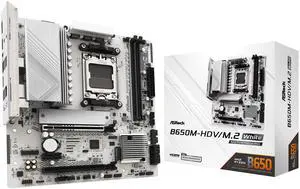
ASRock B650M-HDV/M.2 White AM5 Micro ATX Motherboard
- Brand: ASRock
- CPU Socket Type: AM5
- Chipset: AMD B650
- Serial ATA (SATA): 4 x SATA 6Gb/s
- Model #: B650M-HDV/M.2 White
- Item #: N82E16813162229
- Return Policy: Standard Return Policy
$134.99
$169.99
Free Shipping
- Sturdy, feels tough, well built - No BIOS update needed for latest 9000 AMD series processors. - Easy to apply CPU under-volt with performance presets in BIOS. - Built-in IO Shield - Wifi Antenna holes - 1 USB-C port and 1 header for future upgrades
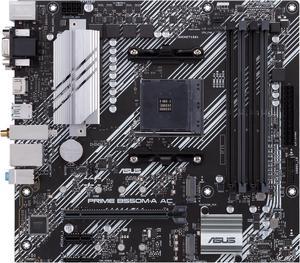
ASUS PRIME B550M-A AC AMD AM4 mATX motherboard with impressive features, including PCIe 4.0, dual M.2 slots, WiFi, HDMI, D-Sub, DVI, SATA 6 Gbps, USB 3.2 Gen 2 ports, and Aura Sync RGB lighting
- Brand: ASUS
- CPU Socket Type: AM4
- Chipset: AMD B550
- Serial ATA (SATA): 4 x SATA 6Gb/s
- Model #: PRIME B550M-A AC
- Item #: N82E16813119492
- Return Policy: Standard Return Policy
$159.99
Free Shipping
- Stable with no crashes in 6 weeks of use - it has enough features with 4 ram slots, rgb headers, bluethooth and wifi built in to make it feel better than the cheapest options - Great price - XMP/DOCP worked on second attempt with G. Skill RGB 3600 Mhz Ram
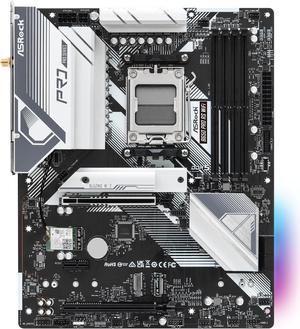
ASRock B650 Pro RS WiFi AM5 ATX Motherboard
- Brand: ASRock
- CPU Socket Type: AM5
- Chipset: AMD B650
- Serial ATA (SATA): 4 x SATA 6Gb/s
- Model #: B650 Pro RS WiFi
- Item #: N82E16813162185
- Return Policy: Standard Return Policy
$169.99
$219.99
$8.99 Shipping
It was very easy to setup, the BIOS comes with an easy mode to toggle, has a nice color and sleek design to it.
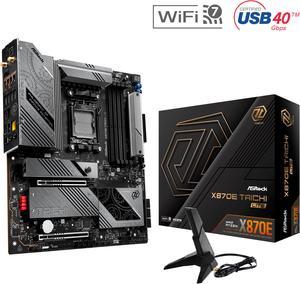
ASRock X870E Taichi Lite AM5 Extended ATX Motherboard
- Brand: ASRock
- CPU Socket Type: AM5
- Chipset: AMD X870E
- Serial ATA (SATA): 6 x SATA 6Gb/s
- Model #: X870E Taichi Lite
- Item #: N82E16813162162
- Return Policy: Standard Return Policy
$429.99
$579.99
$29.99 Shipping
Looks great and is a good mb for the price. runs super cold. Have a 9950x3d with aio peaking at 65C during heavy loads, idles at 35
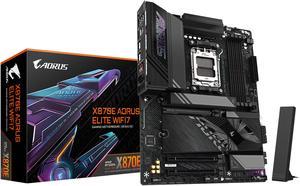
GIGABYTE X870E AORUS ELITE WIFI7 AM5 LGA 1718, ATX, DDR5, 4x M.2, PCIe 5.0, USB4, Wi-Fi 7, 2.5GbE LAN, EZ-Latch, 5-Year Warranty
- Brand: GIGABYTE
- CPU Socket Type: AM5
- Chipset: AMD X870E
- Serial ATA (SATA): 4 x SATA 6Gb/s
- Model #: X870E AORUS ELITE WIFI7
- Item #: N82E16813145517
- Return Policy: Standard Return Policy
$369.99
$439.99
$19.99 Shipping
Probably one of the easiest setups I've done with a motherboard. Love the quick connect and disconnect for m.2 drives and the GPU.
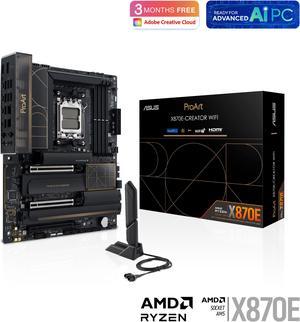
ASUS ProArt X870E-CREATOR WIFI AMD AM5 X870E ATX Motherboard PCIe 5.0 x16 slots with full support for next-gen GPUs, 16+2+2 power stages, DDR5, dual USB4, 10 Gb & 2.5 Gb LAN, WiFi 7, four M.2 slots
- Brand: ASUS
- CPU Socket Type: AM5
- Chipset: AMD X870
- Serial ATA (SATA): 4 x SATA 6Gb/s
- Model #: ProArt X870E-CREATOR WIFI
- Item #: N82E16813119688
- Return Policy: Standard Return Policy
$719.99
Free Shipping
I havent upgraded for awhile, and this board has everything I could want. Plenty of USBs and 10Gbe built in. I paired it with a 9950x and compatible memory with tight timings and everything booted the 1st time. I updated the Bios to the latest and couldnt be happier.
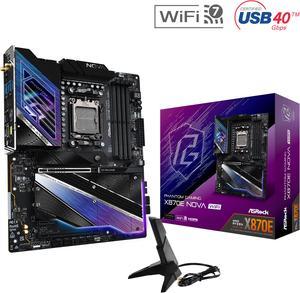
ASRock X870E NOVA WIFI AM5 ATX Motherboard
- Brand: ASRock
- CPU Socket Type: AM5
- Chipset: AMD X870E
- Serial ATA (SATA): 4 x SATA 6Gb/s
- Model #: X870E Nova WiFi
- Item #: N82E16813162163
- Return Policy: Standard Return Policy
$364.00
$499.00
Free Shipping
- All PCIE 5 lanes are separated and not sharing - Has everything a typical high-end user would need without extras or corner cutting - Fairly priced
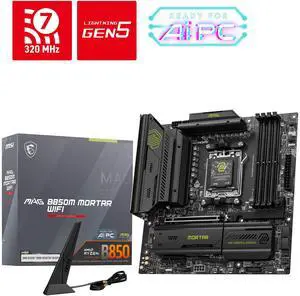
MSI MAG B850M MORTAR WIFI AM5 Micro ATX Motherboard
- Brand: MSI
- CPU Socket Type: AM5
- Chipset: AMD B850
- Serial ATA (SATA): 4 x SATA 6Gb/s
- Model #: MAG B850M MORTAR WIFI
- Item #: N82E16813144715
- Return Policy: Standard Return Policy
$279.99
$359.99
Free Shipping
5gb Lan Wi-Fi 7 4 SATA Ports 2 PCIE 5.0 NVME Slots that don't steal from the GPU PCIE Slot An additional PCIE 4.0 NVME Slot SPDIF Audio Out
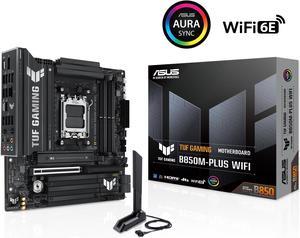
ASUS TUF GAMING B850M-PLUS WIFI AMD AM5 B850 mATX motherboard, 14+2+1 80A DrMOS stages, DDR5, PCIe 5.0, 3x M.2, Wi-Fi 6E, 2.5Gb LAN, DP, HDMI, USB 10Gbps & 20Gbps Type-C, BIOS FlashBack, Aura Sync
- Brand: ASUS
- CPU Socket Type: AM5
- Chipset: AMD B850
- Serial ATA (SATA): 4 x SATA 6Gb/s
- Model #: TUF GAMING B850M-PLUS WIFI
- Item #: N82E16813119706
- Return Policy: Standard Return Policy
$349.99
Free Shipping
This MB is a beast! Has tons of USB ports, even a Type C. Posted with a string cpu, Ryzen 9 9900x and up out the X3Ds you cant go wrong here
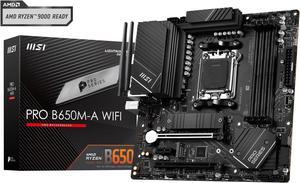
MSI PRO B650M-A WIFI AM5 AMD B650 SATA 6Gb/s DDR5 Ryzen 7000 Micro ATX Motherboard
- Brand: MSI
- CPU Socket Type: AM5
- Chipset: AMD B650
- Serial ATA (SATA): 4x SATA 6Gb/s ports (From B650 chipset)
- Model #: PRO B650M-A WIFI
- Item #: N82E16813144559
- Return Policy: Standard Return Policy
$149.99
$224.99
Free Shipping
-optional wifi attachments -allows for the replacement AMD bracket to be placed -alot of options for USB 3.0, SSD's, and M.2 drives -easy to use BIOS updater
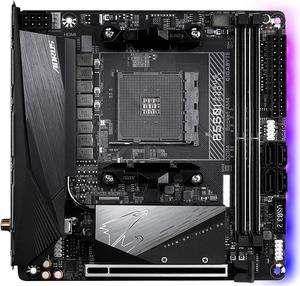
GIGABYTE B550I AORUS PRO AX AM4 AMD B550 Mini-ITX Motherboard with Dual M.2, SATA 6Gb/s, USB 3.2 Gen 1, WIFI 6, 2.5 GbE LAN, PCIe 4.0
- Brand: GIGABYTE
- CPU Socket Type: AM4
- Chipset: AMD B550
- Serial ATA (SATA): 4 x SATA 6Gb/s
- Model #: B550I AORUS PRO AX
- Item #: N82E16813145222
- Return Policy: Standard Return Policy
$259.99
$309.99
Free Shipping
All I can say is wow! I'm so happy I got this board. I've always used Asus and Gigabyte motherboards in the past, but the last PC I built was over 12 years ago, and I'm really glad Gigabyte still has it! Also, I finally made the switch from Intel to AMD with the purchase of this board, and ya, I'm really pleased.
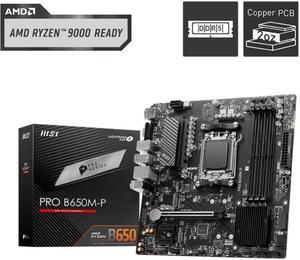
MSI PRO B650M-P AM5 Ryzen 7000 DDR5 SATA 6G 2x M.2 2.5G LAN 7.1 Audio mATX Motherboard
- Brand: MSI
- CPU Socket Type: AM5
- Chipset: AMD B650
- Serial ATA (SATA): 4 x SATA 6Gb/s
- Model #: PRO B650M-P
- Item #: N82E16813144607
- Return Policy: Standard Return Policy
$169.99
Free Shipping
Everything works as planned no cons ive seen