• $84.77
  • Free 45-day Returns
Ships from China.
Price alert
Shop it at NeweggBusiness.

Meet Your Seller

Audio Converter HDMI ARC Adapter Digital to Analog Stereo DAC Coaxial Optical Input Coaxial or Optical LR or 3.5 mm Jack Output for TV

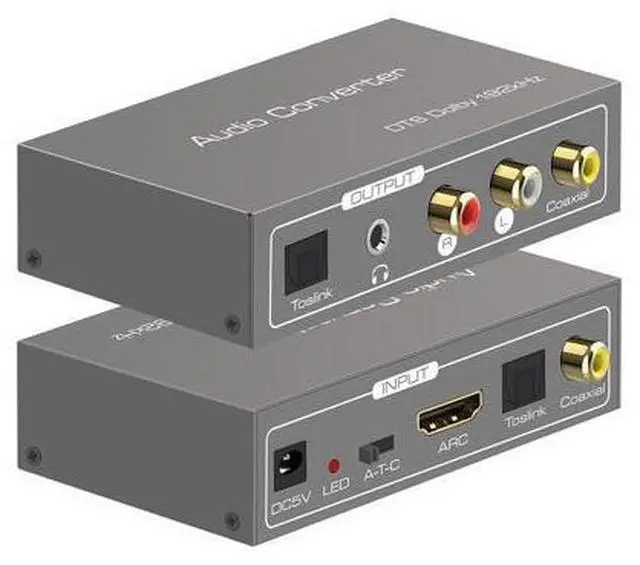
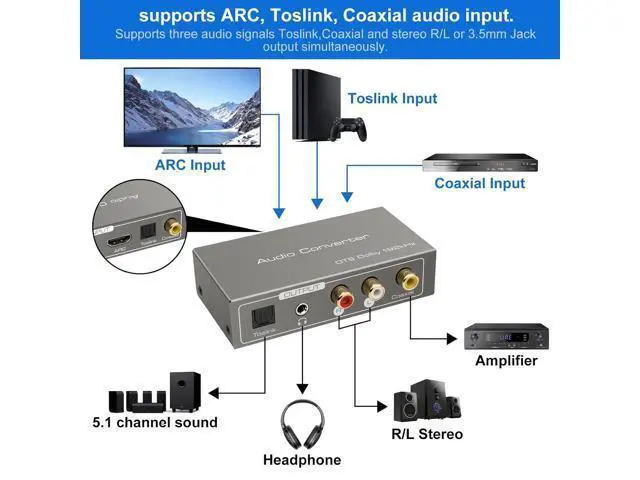
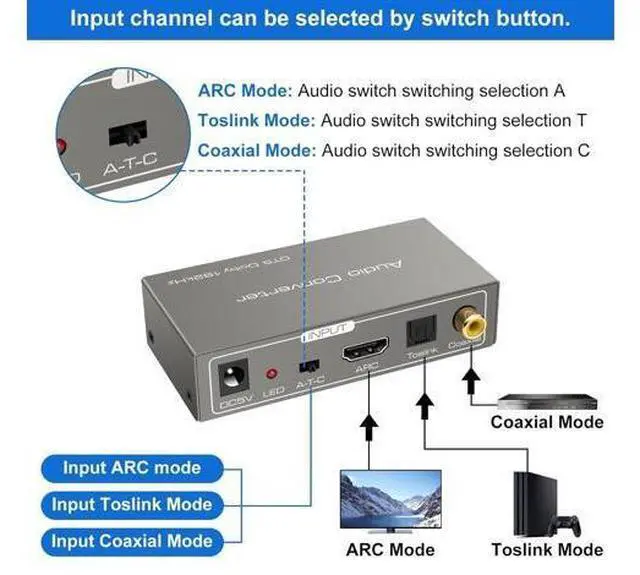
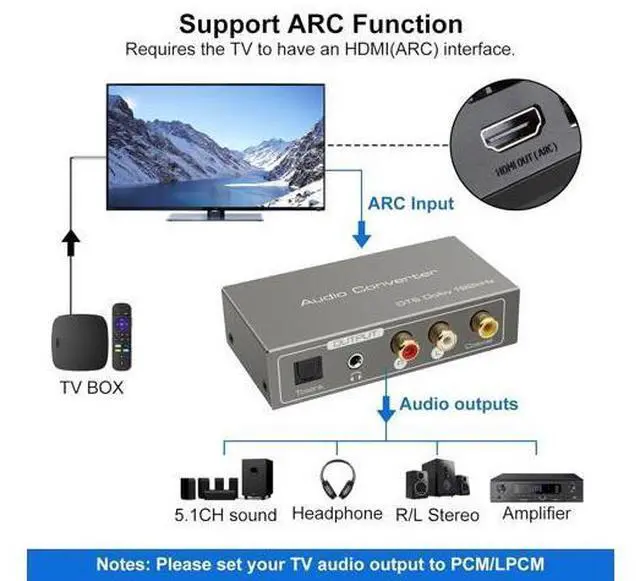
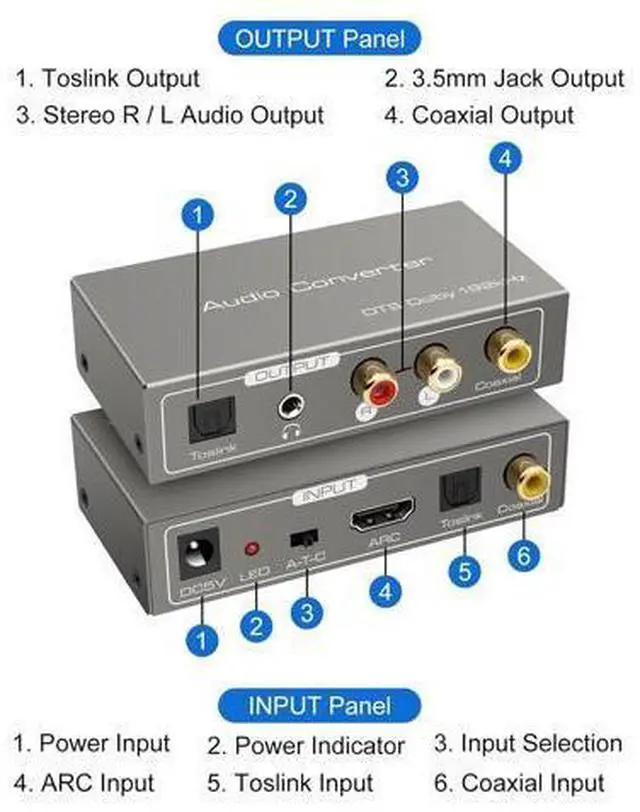
  • Digital Audio Converter for TVMultiple audio formats are converted to each other, supporting optical, coaxial, HDMI ARC input, optical and coaxial as well as 3.5mm AUX stereo and L/R RCA interface audio signal output at the same time. Only one audio format input can be selected at the same time, which is set by DIP switches
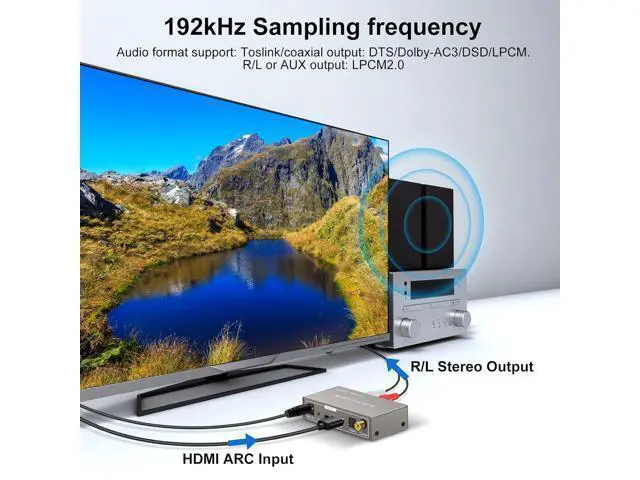
  • HDMI ARC AdapterThis hdmi arc adapter can transmit audio from ARC-enabled TV back to the fiber optic, coaxial and 3.5mm headphone jack via the HDMI/ARC interface and output simultaneously. NOTE: If you use the HDMI ARC channel to transmit audio, the HDMI device (TV, projection, etc.) must support ARC
  • Digital Analog ConverterThe digital-to-analog converter converts digital signals Toslink / coaxial to analog signals L/R or 3.5 mm jack. During the conversion of audio signals, it will have no audio loss, which affects the quality of audio signals. Note: If the sound cannot be output, set the audio format of the signal source to PCM
+
+
Overview
Specs
Reviews
Digital Audio Converter for TVMultiple audio formats are converted to each other, supporting optical, coaxial, HDMI ARC input, optical and coaxial as well as 3.5 mm AUX stereo and L/R RCA interface audio signal output at the same time. Only one audio format input can be selected at the same time, which is set by DIP switches. HDMI ARC AdapterThis hdmi arc adapter can transmit audio from ARC-enabled TV back to the fiber optic, coaxial and 3.5 mm headphone jack via the HDMI/ARC interface and output simultaneously.
NOTE: If you use the HDMI ARC channel to transmit audio, the HDMI device (TV, projection, etc. ) must support ARC. Digital Analog ConverterThe digital-to-analog converter converts digital signals Toslink / coaxial to analog signals L/R or 3.5 mm jack. During the conversion of audio signals, it will have no audio loss, which affects the quality of audio signals.
Note: If the sound cannot be output, set the audio format of the signal source to PCM.


Warranty & Returns

Warranty, Returns, And Additional Information

Warranty

  • Please contact the Seller directly for warranty information. Warranty information may also be found on the Manufacturer's website.
  • CONTACT

Return Policies

Manufacturer Contact Info

LOADING...