

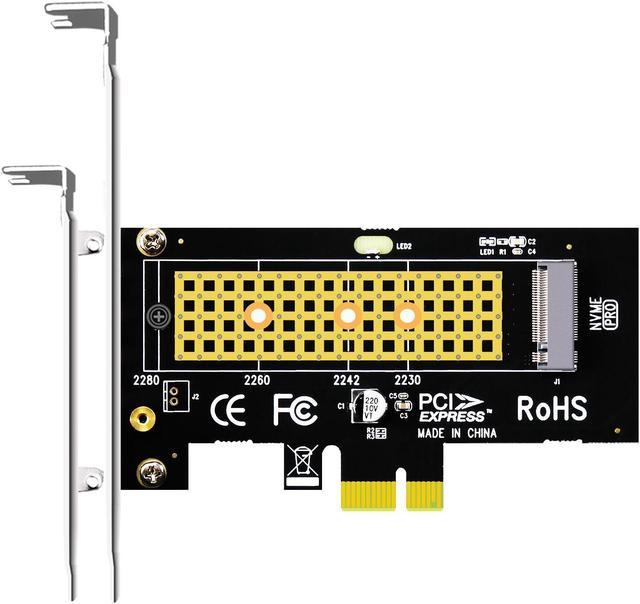
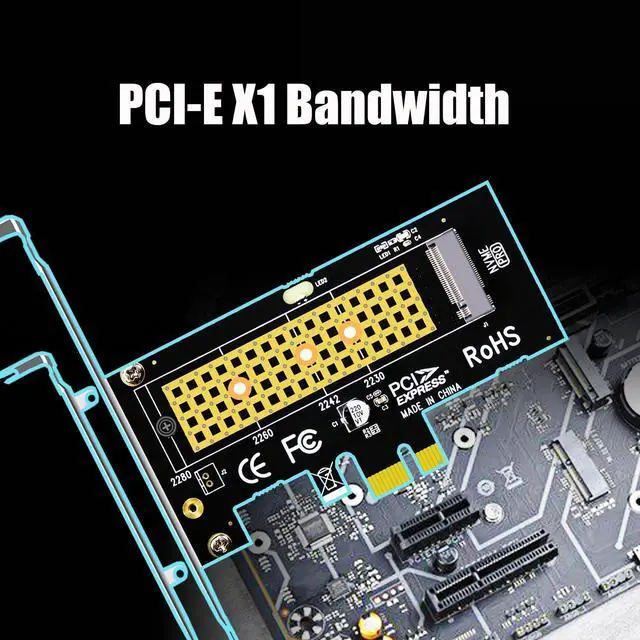
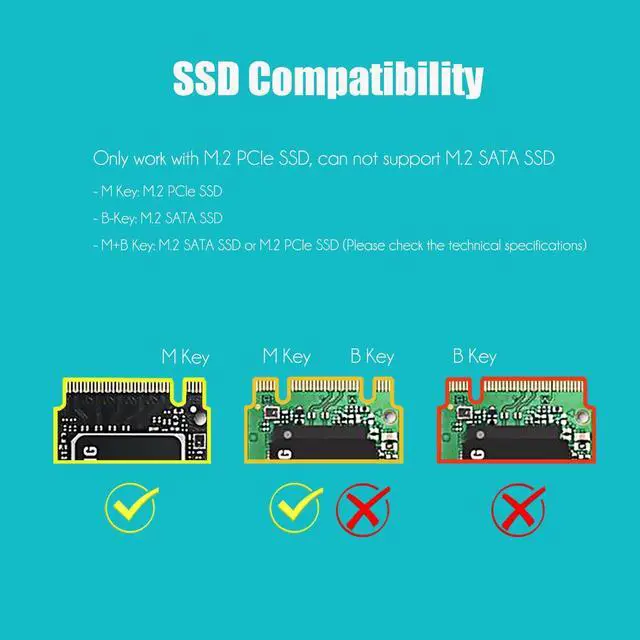
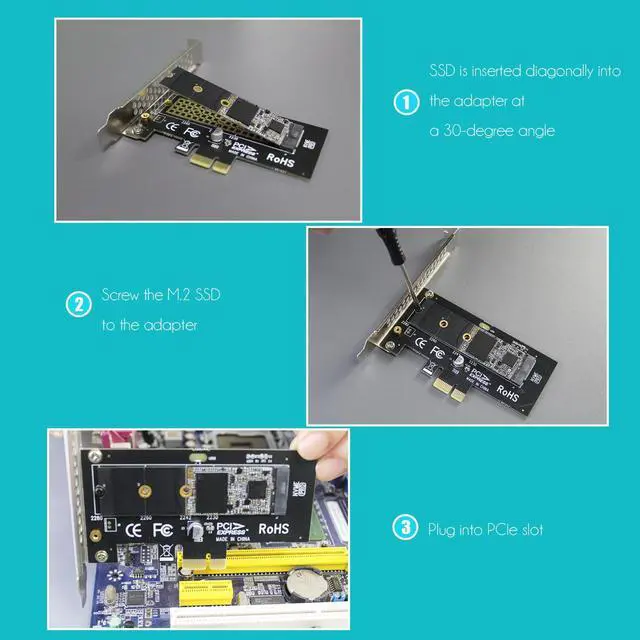
Converting one PCIe X1 slot on the motherboard to the M.2 Key M slot allows you to install M.2 NVMe SSD into this Key M slot
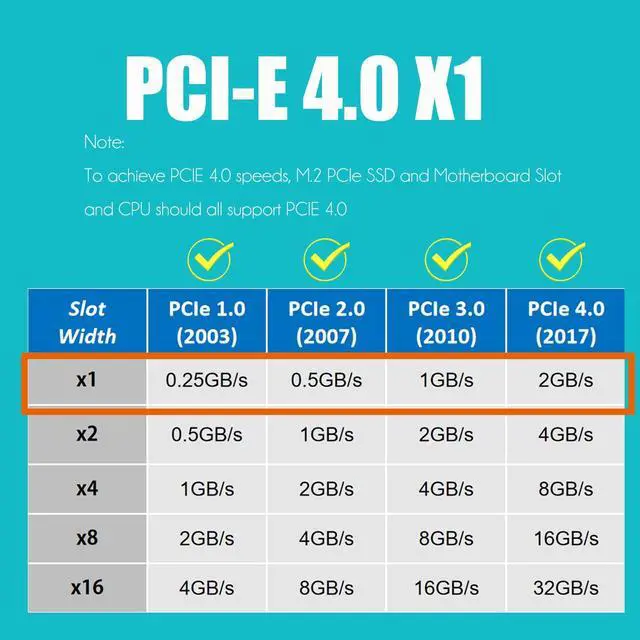
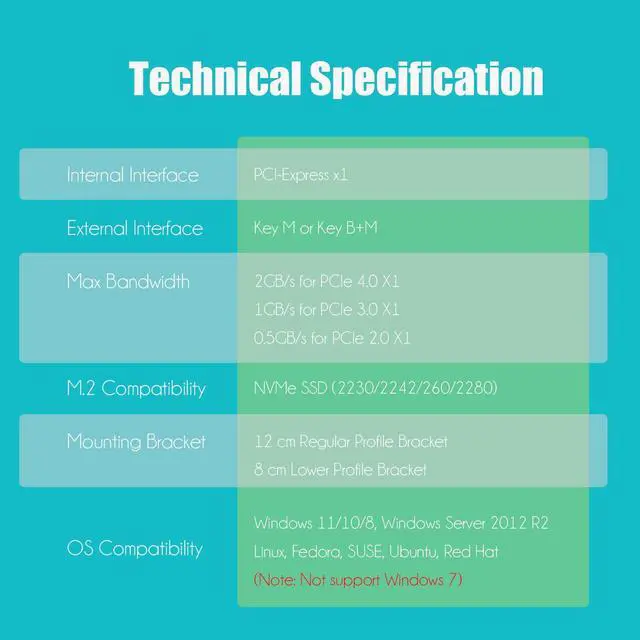
Advantage and Disadvantage: The advantage is that instead of taking up the X16 slot, it utilizes the free PCIE X1 slot on the motherboard. The disadvantage is that it only has the maximum bandwidth of PCIe X1, and can not reach PCIe X4 full-speed
No limit to the capacity of the M.2 NVMe SSD: Support 2T/4T
Support OS Booting: Reinstall the OS, and set up BIOS/UEFI boot from this M.2 NVMe SSD (Note: Some motherboards are too old to support OS booting. In this case, M.2 NVMe SSDs can be used as storage disks)
OS compatibility: Plug-and-play in Windows 11/10/8/Linux/Mac OS (Note: Not support Windows 7). The new M.2 NVMe SSD needs to be initialized and formatted before it can be recognized by the computer host
Accessories: Pre-installed 12cm regular-profile bracket, 8cm low-profile bracket, SSD standoff for 2230/2242/2260 position installation, M.2 screw, etc)
It Will not occupy a PCIe X16 GPU lane, can install on PCIe X1 lane, then you will get an extra M. 2 PCIe slot for your motherboard. The disadvantage is only PCIe X1 bandwidth, not PCIe X4 bandwidth. Compatible with PCIe 4.0 / 3.0 / 2.0 M. 2 PCIe SSD, such as Samsung 980, Pro WD Black SN850, Sabrent Rocket 4 Plus, Sabrent Rocket Q4, Crucial P5 Plus, Samsung 980/ 970 PRO/ 970 EVO Plus/ 970 EVO, etc. Widely OS compatibility, no driver required for Windows 11/10/8, Windows Server 2012 R2, Linux, Fedora, SUSE, Ubuntu, and Red Hat.