
Your Browsing History
Lowest price in 30 days


LOWEST PRICE
In Gaming Keyboard
Shop Department
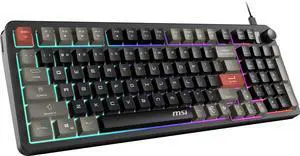
MSI Forge GK110 RGB Gaming Keyboard, Membrane Switch, Anti-Ghosting Keys, RGB Lighting, Spill Resistant, PC
- Brand: MSI Computer
- Name: FORGE GK110
- Keyboard Interface: USB 2.0
- Design Style: Standard
- Model #: FORGEGK110
- Item #: N82E16823167068
- Return Policy: Standard Return Policy
$24.99
$39.99
$3.99 Shipping
Doesnt feel super cheap, and the lighting is good not all distorted like some cheaper keyboards.
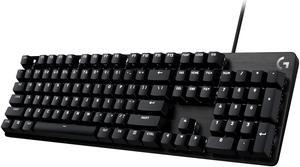
Logitech G413 SE Mechanical Gaming Keyboard, Tactile Switches, Full Size, Durable Aluminum Top Plate, PC Gaming
- Brand: Logitech
- Name: G413 SE
- Keyboard Interface: USB 2.0
- Design Style: Standard
- Model #: 920-010433
- Item #: N82E16823126670
- Return Policy: Standard Return Policy
$89.99
$119.99
Free Shipping
- Simple, one page instructions for setup & keyboard functions - Functions are straight forward - The FN keys have their function displayed on the side of the key toward the user - The keys have a quality feel, in both press and texture - Smooth plastic base makes it easy to clean - Decently long cord to plug into the computer, which isn't aligned to the middle of the base - Very lightweight - Multiple fun lighting options (my favorite is the setting that makes the key light up bright after you press it for a second, then dimming) - The sound of the keypress is very satisfying
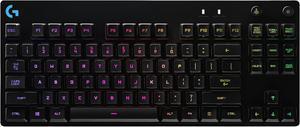
Logitech G PRO Mechanical Gaming Keyboard, Ultra Portable Tenkeyless Design, Detachable Micro USB Cable, 16.8 Million Color LIGHTSYNC RGB Backlit Keys
- Brand: Logitech
- Keyboard Interface: USB 2.0
- Design Style: Standard
- Layout: TKL
- Model #: 920-009388
- Item #: 0GA-0001-00DJ7
- Return Policy: Standard Return Policy
$112.49
$149.99
Free Shipping
Very solid product so far. Keys sounds great and feel great when playing online. Zero complaints and worth every penny
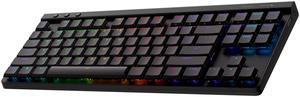
Logitech G515 LIGHTSPEED TKL Low Profile Wireless Gaming Keyboard - GL Brown Tactile Switches, LIGHTSYNC RGB, Thin Tenkeyless Design, PBT Keycaps - Black
- Brand: Logitech
- Part Number: 920-012423
- Keyboard Interface: USB + LIGHTSPEED + Bluetooth
- Design Style: Low-Profile
- Model #: 920-012423
- Item #: N82E16823126744
- Return Policy: Standard Return Policy
$149.99
$199.99
$3.99 Shipping
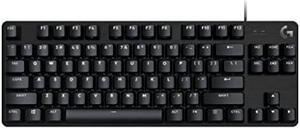
Logitech G413 TKL SE Mechanical Gaming Keyboard - Compact Backlit Keyboard with Tactile Mechanical Switches, Anti-Ghosting, Compatible with Windows, macOS - Black Aluminum
- Brand: Logitech
- Keyboard Interface: USB 2.0
- Design Style: Standard
- Layout: TKL
- Model #: 920-010442
- Item #: N82E16823126669
- Return Policy: Standard Return Policy
$74.99
$99.99
Est. Shipping Fee $0.99
Eligible for Free Shipping
Great mechanical key response. Small form factor allows it to sit on the arm of my recliner, perfect gaming.
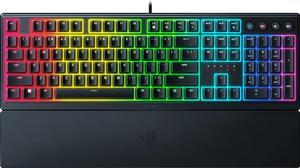
Razer Ornata V3 Gaming Keyboard: Low-Profile Keys - Mecha-Membrane Switches - UV-Coated Keycaps - Backlit Media Keys - 10-Zone RGB Lighting - Spill-Resistant - Magnetic Wrist Wrest - Classic Black
- Brand: RAZER
- Name: Razer Ornata V3
- Keyboard Interface: USB 2.0
- Design Style: Low-Profile
- Model #: RZ03-04460200-R3U1
- Item #: N82E16823114115
- Return Policy: Standard Return Policy
-See title -Chroma with fun effects
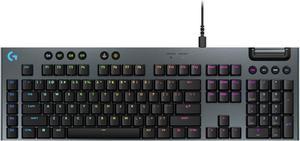
Logitech G915 X Low Profile Mechanical Gaming Keyboard - GL Red Linear Switches, RGB Backlighting - Black
- Brand: Logitech
- Part Number: 920-012950
- Keyboard Interface: USB + LIGHTSPEED + Bluetooth
- Design Style: Low-Profile
- Model #: 920-012950
- Item #: N82E16823126757
- Return Policy: Standard Return Policy
$202.49
Free Shipping
This review is for the "Clicky" model. Rigid construction. Doesn't flex, bend or make any creaky noise. Just heavy enough to sit firmly on your lap without sliding around. Very useful if you're sitting on the sofa! Has light "clicky" sound when keys are pressed, but it's not loud or annoying. Back-light dims after being idle for several seconds, then turns off after a few more seconds. BUT, the keys still work, so you can start typing again without missing a letter, and the back-light comes on again the moment you press any key. You will quickly learn to appreciate this thoughtful design point. Battery life is good considering the back-lighting and all the tech built into this unit. I clocked it at approximately 18 hours of full back-lit gaming plus another 8.5 hours of full back-lit typing and internet before plugging it in to recharge. It was still working OK when i plugged it in to recharge. Works like any standard wireless keyboard with the included USB receiver/dongle, and also on Bluetooth. Conveniently placed buttons along the top of keyboard offer quick selection of either wireless connection or Bluetooth. The USB charging cable can also be used as a USB extender cable so you can place the USB receiver/dongle out in the open for best reception. Numerous lighting configurations are possible. You can create your own or freely download configurations made by other users. Logitech has set up a nice section on their website for the "G-Series" gaming stuff. Look for G-Series logo, not for general "Keyboards" section. Numerous key macros can be configured and saved for quick selection.