
Your Browsing History
BEST SELLERS


BEST SELLERS
In Hard Drive / SSD Enclosures
Our most popular products, based on sales and updated frequently.Shop Department
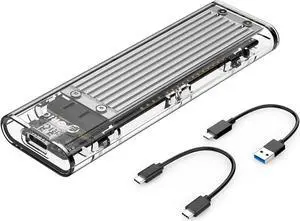
ORICO M.2 NVMe SSD Enclosure, USB 3.2 Gen 2 (10 Gbps), Transparent External Solid State Drive Adapter Enclosure for 2280 2260 2242 2230 PCI-E M2 M-Key SSD, USB Type C Converter Case-TCM2 Silver
- Brand: ORICO
- Series: TCM2
- Model: TCM2
- Size: Compatible with 2230, 2242, 2260, 2280 M.2 NVME (M key) SSD
- Model #: TCM2-C3-SV-BP
- Item #: 9SIAAMW96U1826
- Return Policy: View Return Policy
$30.99
Free Shipping
Works with all NVME SSDs I have tried. Samsung, HP, Plextor, and Hynix. Very fast. Saturates USB 3.0 and 3.1 speeds. Comes with 3.0 and 3.1 cables.
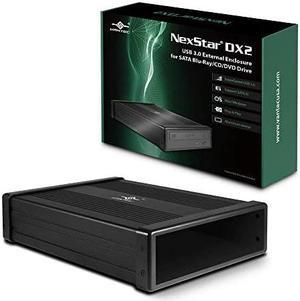
VANTEC NexStar DX2 USB 3.0 External Enclosure for SATA Blu-Ray/CD/DVD Drive
- AC Adapter: Yes
- Material: Aluminum Alloy/ABS
- Dimensions: 2.20" x 8.90" x 6.50"
- Type: Enclosure
- Model #: NST-540S3-BK
- Item #: N82E16817392121
- Return Policy: Standard Return Policy
$74.99
Free Shipping
Install is pretty simple and using is as easy as any other USB device
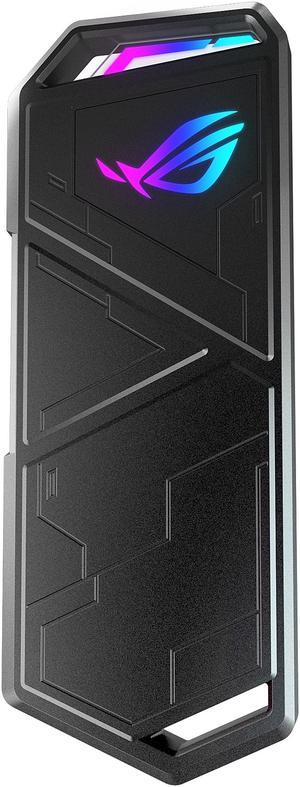
ASUS ROG STRIX Arion Aluminum Alloy M.2 NVMe SSD External Portable Enclosure Case Adapter, USB 3.2 Gen 2 Type-C (10 Gbps), USB-C to C and USB-C to A Cables, Fits PCIe 2280/2260/2242/2230 M Key/B+M Key
- Material: Aluminum
- Dimensions: 4.90" x 1.88" x 0.43"
- Type: Enclosure
- Number of Bay: 1
- Model #: ESD-S1C/BLK/G/AS//
- Item #: N82E16817320006
- Return Policy: Standard Return Policy
$84.99
$99.99
Free Shipping
Great user interface/graphic design
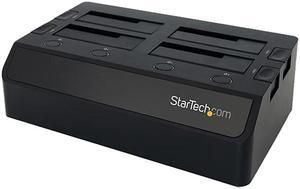
StarTech.com USB 3.0 to 4-Bay SATA 6Gbps Hard Drive Docking Station w/ UASP & Dual Fans - 2.5/3.5in SSD / HDD Dock
- Material: Plastic
- Dimensions: Height:3.4" x Width:6.7" x Depth:11.4"
- Specifications: Chipset ID: VL812+ASM1053E Color: Black Compatible Drive Types (Type and Rate): SATA Drive Connectors: SATA Data & Power Combo (7+15 pin) Receptacle Drive Installation: Removable Drive Size: 2.5in & 3.5in Enclosure Type: Plastic Fan(s): Yes Fans: 40 mm Host Connectors: USB 3.0 B (9 pin ; SuperSpeed) Female Humidity: 20%RH ~ 80%RH Included in Package: Instruction manual Universal power adapter (NA/EU/UK/AUS) USB 3.0 4-Bay 2.5/3.5" SATA SSD/HDD Dock USB 3.0 Cable Input Current: 2.5A Input Voltage: 100 ~ 240 AC Insertion Rating: 15,000 Cycles Interface: USB 3.0 LED Indicators: Drive power/activity LED Max Drive Capacity: Currently tested with up to 4TB 7200 RPM 3.5" hard drives per bay (8TB total) and 2TB 5900 RPM 2.5" hard drives (2TB total) Number of Drives: 4 OS Co...
- Model #: SDOCK4U33
- Item #: N82E16817707363
- Return Policy: Replacement Only Return Policy
$139.99
$270.99
Free Shipping
-Easy to setup. -Great quality. -Great price.
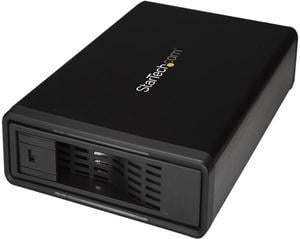
StarTech S351BMU33ET eSATA Enclosure - for 3.5in SATA HDD - USB 3.0 / eSATA - Trayless - Metal - External Hard Drive Enclosure - HDD Enclosure
- AC Adapter: Yes
- Material: Steel, Aluminum and Plastic
- Dimensions: 8.30" x 5.30" x 1.50"
- Specifications: 4Kn Support: Yes Hot Swap Capability: Yes Insertion Rating: 50,000 cycles Max Drive Capacity: Currently tested with up to 10TB 7200 RPM hard drives Maximum Data Transfer Rate : 6 Gbps S.M.A.R.T. Support: Yes TRIM Support: Yes Type and Rate: USB 3.0 - 5 Gbit/s / SATA III (6 Gbps) UASP Support: Yes
- Model #: S351BMU33ET
- Item #: N82E16817707441
- Return Policy: Standard Return Policy
$89.99
Free Shipping
For the past year we have been using this once a month with a 16TB drive to replace tape drive backups of an Ubuntu server - takes less than 10 hours to write almost 4.5 TB over a USB 3.0 connection (one drive holds 3 monthly backups). No issues yet.
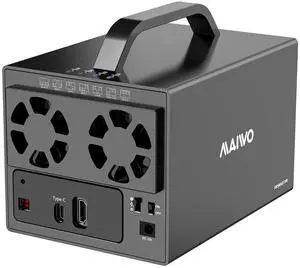
MAIWO 4 Bay RAID Enclosure for 3.5 inch SATA Hard Drive with Two Fans, Support UASP 4K HDTV, 64TB USB3.1 Type-C 5Gbps Speed, RAID 0/1/3/5/10 Clone Large Normal
- Type: Docking Station
- AC Adapter: Yes
- Material: Aluminum
- Thunderbolt 3: Yes
- Model #: K35274D
- Item #: 9SIB2HGJ240917
- Return Policy: View Return Policy
$159.99
Free Shipping
I just barely bought it and plugged in my 4 software raided hard drives and my OS (Ubuntu) mounted them immediately and I had full access to everything I had set up before. The unit feels pretty sturdy and the cooling seems effective. If something happens down the road I'll update this review. This has HDMI built in. I imagine it would work if I had used the built in hardware/software raid (whatever it is) for playing media directly to a screen. I don't plan on using that feature so I can't review it.
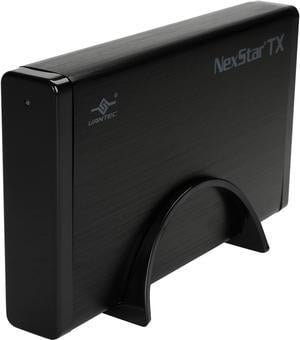
VANTEC NexStar TX NST-328S3-BK Black External Enclosure
- Material: Aluminum / Plastic
- Dimensions: 4.50" x 8.00" x 1.20"
- Specifications: Device Support: SATA I/II/III SSD or Hard Drive Interface Cable: USB Type A to Type B USB Cable Length: 800mm
- Type: Enclosure
- Model #: NST-328S3-BK
- Item #: N82E16817392098
- Return Policy: Standard Return Policy
$40.99
Free Shipping
Reliable data backups (no corruption) Reliable hardware.
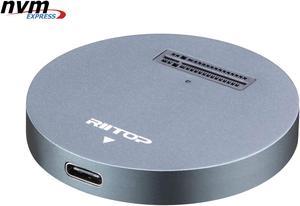
NVMe to USB Docking Station, RIITOP External M.2 PCI-e NVMe SSD to USB-C Reader Adapter for M.2 (M Key) NVMe SSD
- Material: Aluminum
- Dimensions: 2.16x2.16x0.31 in
- Specifications: Type: NVMe USB C Converter Adapter Docking Base. Input: M Key M.2 NMVe slot. Output: USB 3.1 Type C. (Come with USB Type C to C Cable, USB Type C to Type A Adapter Connector) Transfer Speed: Connect with USB 3.1 Port: 10Gbps; Connect with USB 3.0 Port: 5Gbps; Cable length: About 30cm / 12 in.
- Type: Dock
- Model #: NVMETC-DKGY
- Item #: 9SIAFMXGTZ3558
- Return Policy: View Return Policy
$37.99
Free Shipping
-Great if you have spare m.2 chips that you want to access. -Small footprint means you can place it almost anywhere -Useful for backing up information with its quick read/write speed
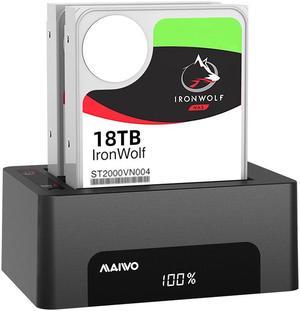
MAIWO Dual Bay Docking Station for SATA 2.5/3.5inch Hard Drive with offline Cloning Duplicator, USB3.0 SATA HDD SSD Enclosure, Supports UASP, up to 32TB Capacity, SATA Hard Drive Dock/Adapter/Reader
- Type: Dock
- Material: Metal / Plastic
- HDD Count Supported: Dual HDD
- Number of Bay: 2 Bay
- Model #: K3082A
- Item #: 9SIB2HGHV34886
- Return Policy: View Return Policy
$78.99
Free Shipping
Small footprint fit under computer table on top of my desktop.
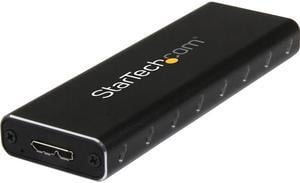
StarTech.com SM2NGFFMBU33 M.2 SSD Enclosure for M.2 SATA SSDs - USB 3.0 (5Gbps) with UASP - External M.2 SSD Enclosure - Aluminum
- Dimensions: Height:0.6" x Width:1.4" x Depth:3.9"
- Type: See Details
- Weight: 2.40 oz
- Package Contents: USB 3.0 to M.2 SATA External SSD Enclosure with UASP 1 x USB 3.0 Cable 1 x SSD screw kit 1 x Mini Screw Driver 1 x Instruction Manual
- Model #: SM2NGFFMBU33
- Item #: N82E16817707382
- Return Policy: Standard Return Policy
$39.99
$6.99 Shipping
Solid construction and I appreciate the inclusion of extra mounting fasterners, along with the screwdriver in a reusable plastic pouch. I can confirm it works with a SAMSUNG SM951 M.2 256GB Internal Solid State Drive (SSD) .
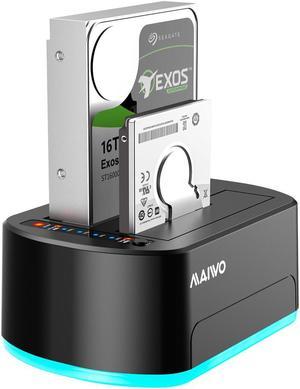
MAIWO Dual Bay Hard Drive Docking Station for SATA 2.5/3.5inch with offline Clone, USB3.0 SATA HDD SSD Duplicator with RGB LED Lights, Supports UASP, up to 32TB Capacity
- Type: Dock
- AC Adapter: Yes
- Material: Metal / Plastic
- HDD Count Supported: Dual HDD
- Model #: K3062B
- Item #: 9SIB2HGJTM7782
- Return Policy: View Return Policy
just used this last night to clone my drive c to a larger m.2 and it took all of five minutes using the usb-c connection and Easeus disc copy...
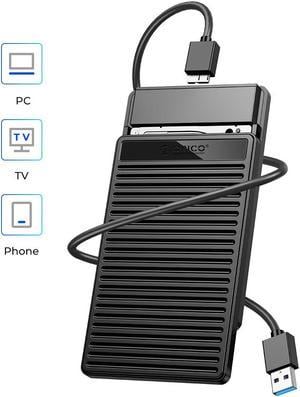
ORICO 2.5 inch USB3.0 Hard Drive Enclosure SATA 5Gbps USB 3.0 to SATA III External Hard Drive Case Support Up to 6TB SSD with UASP
- Material: Plastic
- Type: Enclosure
- HDD Count Supported: Single HDD
- Number of Bay: 1 Bay
- Model #: PDD25U3-BK-EP
- Item #: 9SIAAMWJY53479
- Return Policy: View Return Policy
$20.99
Free Shipping
+ Price / Value + Cool Faux-Retro Aesthetic + Great for Stacking / Easy Storage * They may not be designed to stack per se but they do a good enough job (much better than an enclosure with rounded edges) and that is such a huge bonus as it helps me to keep all of my drives organized and less prone to becoming a cluttered mess.
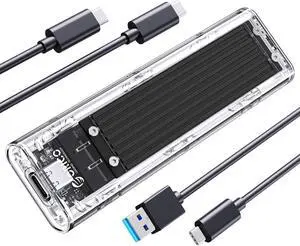
ORICO M.2 NVMe SSD Enclosure, USB 3.2 Gen 2 (10 Gbps), Transparent External Solid State Drive Adapter Enclosure for 2280 2260 2242 2230 PCI-E M2 M-Key SSD, USB Type C Converter Case-TCM2 Black
- Material: Aluminum / Plastic
- Type: Enclosure
- HDD Count Supported: Single SSD
- Number of Bay: 1
- Model #: TCM2-C3-BK-BP
- Item #: 9SIAAMW96U1085
- Return Policy: View Return Policy
$30.99
Free Shipping
There are almost as many M.2 to USB enclosures on the market as there are Linux distros. This was the first one when sorted by price low to high at the time that seemed like a good idea to buy. Included cables (plural) are actually decent, is not just not hideous but even mildly visually pleasing IMO, statured the bandwidth of a USB 3.something-this-week-Gen-whatever 5Gbs connection with a mildly abused WD_Black SN750 installed. The included screwdriver was a nice touch.

M.2 NVME / NGFF SSD Enclosure Adapter, USB 3.2 Gen 2 (10 Gbps) to PCI-E NVME & NGFF M-Key/(B+M) Key Solid State Drive External Enclosure Support UASP Trim for NVME/SATA SSDs 2242/2260/2280
- Model #: 11-001-043
- Item #: 9SIAFFK6PP9189
- Return Policy: View Return Policy
$31.09
Free Shipping
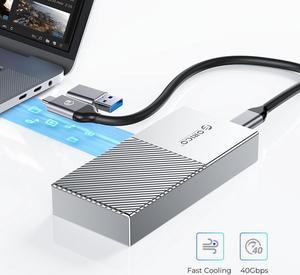
ORICO M.2 NVME SSD Enclosure USB4.0 40Gbps PCIe3.0x4 USB Type-C Aluminum Adapter, NVME PCIe 2280 M-Key(B+M Key) External Solid State Drive Case Compatible with Thunderbolt 3/4 USB3.2/3.1- Silver
- Type: Enclosure
- Material: Aluminum
- Thunderbolt 3: Yes
- HDD Count Supported: Single SSD
- Model #: M208C3-U4-SV-BP
- Item #: 9SIAAMWJ3S1587
- Return Policy: View Return Policy
$209.99
Free Shipping
I like the USB C to USB A adapter is included and tethered. I tend to still just use USB A 3.0 ports. I am currently using a SSD M.2 but like that it supports both SSD and NVME (provided they fit the keys in the description). Getting really good speeds.
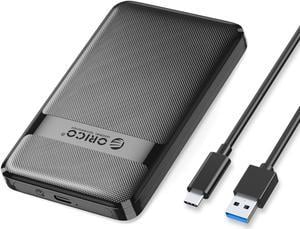
ORICO 2.5 inch USB3.1 to SATA External Hard Drive Enclosure case with Grid Texture Design Tool Free for 7mm/9.5mm 2.5 inch HDD and SSD Up to 6TB -Black USB 3.1
- Material: Plastic
- Type: Enclosure
- HDD Count Supported: Single HDD
- Number of Bay: 1 Bay
- Model #: 2577C3-V1-BK-EP
- Item #: 9SIAAMWJY53112
- Return Policy: View Return Policy
$18.99
Free Shipping
Easy setup - open slide in drive / place foam backer and close USB3 fast interface
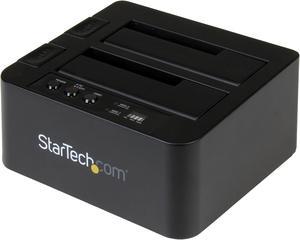
StarTech.com SDOCK2U313R USB 3.1 (10Gbps) Standalone Duplicator Dock for 2.5" & 3.5" SATA SSD / HDD - with Fast-Speed Duplication up to 28GB/min
- Dimensions: Height:2.8" x Width:5.2" x Depth:5.8"
- Specifications: Duplicate or dock a SATA SSD/HDD with fast performance - USB 3.1 (10Gbps) standalone duplicator dock for 2.5" & 3.5" SSD/HDD drives - HDD cloner with fast-speed SSD duplication up to 28GB/min - 2.5in and 3.5in hard drive duplicator and drive dock - Works with both USB-C and USB-A enabled devices w/ two cables included - Dual-bay duplicator dock featuring toaster-style design with drive doors and drive eject buttons - Compatible with Thunderbolt 3 USB-C port - Supports SATA I/I/III (up to 6Gbps)
- Type: Office Products
- Weight: 1.15 lb
- Model #: SDOCK2U313R
- Item #: 9SIAH2MKSV3286
- Return Policy: View Return Policy
$147.75
Free Shipping
Takes 1 minute to attach to my computer....comes with the USB cable and power cord. Plug it in, insert one or two disk drives (either 3.5 or 2.5, either spinning or solid state, press the power button on the unit and my computer recognized the drives in less than 10 seconds. Got initial transfer rates of well over 1 Gigabyte per second for about 5 seconds then it reduced to an ongoing rate of about 200MB per second. Note i use this for secondary drives and have not used it to actually "duplicate" one disk to another. Very happy.
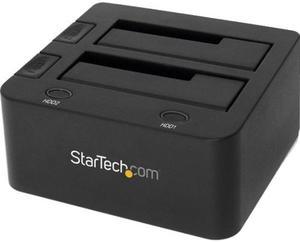
StarTech.com SDOCK2U33 USB 3.0 Dual Hard Drive Docking Station with UASP for 2.5 / 3.5in HDD / SSD – USB 3.5" SATA HDD / SSD Dock - SATA 6 Gbps
- AC Adapter: Yes
- Material: Plastic
- Dimensions: 2.80" x 5.20" x 5.80"
- Specifications: MTBF: 30,000 Type and Rate: USB 3.0 - 5 Gbit/s UASP Support: Yes Drive Connectors: 2 x SATA Data & Power Combo (7+15 pin) Receptacle Host Connectors: 1 x USB Type-B (9 pin) USB 3.0 Female
- Model #: SDOCK2U33
- Item #: N82E16817707360
- Return Policy: Standard Return Policy
$100.99
$7.99 Shipping
- Youre a man with his own backup software, probably Acronis if you're over the age of 20.... You don't need fancy features on your hardware as you have all the controls in software. -StarTech is best tech. I coulda bought Rosewill, but then I'd have to see their face of disgust. Not happening.
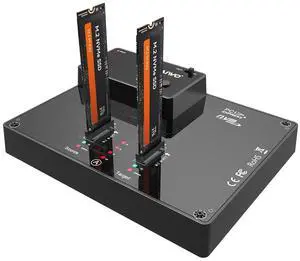
MAIWO Dual Bay NVMe Docking Station, M.2 Duplicator with NVMe Clone(Max 10Gbps),M.2 Dock with Power Switch,Compatible with Windows, mac OS, Linux
- Brand: MAIWO
- Series: Dual Bay NVME SSD Duplicator
- Model: M.2 SSD Enclosure
- Size: M.2
- Model #: K3015P
- Item #: 9SIB2HGKJT5190
- Return Policy: View Return Policy
$139.99
Free Shipping
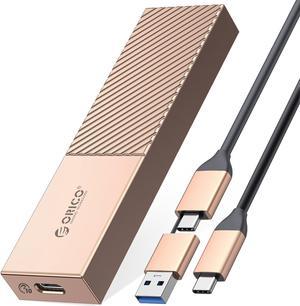
ORICO Aluminum M.2 NVMe SSD Enclosure USB C to M.2 SSD Enclosure Reader 10Gbps to NVMe M-Key External M2 Adapter Support UASP TRIM - Rose Gold
- Material: Aluminum
- Type: Enclosure
- HDD Count Supported: Single SSD
- Number of Bay: 1 Bay
- Model #: M206C3-G2-RG-BP
- Item #: 9SIAAMWJ3S1563
- Return Policy: View Return Policy
$51.99
Free Shipping